模型与 MCP
待识别

rea
morluto
Reverse engineer anything with agents, from app behavior down to native binaries.

BorisXiao/dsh-cyber-pet
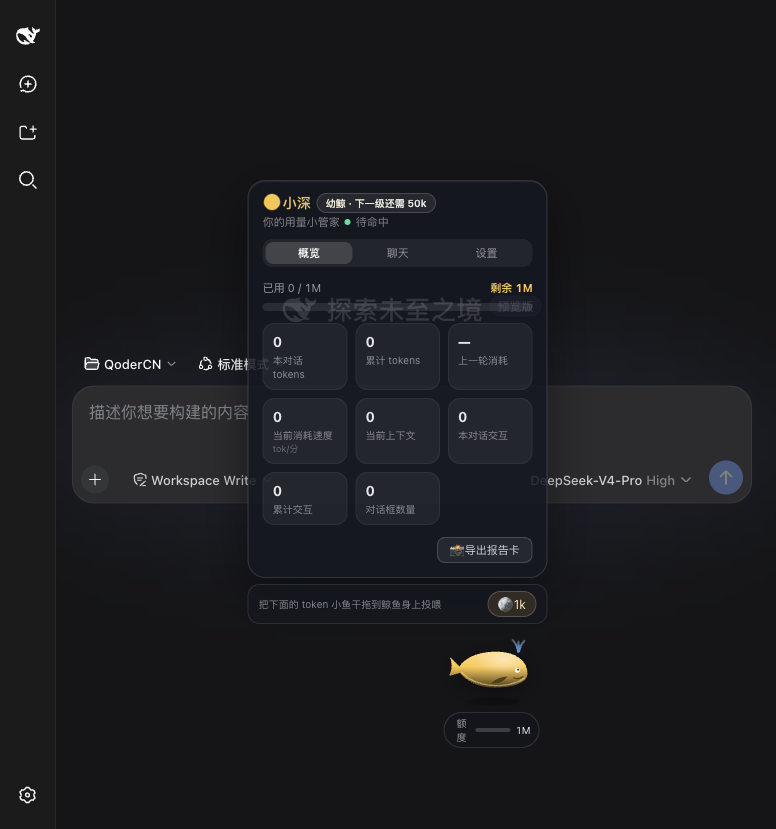
A “Cyber Whale” pet designed for DeepSeek Harness: a whale that hovers on the web page, can be fed, and changes color, providing real-time updates on token usage, limits, context usage, interaction counts, and the number of dialog boxes—complete with three built-in chat backends, growth levels, an emotion system, and milestone celebration features.
PROJECT TOPICS
INSTALL REFERENCE
dsh plugin --profile web add github:BorisXiao/dsh-cyber-pet
该命令指向仓库当前默认分支;尚无绑定当前 commit 的完整验证结果。
PROJECT README
English | 中文 · 🎮 Live Demo
A cyber whale pet for DeepSeek Harness: a floating, feedable, color-customizable whale that lives inside the Web UI and reports your token usage, quota, context occupancy, interactions, and conversation counts — with three chat backends, growth levels, moods, milestone celebrations, and a one-click PNG report card.
🎮 Try it without installing anything: Live Demo — swap skins, recolor the whale, simulate turns, and feed it, right in your browser.
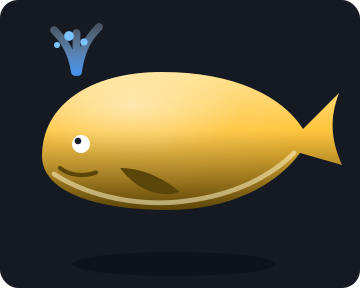
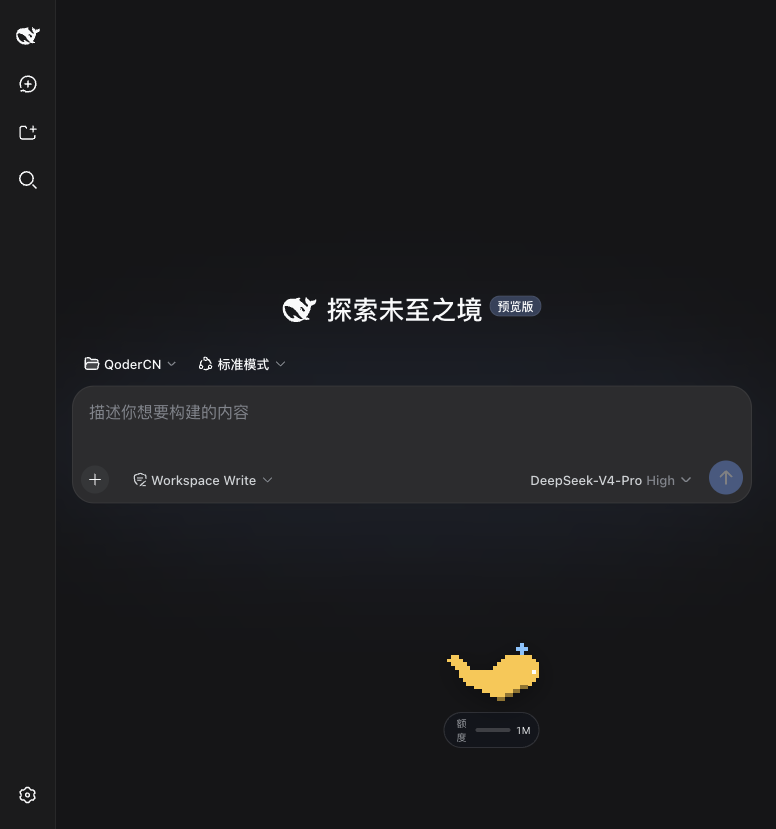
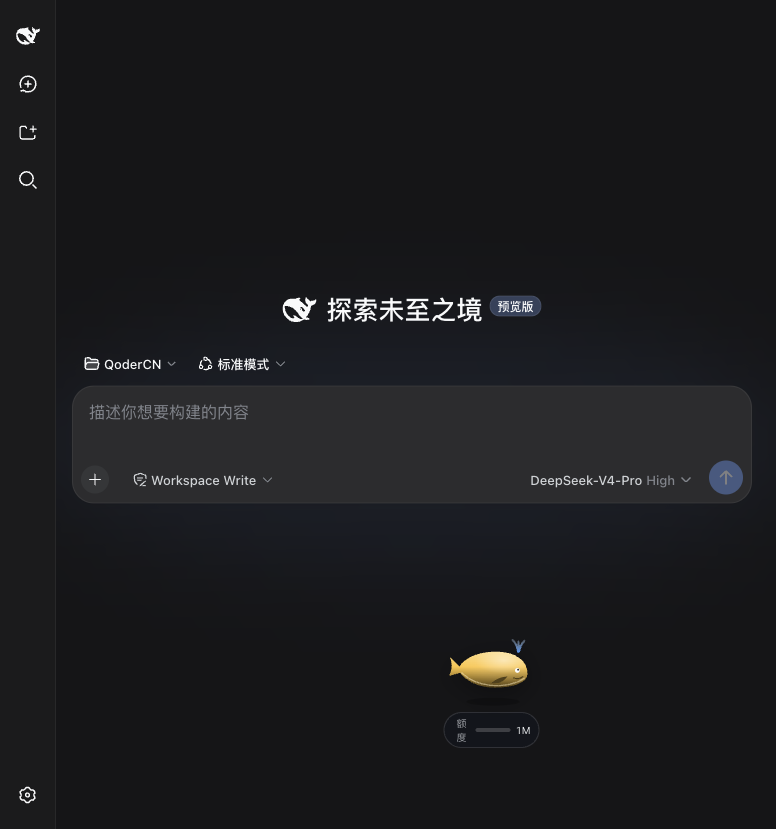
Two skins — pixel-art and skeuomorphic (the animated tiles are live SVG recreations of the in-app skins; the photos are real screenshots):
| Pixel-art | Skeuomorphic |
|---|---|
 |
 |
 |
 |
The dashboard in both UI languages (Chinese / English):
| Chinese UI | English UI |
|---|---|
 |
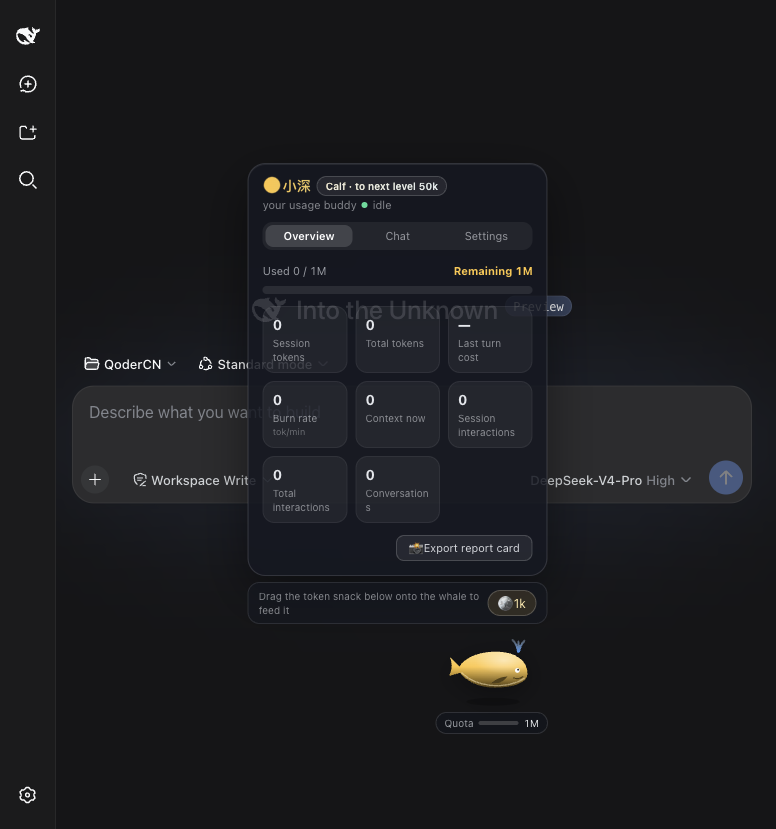 |
It talks — the whale reports every completed turn (cost + remaining quota) in a speech bubble:
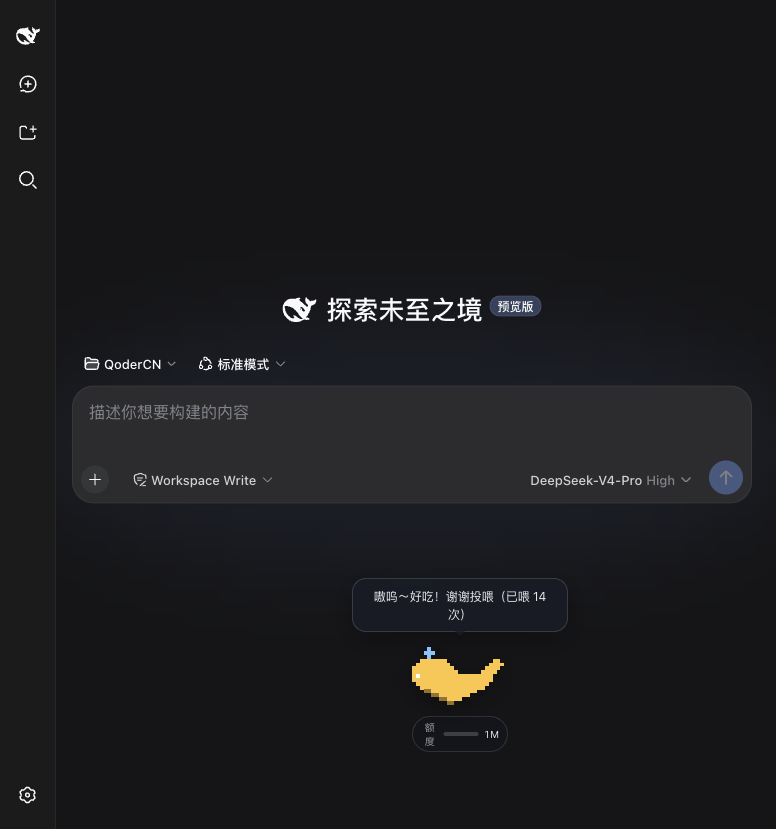
All you need is Node.js (≥ 22.19, LTS recommended) and pnpm — the plugin command delegates to it, one-time setup: npm install -g pnpm. No Git, no source checkout, no build.
1. Add the whale to your harness web profile — one line:
npx @deepseek-ai/dsh plugin --profile web add @borisshaw6/dsh-cyber-petThe first run asks y to confirm downloading the harness; when you see + @borisshaw6/dsh-cyber-pet, it is installed.
2. Start (or restart) the web UI:
npx @deepseek-ai/dsh webThe whale loads at profile startup. If a web session is already running, stop it and run the command again — a bare browser refresh is not enough.
3. Open http://127.0.0.1:3080 — a yellow whale appears and starts swimming; click it to open the dashboard panel.
Optional — confirm the plugin layer is mounted:
npx @deepseek-ai/dsh --profile web --dump-config | grep pet-chatUpdate / uninstall:
npx @deepseek-ai/dsh plugin --profile web update @borisshaw6/dsh-cyber-pet
npx @deepseek-ai/dsh plugin --profile web remove @borisshaw6/dsh-cyber-pet
Under the hood, the bundle package carries both halves (host-side petChat Remote + browser surface) and mounts through the profile's cordis.patch.yml layer plus the dsh.client declaration. Building it from source is described in dsh-cyber-pet-bundle/README.md.
Troubleshooting
| Symptom | Fix |
|---|---|
| No whale after install | Restart the web profile (step 2) — the browser half loads at startup — then hard-refresh the page. |
pnpm not found on PATH |
npm install -g pnpm (or corepack enable), then re-run step 1. |
| Port 3080 already in use | npx @deepseek-ai/dsh web --port 3099, or stop whatever is holding 3080. |
Harness older than 0.1.0-rc.6 |
Upgrade the harness, or use Option B below. |
Requirements: Node.js ≥ 22.19, Git, and pnpm (corepack enable). Tested against harness 0.1.0-rc.5.
git clone https://github.com/deepseek-ai/deepseek-harness.git
git clone https://github.com/BorisShaw6/dsh-cyber-pet.git
cd dsh-cyber-pet && ./install.sh ../deepseek-harness
cd ../deepseek-harness && pnpm dsh web     # open http://127.0.0.1:3080
Or let the installer fetch the harness for you:
git clone https://github.com/BorisShaw6/dsh-cyber-pet.git && cd dsh-cyber-pet && ./install.sh --quickThe installer clones harness 0.1.0-rc.5 (pinned tag) when no checkout is given, copies both packages, wires the 4 registration files, installs, and builds. It is idempotent and safe to re-run; options: --force (replace existing plugin files), --skip-deps, --skip-build.
For the fully manual procedure (copy the two packages, edit the four files, build), the usage guide, and troubleshooting, see ui-pet/README.md.
Uninstall:
./uninstall.sh /path/to/deepseek-harness --purgepetChat Remote, credentials stay on the host — needs DEEPSEEK_API_KEY)All counters and preferences persist in browser localStorage (dsh.cyber-pet.v3).
dsh-cyber-pet/
├── install.sh            # one-click source installer (Option B)
├── uninstall.sh          # one-click uninstaller
├── scripts/
│   └── patch-files.mjs   # idempotent registration engine (apply/revert)
├── dsh-cyber-pet-bundle/ # dsh-plugin bundle package (Option A, npm-publishable)
├── docs/                 # gallery assets (screenshots + animated SVG demos)
├── ui-pet/               # → packages/client/ui-pet   (browser whale surface)
└── pet-chat/             # → packages/feedback/pet-chat (host chat Remote)
The installer copies ui-pet/ and pet-chat/ into the harness workspace and adds four registration lines (tsconfig.host.json, tsconfig.client.json, packages/bundle/web-app/package.json, packages/bundle/web-app/cordis.patch.yml). See ui-pet/README.md for the full manual procedure, usage guide, and troubleshooting.
0.1.0-rc.6; Option B pins the harness checkout at 0.1.0-rc.5 (--quick clones that exact tag).dsh plugin add targets harness ≥ 0.1.0-rc.6; the source installer targets 0.1.0-rc.5.localStorage; prefer Harness Pet when the host credentials are configured.Amid great anticipation and excitement, DeepSeek Harness has finally been officially launched. Riding the surging wave of AI, each of us developers is a firsthand witness to this era. As backend engineers, our daily work involves either implementing requirements based on spec documents or refining business logic within the framework of various driving specifications and development standards; while the rapid iteration of AI tools boosts efficiency, it also subtly adds pressure to keep up — as if the slightest delay would leave us trailing behind the times.
Technology is constantly evolving, yet the passion for coding deep within my heart remains unchanged — a thought that is both poignant and wondrous. I usually handle business requirements on GitLab. Although I log into GitHub frequently, I rarely have the chance to let my guard down and play around there, tinkering with personal projects purely out of passion.
Early Saturday morning, I was casually browsing and came across a data structures practice assignment I'd uploaded years ago — which included a simple maze game implemented using a binary tree. Looking back with today's perspective, the code is a bit rough around the edges, but it's brimming with the pure joy of coding I felt back then. Inspired by the launch of DeepSeek Harness, an idea took root in my mind: I wanted to contribute my own small part to the Harness ecosystem.
As a pure backend developer with no prior experience in frontend technologies, I relied entirely on Qoder to complete the development of this little project. It's very small in scope, and the code is far from perfect — it might even hide some undiscovered bugs — so it's hardly a technically substantial project. Still, I hope this little thing can play its own small role within the Harness ecosystem and offer a bit of relaxation beyond technology to my peers who are constantly juggling business demands and standards.
In an era where everyone is being pushed to run faster and faster, regulations and pressure are ever-present. But I've always believed that amidst the grind of coding, we should carve out a few fragmented moments of leisure. May this little cyber pet add a moment of pure joy — free from KPIs and regulations — to your hectic development routine.
Hello, friends.
MIT — same as DeepSeek Harness.
CLASSIFICATION EVIDENCE
系统优先读取 GitHub Topics,再与站内分类词典和词根规则比对。当前命中: deepseek-harness、deepseek-harness-plugin、deepseek-harness-plugins。
morluto
Reverse engineer anything with agents, from app behavior down to native binaries.

deepseek-ai
DeepSeek Harness: Everything is a Plugin.

nexu-io
The 1st Collaborative AI Design Agent Workspace. Local-first and open source. Create motion, prototypes, websites, apps, dashboards, presentations, images, and videos with your team and AI agents. Share work, exchange feedback, and iterate together in one workspace.