
模型与 MCP
待识别

rea
morluto
Reverse engineer anything with agents, from app behavior down to native binaries.
PROJECT TOPICS
INSTALL REFERENCE
dsh plugin --profile web add github:Biogod2020/dsh-article-review
该命令指向仓库当前默认分支;尚无绑定当前 commit 的完整验证结果。
PROJECT README
English | 中文
A plugin for academic writing in DSH (DeepSeek Harness), the AI agent app that runs on your own computer as a Desktop app or in the browser; install DSH first by following its README. The plugin adds a panel beside your DSH conversation where you and the AI work on a paper: you read and annotate, the AI proposes changes, and you decide what is accepted.
Your data: manuscripts and review records stay in the conversation's workspace folder on your computer. Manuscript text is sent only to the model you configured in DSH. If you enable automatic plugin updates, the updater contacts npm for version metadata and package downloads; it does not upload manuscripts or review records. If unpublished work must not leave your computer, configure a local model in DSH.
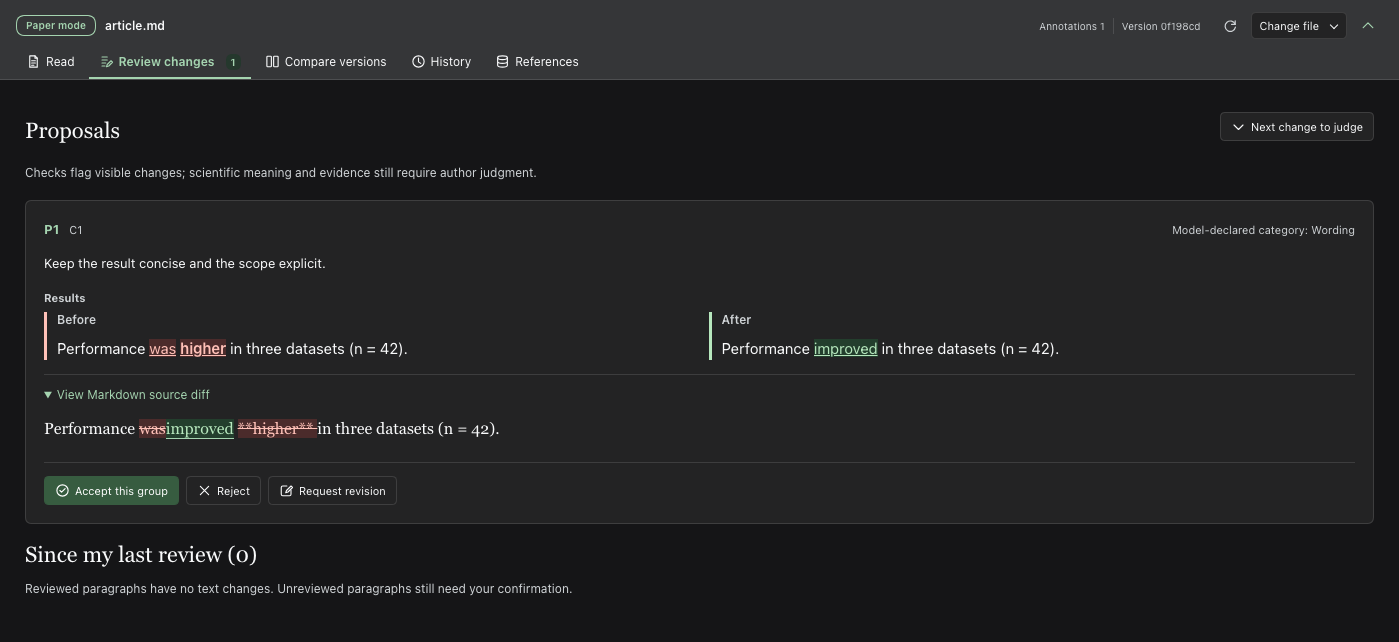
Screenshots use fictional manuscripts; proposals include real model runs.
DSH 0.2.2-rc.1 and later can check and install third-party plugin updates from its Plugins page, with an attempt to restore the previous version if hot activation fails. Install this plugin by its npm name to use that flow, and follow any restart prompt. This release supports DSH 0.2.2-rc.1 to 0.2.2-rc.3. The independent scheduled updater below remains optional.
After installing 1.0.4, open Paper → 插件更新 and enable 自动更新文章审阅插件 once. It is off by default. The independent helper checks at startup and every six hours, downloads only a newer npm release compatible with the installed DSH, verifies its SHA-512 checksum, waits for DSH to exit, and activates it on the next launch. Manuscripts, review records, sessions and model settings stay in place.
Supported schedulers: Windows current-user Task Scheduler (no elevation), macOS LaunchAgent, and Linux user systemd. The account must be logged in / have its user service running, and the captured Node/DSH runtime and npm network access must remain available. Turning the setting off removes the scheduled job. Existing users need to install this release once before the switch becomes available.
Manuscript review — available now (1.0.4)
Paper projects — available now (1.0.4)
Requirements: DSH Desktop (0.2.0-rc.2 to 0.2.2-rc.3, including 0.2.1-rc.5; runtime included) or DSH Web (0.2.1-alpha.4; DSH 0.2.2-rc.1 to 0.2.2-rc.3 on the web need Node.js 24.9+). To import PDF, Word or LaTeX, install uv once yourself; on first use it downloads Python with the PyMuPDF, Pandoc and Pillow packages (about 100 MB) into the workspace's .paper-tools/ folder, so that first import needs network access. Nothing is installed into your system Python. The plugin uses your existing model configuration.
Desktop app
dsh-article-review.Web
dsh plugin --profile web add dsh-article-review
dsh web
Restart a running Web profile after installation.
latest tag points to 1.0.4. pnpm 11 waits 24 hours before installing a new release by its bare name; to install it today, use dsh-article-review@1.0.4 or the package-only opt-in.github:Biogod2020/dsh-article-review#v1.0.4. If GitHub times out, download the prebuilt release archive and enter its absolute local path in Plugins → Add plugin, without extracting or building it. Use a prebuilt tag; main contains development source.desktop profile, so installing into web does not install into the app.@deepseek-ai/dsh-experimental-paper-review (tags up to v0.2.1-alpha.1). If you installed that package, uninstall it in Plugins before installing dsh-article-review and restart. Review records in .paper-review/ are kept./paper-project-start in the conversation (despite its name, it only imports the article for manuscript review and does not create a paper project); the converted Markdown copy opens in the reader and your original is kept.Accepting a proposal updates the Markdown file. Each paragraph stays compared with the last version you marked reviewed, so later changes stand out. Review records live in .paper-review/ next to the manuscript: back it up with the manuscript and keep it out of public Git history. See the user guide for figures, references and versions.
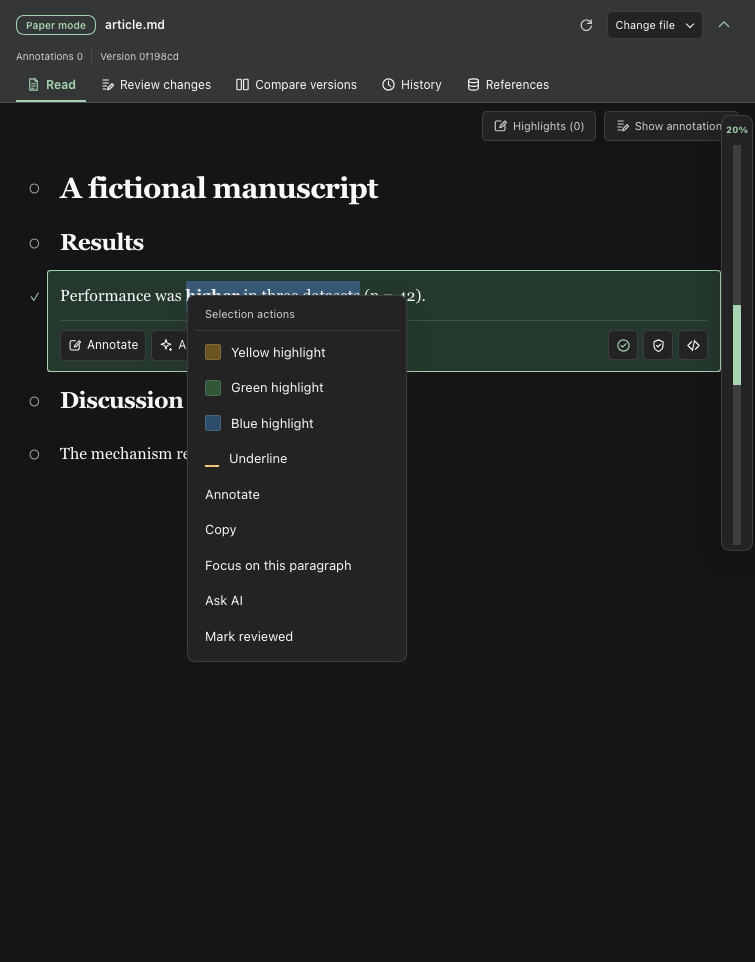 Select text and right-click to highlight or annotate. |
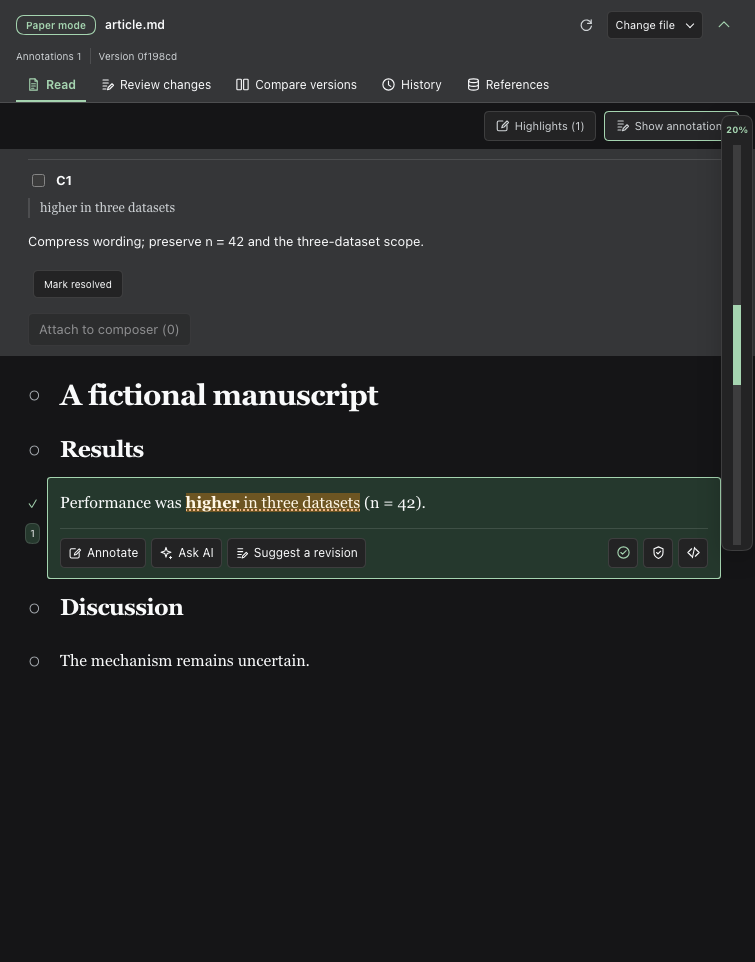 Save annotations and attach revision requests to the conversation. |
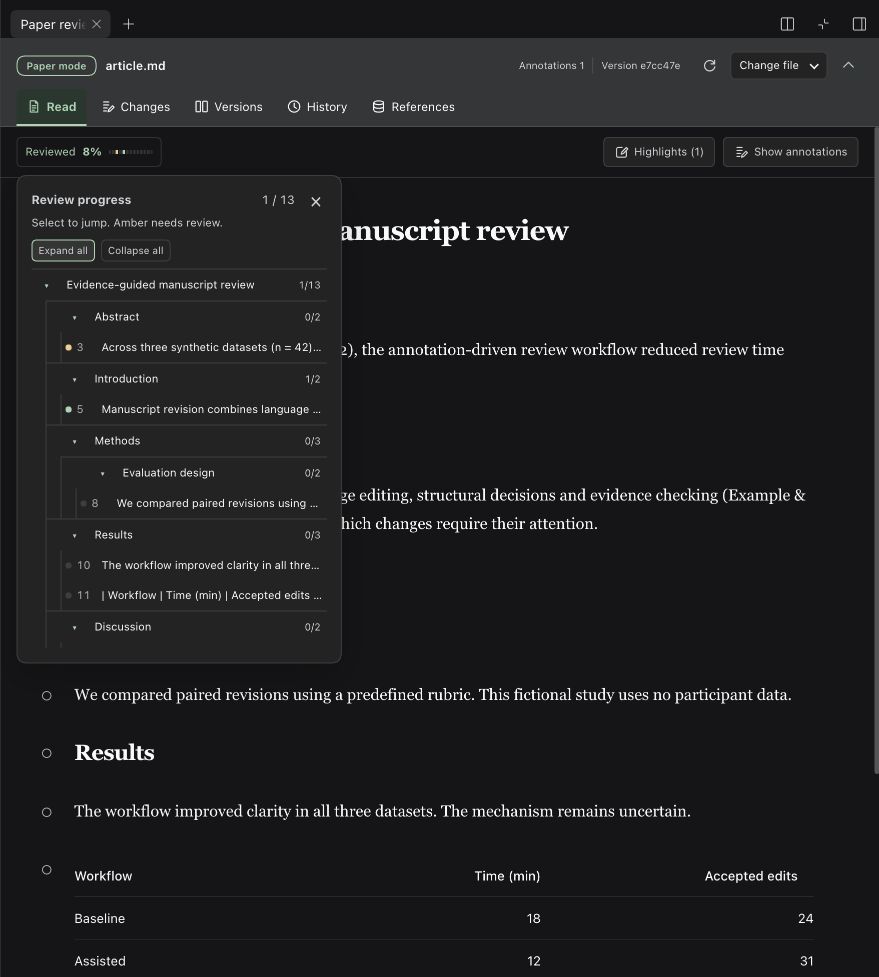 Check review progress and jump to sections or paragraphs. |
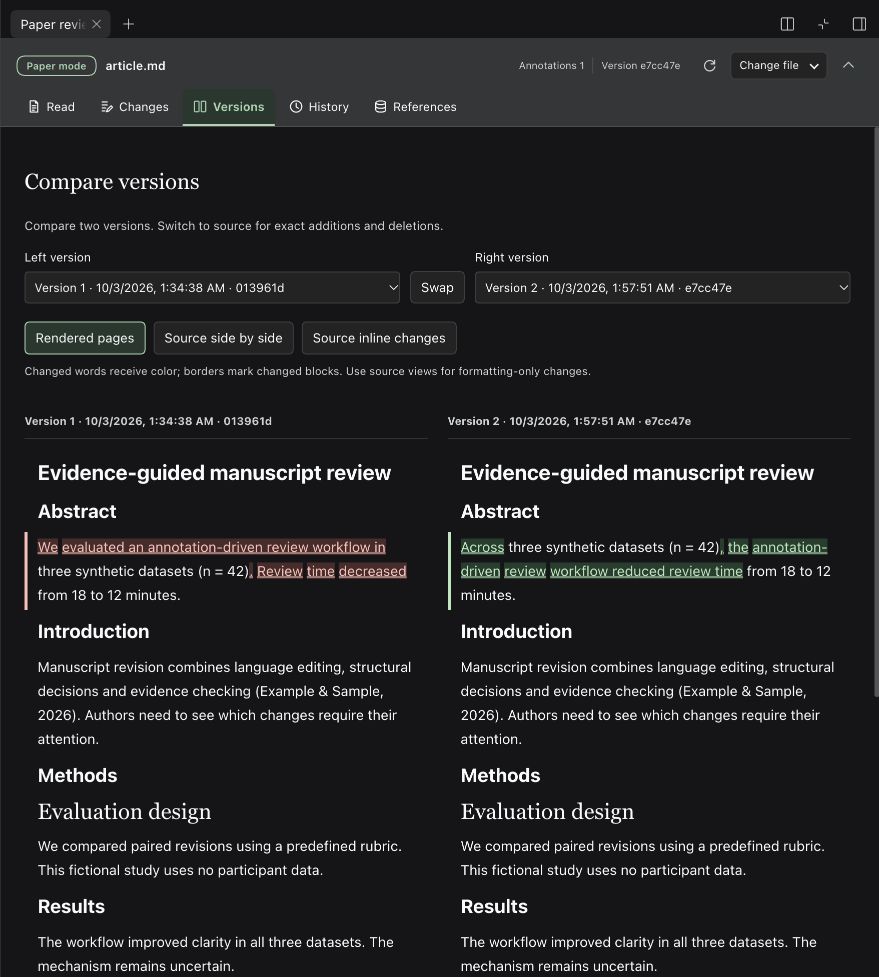 Compare two versions and see changed words directly. |
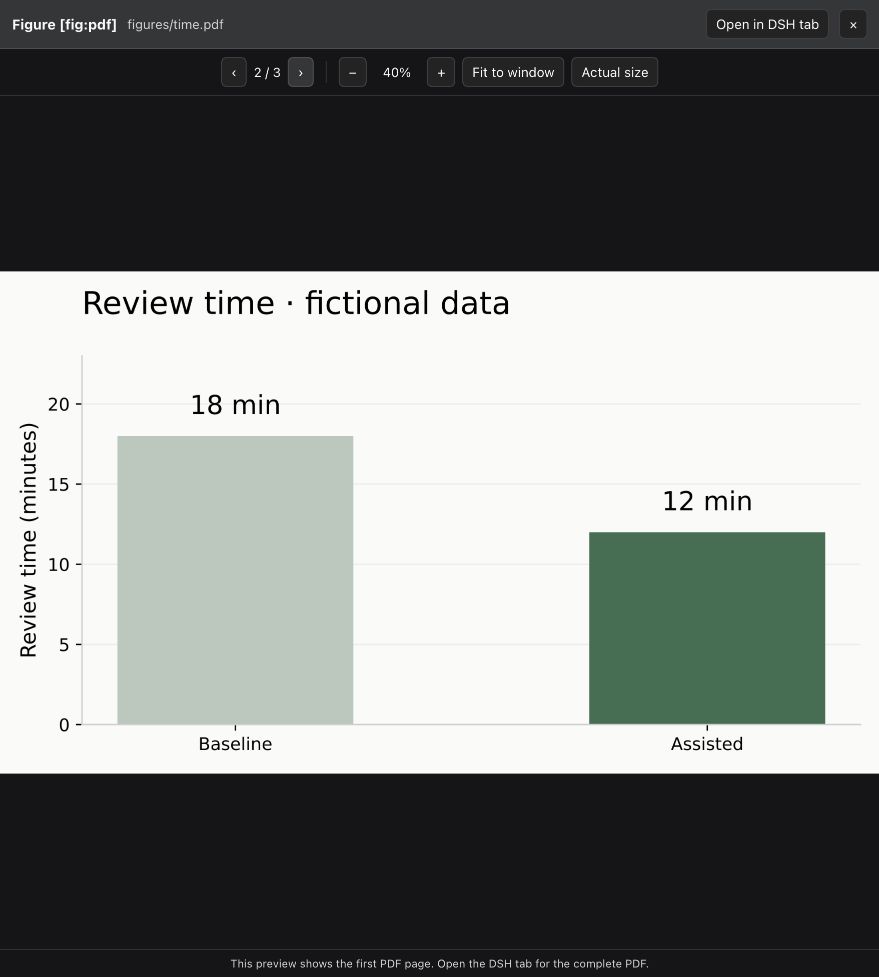 Preview PDF figures. |
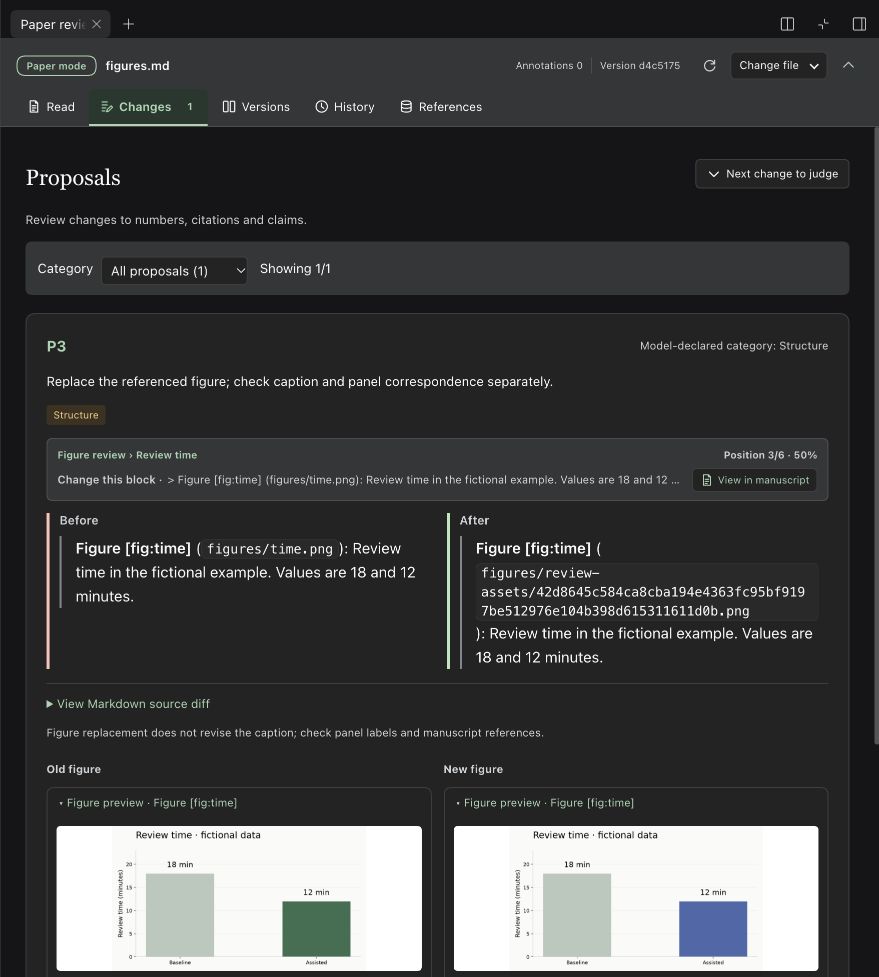 Review figure replacements before and after. |
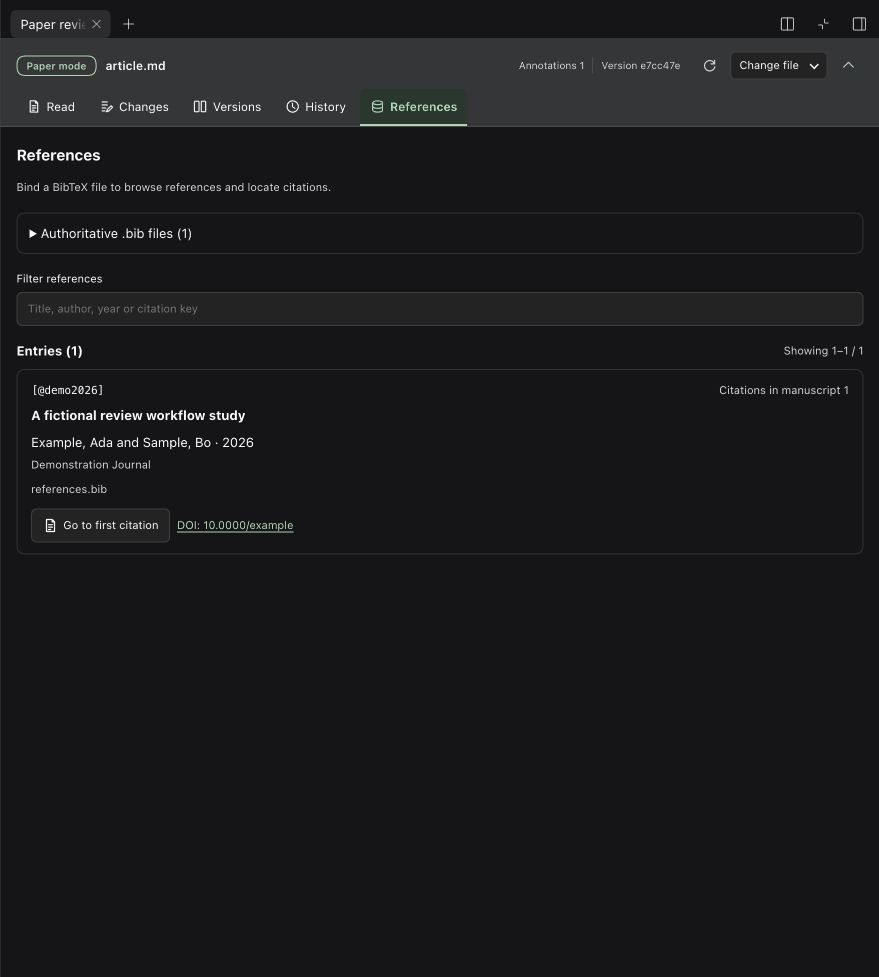 Browse references and check citation keys. |
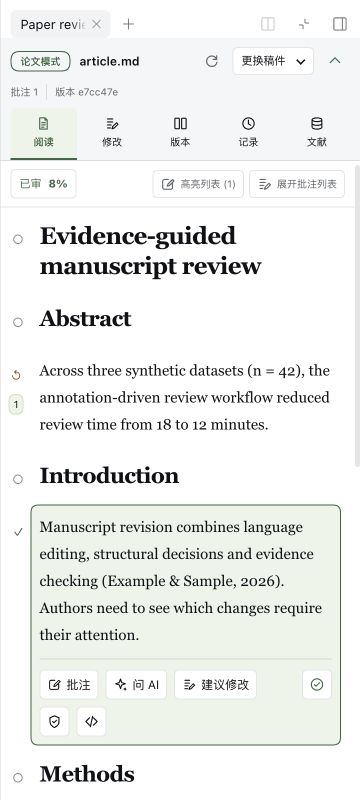 Compact reading on narrow screens. |
Paper projects are on main and will be in the next npm release; the current release does not include them. The project panel's interface is in Chinese.
Choose Paper (论文) in the right sidebar and start from a paper you already have:
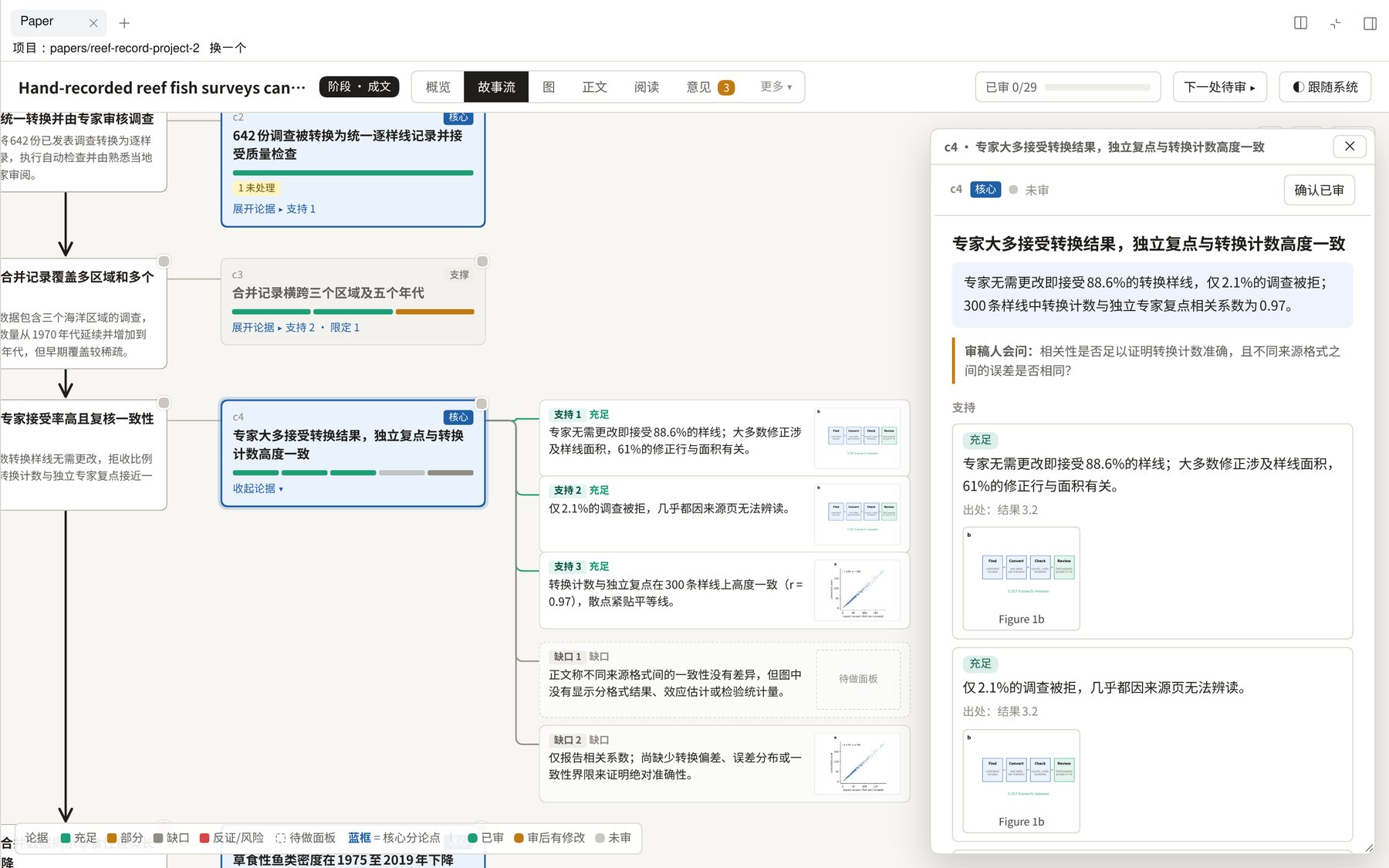
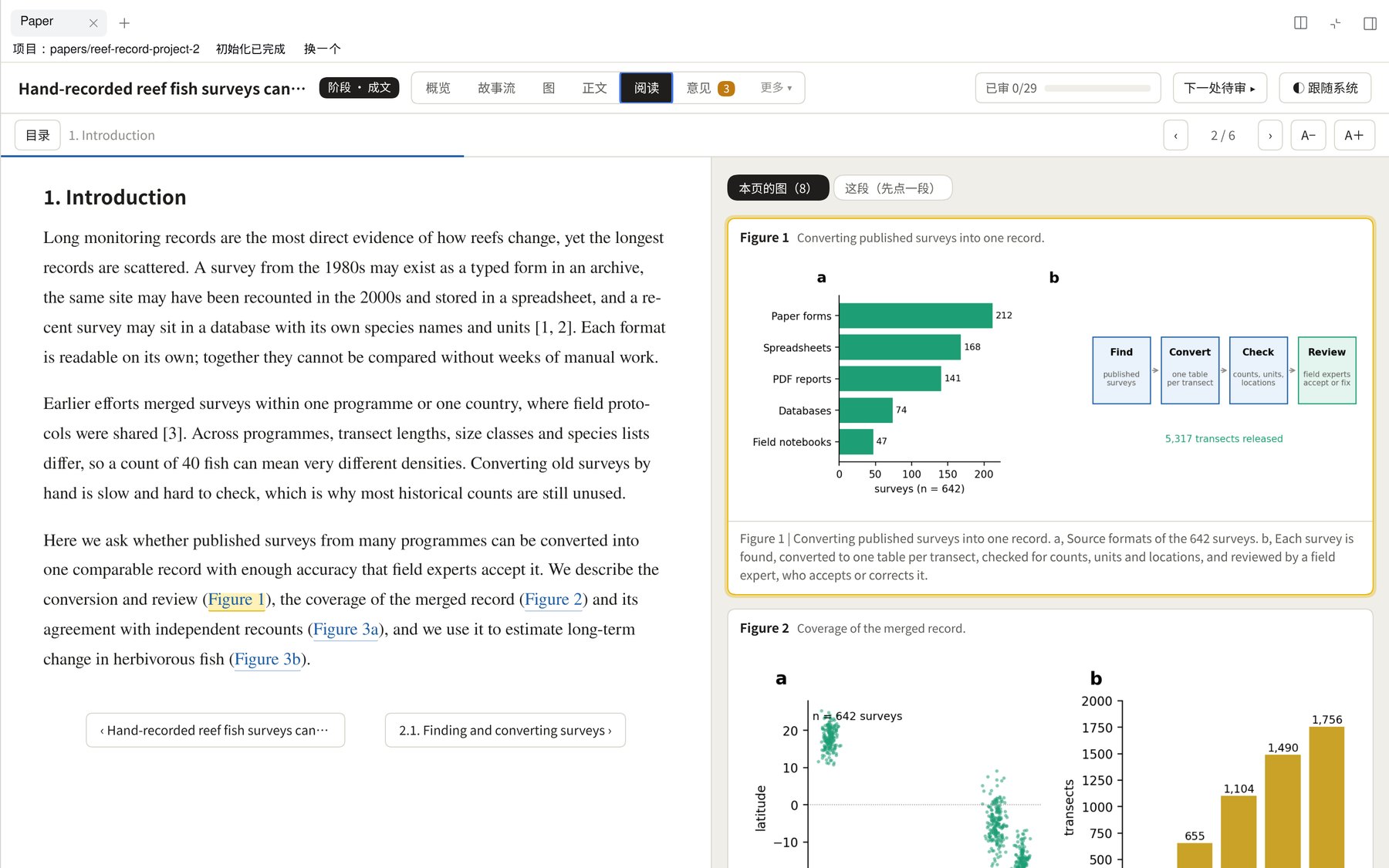
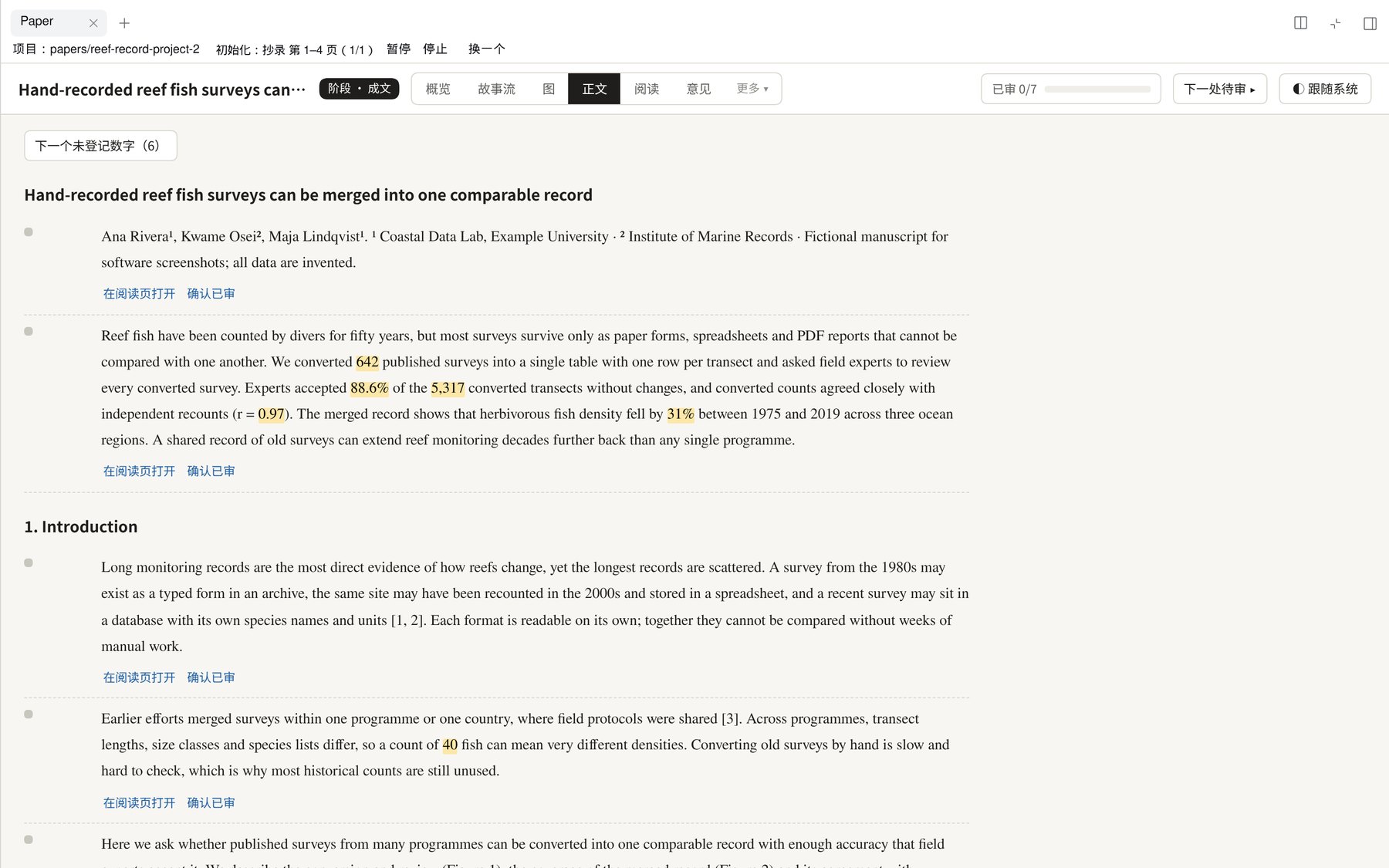
See the paper projects guide for the steps, the files a project contains, and what changes are made directly or as drafts.
CLASSIFICATION EVIDENCE
系统优先读取 GitHub Topics,再与站内分类词典和词根规则比对。当前命中: deepseek-harness。
morluto
Reverse engineer anything with agents, from app behavior down to native binaries.

deepseek-ai
DeepSeek Harness: Everything is a Plugin.

nexu-io
The 1st Collaborative AI Design Agent Workspace. Local-first and open source. Create motion, prototypes, websites, apps, dashboards, presentations, images, and videos with your team and AI agents. Share work, exchange feedback, and iterate together in one workspace.