
模型与 MCP
待识别

rea
morluto
Reverse engineer anything with agents, from app behavior down to native binaries.
PROJECT TOPICS
INSTALL REFERENCE
dsh plugin --profile web add github:BeiSheng2333/dsh-office-live
该命令指向仓库当前默认分支;尚无绑定当前 commit 的完整验证结果。
PROJECT README
Live Office tools for DeepSeek Harness: read, screenshot and edit the document the user currently has open in Word / Excel / PowerPoint — no file round-trips, no "close and reopen", the change appears in the window the user is looking at.
Unlike dsh-office-tools (which reads and writes .docx/.xlsx/.pptx files), this plugin
attaches to the running Office application through COM and works on the live document —
including whatever the user has typed since the file was saved.
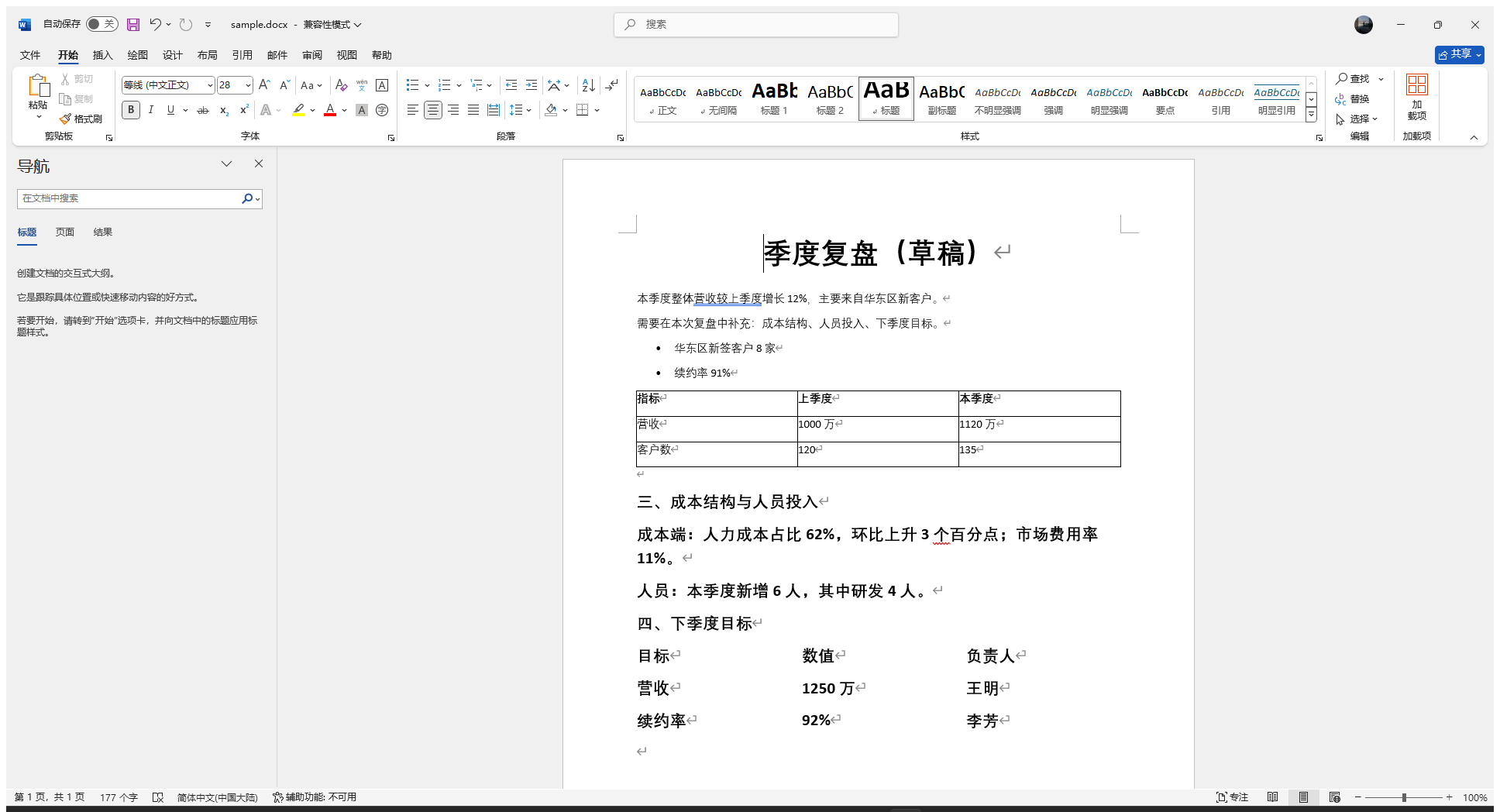
A live Word window after office_live_edit appended two sections and a table — the change is
already on screen, nothing was saved:
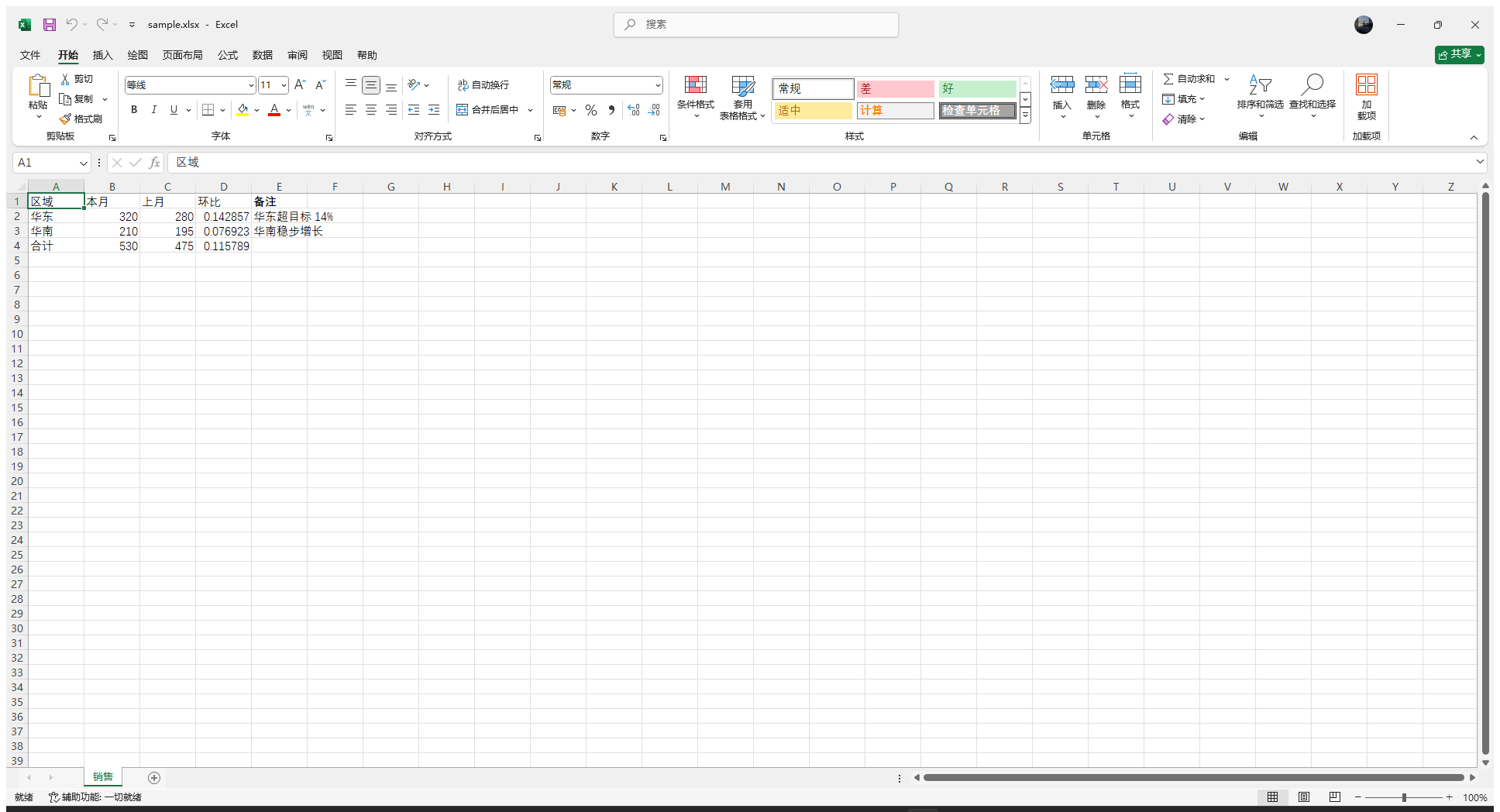
Excel: office_live_read returned the evaluated formula values, then excel.set_cell wrote a
new "备注" column into the open workbook:
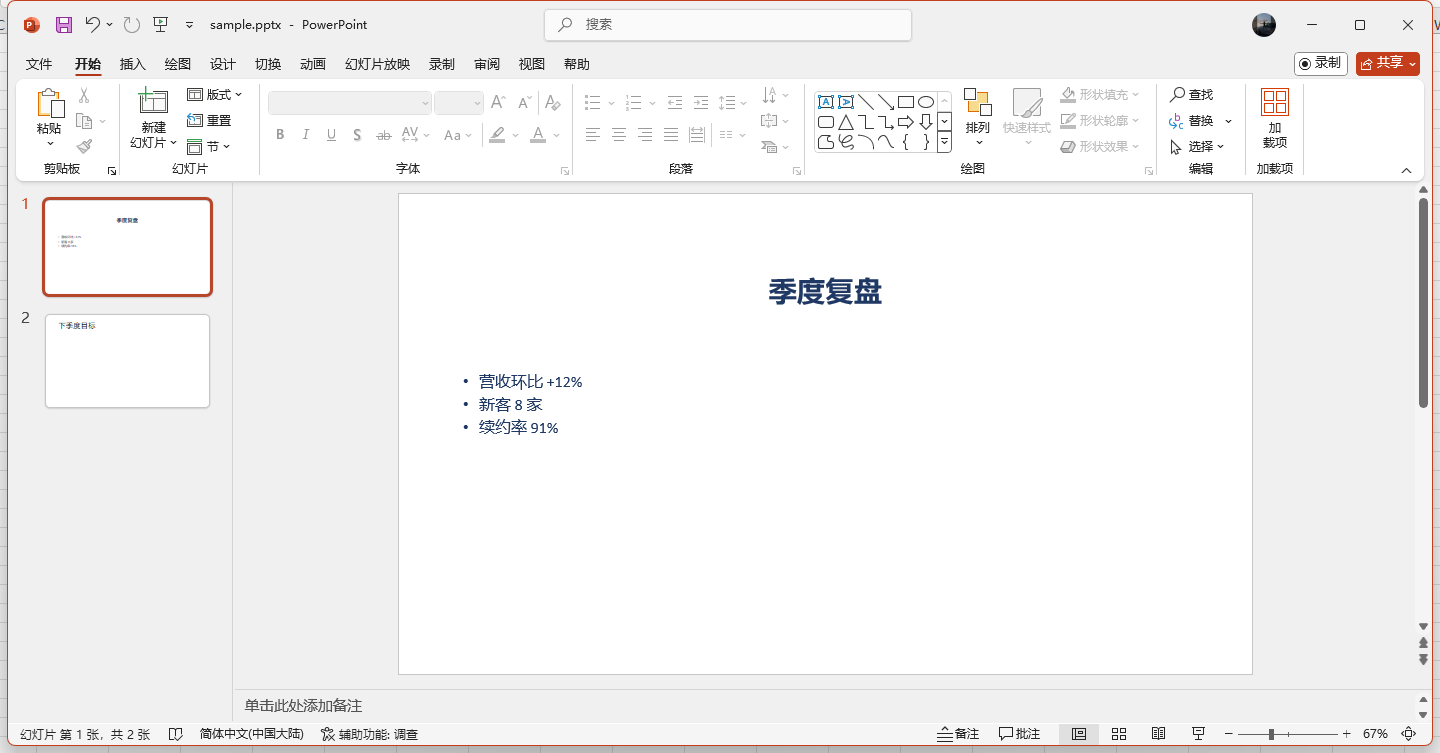
PowerPoint: ppt.set_text rewrote the bullet list and ppt.add_slide added the second slide:
How it is built (three layers, the JSON bridge, why results go through a UTF-8 side file, why edits are not saved by default): docs/HOW-IT-WORKS.md (in Chinese).
| Tool | What it does |
|---|---|
office_live_status |
Which of Word / Excel / PowerPoint is running and which documents are open |
office_live_read |
Read live contents as JSON (Word paragraphs + styles, Excel cells with evaluated formulas, PowerPoint shapes) |
office_live_shot |
PNG screenshot of the application window (ribbon and page) |
office_live_snapshot |
read + shot in one call — best starting point before editing |
office_live_edit |
Batch live edits (paragraphs, find/replace, tables, cells, slides) |
office_live_open |
Open a file in the real application so edits are visible on screen |
office_live_close |
Close the window (optionally saving) |
office_live_edit operations:
word.append_paragraph, word.insert_paragraph_before, word.set_paragraph,
word.replace, word.insert_table, word.insert_page_breakexcel.set_cell, excel.set_range, excel.add_sheetppt.set_text, ppt.add_slideWord.Application,
Excel.Application, PowerPoint.Application). Tested with Office LTSC 2024.powershell.exe); override with the OFFICE_LIVE_POWERSHELL
environment variable (for example pwsh.exe).save: true is passed, so the user can review the change
in the window, undo it with Ctrl+Z, or ask for more changes first.# from the plugin market UI: add dsh-office-live
# or from a checkout / tarball:
dsh plugin --profile desktop add ./dsh-office-live-0.1.0.tgzThen restart DSH. The tools appear in every new session.
lib/index.js registers the seven tools with @deepseek-ai/dsh-tools and shells out to
assets/office-live.ps1, passing -ResultFile (a UTF-8 side file, so Chinese text is not
mangled by the Windows console code page). The script does the COM and screenshot work and
prints one JSON object per call.
MIT
CLASSIFICATION EVIDENCE
系统优先读取 GitHub Topics,再与站内分类词典和词根规则比对。当前命中: deepseek-harness。
morluto
Reverse engineer anything with agents, from app behavior down to native binaries.

deepseek-ai
DeepSeek Harness: Everything is a Plugin.

nexu-io
The 1st Collaborative AI Design Agent Workspace. Local-first and open source. Create motion, prototypes, websites, apps, dashboards, presentations, images, and videos with your team and AI agents. Share work, exchange feedback, and iterate together in one workspace.