
模型与 MCP
待识别

rea
morluto
Reverse engineer anything with agents, from app behavior down to native binaries.
PROJECT TOPICS
INSTALL REFERENCE
dsh plugin --profile web add github:BeforeLanding/dsh-done-check
该命令指向仓库当前默认分支;尚无绑定当前 commit 的完整验证结果。
PROJECT README

Executable acceptance checks for DeepSeek Harness.


English · 简体中文
Install · Watch demo · Quick start · Runnable example
Keep a task's agreed checks in done-check.yaml. The plugin runs them through DSH, records the command and its result, and marks old results for re-checking when the watched files change. You confirm the checklist and decide the manual items.
Requires DSH >=0.1.5-rc.1 <0.3.0, Node.js >=22.19, and a git project.
dsh plugin --profile web add dsh-done-checkThe new initialization and English-output commands are in the v0.2.1 source. Until that npm release is published, use source installation to try them.
For another CLI-managed profile, replace web with its name. Follow your host's reload or restart prompt. Install from source.
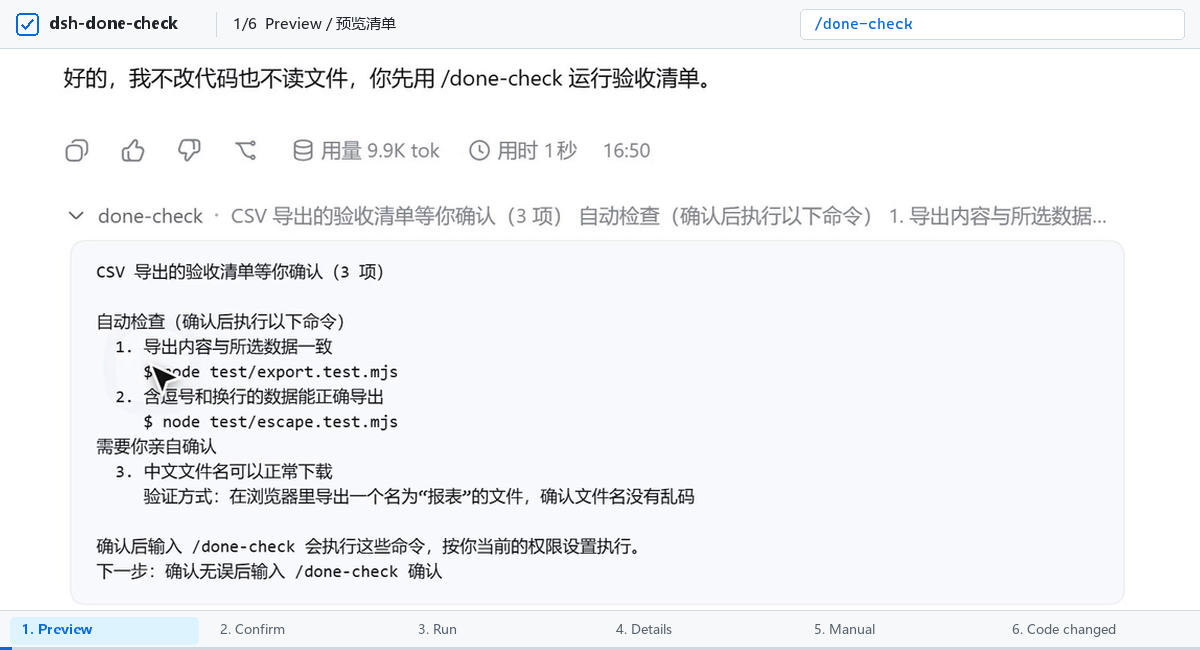
Follow the actual commands: preview the list, confirm, inspect a CSV failure, verify the fix, record a manual check, and revisit results after an edit.
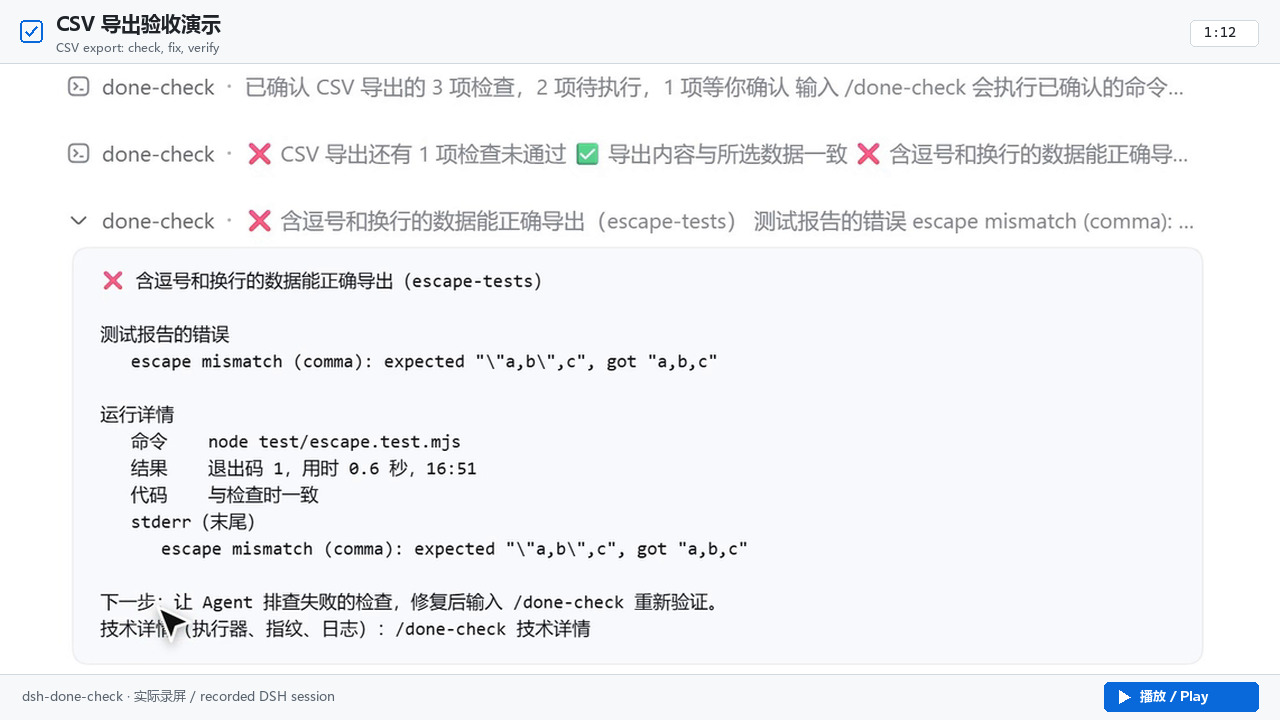
▶ Watch on YouTube · 1:12 · 1080p
Chinese narration · English and Chinese captions
Download MP4 · Chapters, transcript and source footage
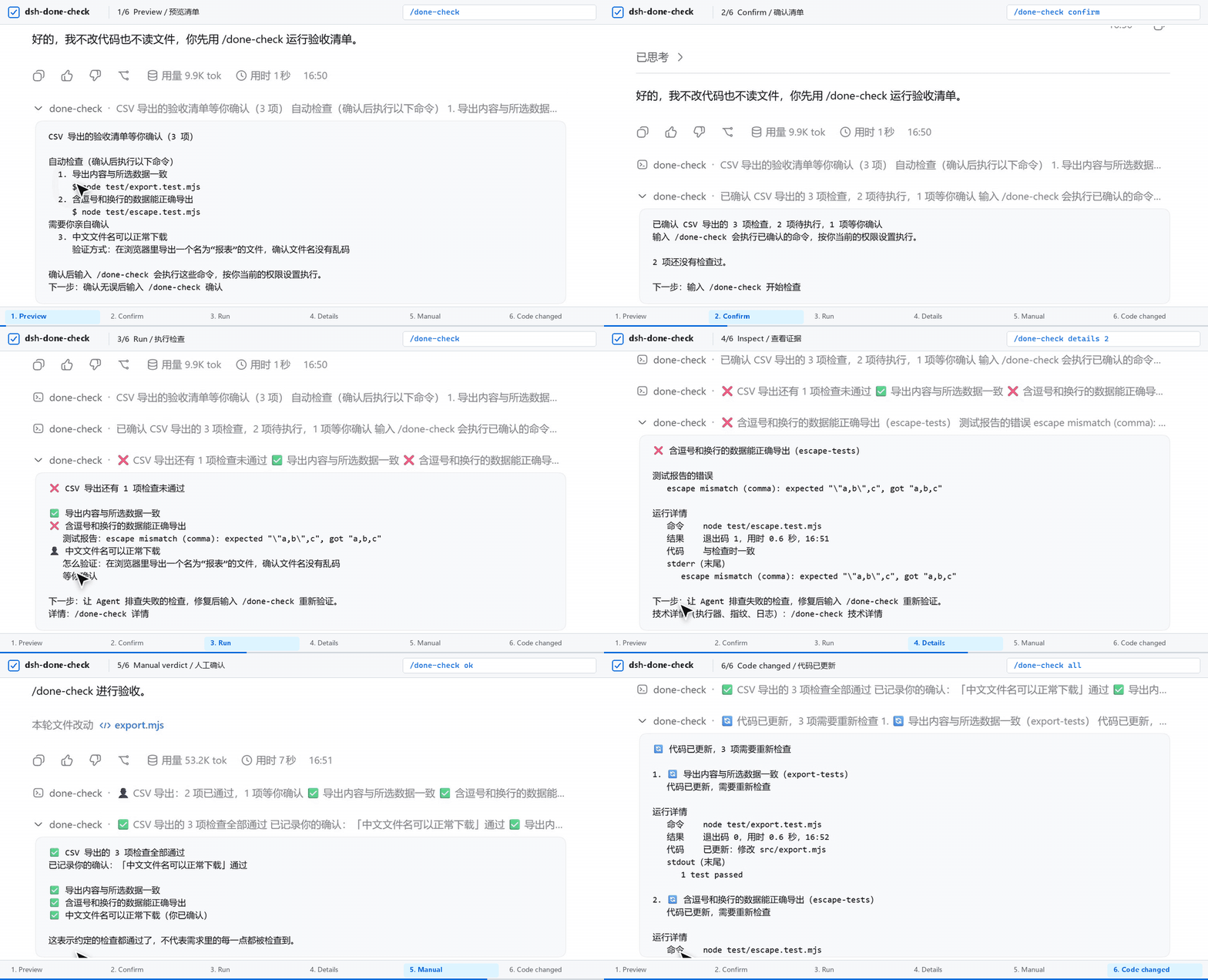
18-second edit of a real DSH session. Chinese UI, bilingual step labels.
Full video on YouTube · View a still image
1. Add a checklist at the git root. Create a draft in your DSH chat:
/done-check lang en
/done-check init
Review the detected project scripts and replace the manual-review instructions with concrete acceptance steps. Initialization never executes commands, confirms a checklist or overwrites an existing one. You can also ask the agent:
Draft and save done-check.yaml for this task. Use the project's actual test commands and name what each one verifies. Add a manual item with instructions for anything I need to inspect myself.
2. Preview, confirm, run. Send these as three separate messages in your project's DSH chat:
/done-check
/done-check confirm
/done-check
The first command shows the checklist and commands without running them. confirm records your acceptance of that exact preview. The next /done-check runs the automatic checks.
3. Act on the result. Read a failed test's report, ask the agent to fix the problem, then run /done-check again. For a manual item, follow its instructions and record /done-check ok [n] or /done-check no [n] [note]. Omit n when only one manual item is waiting.
Output defaults to Chinese. Use /done-check lang en or /done-check lang zh for the current session. Commands accept both languages, including confirm / 确认 and details / 详情. Test reports, task names and your instructions are preserved as written.
The CSV export example includes a deliberately broken exporter, two executable checks, a manual check and a supplied fix. It needs only Node.js and git; no dependency installation or API key is needed to run its tests.
git clone https://github.com/BeforeLanding/dsh-done-check.git
cd dsh-done-check
node examples/csv-export/demo.mjs setup
The setup command prints a new standalone git directory and the next commands. Open a DSH session there, then follow the example's README to reproduce failure → fix → pass → stale. If you already have this checkout, only run the setup command. The example is a reproducible companion to the recorded CSV scenario; the video uses the original session footage.
A pass means the agreed checks passed. It does not mean every requirement was covered. The plugin does not report a completion percentage.
Without watch, the fingerprint covers tracked and non-ignored untracked files, excluding the checklist. With watch, it covers the declared matching files. Include relevant configuration and lockfiles; the plugin does not infer dependencies. File watching and trust limits.
/done-check status — read the current status without running checks./done-check details [n] — inspect commands, output and changed files./done-check run — force a re-run of all confirmed automatic checks, including unchanged failed ones.Checklist confirmation does not bypass DSH command permissions. Checks use your registered shell tool; local executors provide no isolation. This guards against casual changes to checks and verdicts, not an agent with unrestricted shell access. Trust model.
pnpm install
pnpm typecheck
pnpm build
pnpm test
v0.2.1 source, npm release pending. Verified on real DSH Web 0.1.5-rc.1 and 0.2.1-rc.5, with the real pwsh tool in its sandbox. See the changelog, design notes (Chinese) and media build instructions.
CLASSIFICATION EVIDENCE
系统优先读取 GitHub Topics,再与站内分类词典和词根规则比对。当前命中: deepseek-harness。
morluto
Reverse engineer anything with agents, from app behavior down to native binaries.

deepseek-ai
DeepSeek Harness: Everything is a Plugin.

nexu-io
The 1st Collaborative AI Design Agent Workspace. Local-first and open source. Create motion, prototypes, websites, apps, dashboards, presentations, images, and videos with your team and AI agents. Share work, exchange feedback, and iterate together in one workspace.