
开发工具
待识别

treg
superdesigndev
OpenRouter for agent tools. Join community here: https://discord.gg/6mQYYfFMAn
PROJECT TOPICS
INSTALL REFERENCE
dsh plugin --profile web add github:Alice-Marx/dsh-boot-animation
该命令指向仓库当前默认分支;尚无绑定当前 commit 的完整验证结果。
PROJECT README


Replaces the DSH startup page with a chosen or random local video, or with a data-driven boot-screen template (scene steps, a keyframed timeline, or a whole iframe document), then transitions into the app, with configurable playback and fallback controls. It does not modify DSH core source; future compatibility is not guaranteed.
Language: English | 简体中文
This is a community plugin, not affiliated with or endorsed by DeepSeek.
@ljwei-stak/dsh-boot-animationdsh-pluginLocal Chromium demo host rendering the actual 0.6.6 boot and card source with sample profile data. These are not screenshots of a signed-in live DSH profile and are not a cross-platform certification.
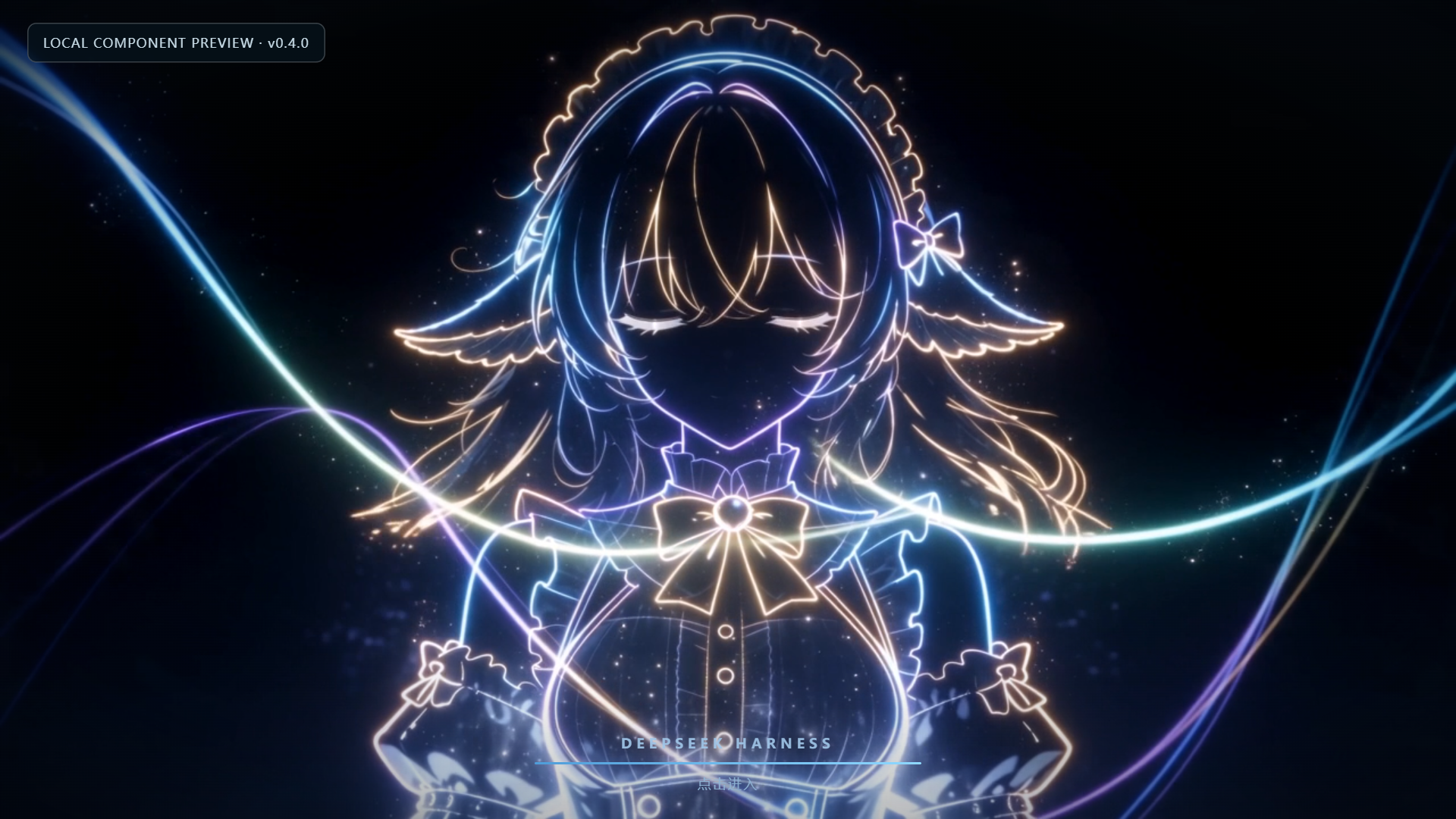
The clip form: a full-window clip, the progress bar following the real boot, and the hint line.
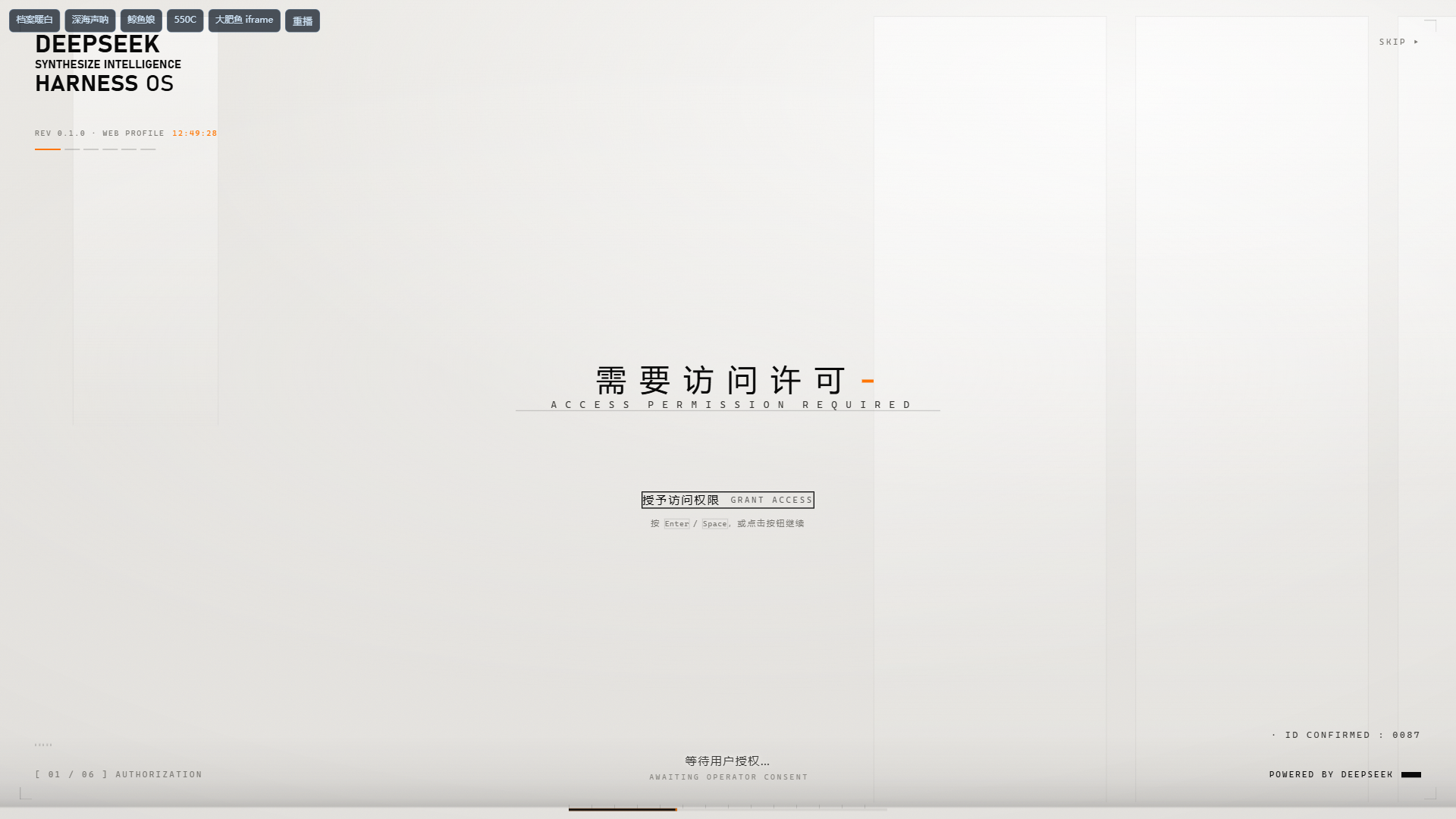
The template form: the built-in archive-warm steps template — the classic
authorisation sequence, waiting for the operator's confirmation.
dsh plugin --profile web add @ljwei-stak/dsh-boot-animation@0.6.6 --save-exactHost and Node requirements must already be met.
Open Settings -> Plugins -> Add plugin, paste @ljwei-stak/dsh-boot-animation@0.6.6, then quit and reopen from the tray as prompted.
For Desktop upgrades where the live install API reports the package as already installed, fully quit from the tray first and use the official Desktop bundled wrapper — not an older global dsh binary.
Windows default-location copyable offline command:
& "$env:LOCALAPPDATA\Programs\DeepSeek Harness\resources\runtime\cli\bin\dsh.cmd" plugin --profile desktop add '@ljwei-stak/dsh-boot-animation@0.6.6' --save-exactAdjust the wrapper path if DeepSeek Harness is installed elsewhere. If you use a custom DSH_HOME, retain it when running this command. Do not use this exact Windows path on Linux or macOS.
Web:
dsh plugin --profile web remove @ljwei-stak/dsh-boot-animationDesktop: use the official plugin UI. Existing custom videos are separate data; review and back them up before manual deletion. A fresh package install auto-registers the scoped bundle; do not manually insert a second bundle entry.
The plugin uses the host profile configuration and a plugin patch file. There is no separate .env, INI, or JSON settings loader.
| File | Role |
|---|---|
<DSH_HOME>/profiles/<profile>/cordis.yml |
Host base configuration. |
<DSH_HOME>/profiles/<profile>/cordis.patch.yml |
Plugin configuration edits. The shipped patch mounts id boot-animation with name @ljwei-stak/dsh-boot-animation. |
Profile package.json |
Tracks dependency and dsh.profile.bundles via the installer. |
An example fragment is provided as a config-object reference only; it is not a standalone autoloaded config file.
Settings namespace: boot-animation. Prefer the existing settings UI. Preview uses current settings immediately. Reload the Web page for the next startup; on Desktop, fully quit from the tray and reopen for the next startup. Host entry upgrades also require a full process restart.
| Key | Default | Notes |
|---|---|---|
enabled |
true |
Master switch. |
fadeMs |
2000 |
Schema range 300–5000 ms; UI presets 1000, 1500, 2000, 3000, 4000. |
enterMode |
tail |
tail dissolves at clip end; end fades after playback; click loops until entry. |
disabledClips |
[] |
Opaque filenames disabled in the pool. |
sound |
true |
Subject to browser gesture policy. |
clickToEnter |
false |
When enabled, the first pointer press enters immediately; otherwise a press may first unlock audio. |
showHint |
true |
Display entry hint. |
form |
video |
video is the clip screen; template hands the boot page to the data-driven runtime. |
template |
archive-warm |
Template id for the template form's first act. |
template2 |
"" |
Optional second act; empty plays none. |
tpl |
see below | The template form's own settings (speed, theme, mode, voice, identity, colours, transitions, glass). |
tpl is one nested object whose leaves are individually live-editable — the
settings card writes one leaf at a time ({ op: 'set', path: ['tpl', 'speed'] }).
Every field the Host does not send keeps the vendored runtime's own default, so a
settings document written before the template form existed is complete as it
stands. The full list, with ranges and defaults, is TPL_DEFAULTS in entry.js.
Imported videos are copied to <DSH_HOME>/profiles/<profile>/data/dsh-boot-animation/videos. The original selected file is untouched. Legacy bundled assets under assets/videos may be replaced by package upgrades; UI import is preferred.
In the UI, open Settings -> Plugins -> Installed plugins -> 启动动画 — the configuration section is on the plugin's own page, and each row's configure page shows the same card. On DSH 0.2.1 and older the card lives in the “插件配置” list instead. There you can import a video up to 256 MiB, set one clip as startup or enable several for random selection, preview current effects, and remove custom clips after confirmation.
With form: template, the boot page is rendered by the vendored runtime under
assets/splash/ from a template's pure JSON plus its assets. Three engines ship
and any of them can play: steps (a scene sequence with zh/en text, voice and
optional waits), layers (a keyframed timeline — text, line, panel, image,
video, chars globe, idcard and more), and iframe (a whole document of the
template's own, sandboxed behind a capability token).
Twelve templates are built in, curated to demonstrate each engine. A template
directory dropped into <DSH_HOME>/profiles/<profile>/data/dsh-boot-animation/templates/<id>/
joins the list, and a same-named user template overrides the built-in. Templates
written for dsh-boot-suite run
unchanged — the format is that project's, and the runtime is an adapted copy of
its engine with full attribution in CREDITS.md.
Two invariants are worth knowing before touching this half: a template that cannot be read or validated falls back to the clip screen (never a blank boot page), and every route that can read the user's template directory passes the browser trust fence, which fails closed.
Three more capabilities the template form carries, all ported from the same upstream project and all held to the same rules:
tools/vendor-editor.mjs from the upstream editor, with its
route base rewritten to this package's.>=0.2.0-rc.2; integration verified against Windows Desktop runtime 0.2.0-rc.2 and 0.2.1-rc.2.^22.19.0 || >=24.0.0; ESM.@deepseek-ai/schemastery ^3.18.4 (declared as a dependency, not a peer dependency).This Node plugin runs with host OS privileges; there is no per-plugin sandbox.
originals/ backups and .faststart-work/ scratch space. The runtime does not execute shell commands or ffmpeg.npm and GitHub network access are required by the installer and are distinct from runtime behavior.Custom import, read, and delete routes enforce DSH connection.requestRejection authentication and path checks. Bundled clip manifest/video and Optimize routes do not enforce that same hook themselves. Do not assume every route is authenticated.
Use only in a trusted local environment. Remote or reverse-proxy operators must enforce access control for the entire /plugins/dsh-boot-animation/ prefix. Imported media is not published to GitHub or npm. Videos are served no-store, so repeated loads transfer clip data again.
Code is under MIT. The LICENSE declares the bundled MP4 work under the same MIT terms. User-imported media retains its own rights; installing the plugin does not relicense it.
lxj5820/dsh-boot-animationdeepseek-ai/deepseek-harnessAlice-Marx/dsh-boot-animationLeeRolling/dsh-boot-suite6shenhonghong9/dsh-startup-screenThe last two are the source trees this package's template form was ported from; the port and its rename map are documented in CREDITS.md and in tools/vendor-splash-runtime.mjs. No endorsement by the upstream, host or source projects is implied.
Validation commands present in this repository:
node build-client.mjs      # only if client source changes
node verify/verify-entry.mjs
node verify/verify-degraded.mjs
node verify/verify-options.mjs
node verify/verify-custom-clips.mjs
The 0.6.6 release passed 567 checks; this does not imply every Desktop release or operating system was fully end-to-end tested.
See AGENTS.md, MANUAL.md, and INSTALL.md for development and setup detail. Archived historical notes are kept at docs/DEVELOPMENT_NOTES.md and are non-authoritative.
A ready-to-copy submission draft follows the hub template. The badge confirms the plugin is listed in the community directory; it does not imply official endorsement or a quality guarantee.
CLASSIFICATION EVIDENCE
系统优先读取 GitHub Topics,再与站内分类词典和词根规则比对。当前命中: cli。
superdesigndev
OpenRouter for agent tools. Join community here: https://discord.gg/6mQYYfFMAn

T-Auto
A toolkit for low-level operations in DSH, designed to reduce token usage and task execution time / DSH 底层操作工具插件,旨在减少 Token 消耗与任务耗时

crafter-station
A public gallery of animated pets for Codex, Claude Code, DeepSeek Harness, Hermes, OpenCode, Gemini CLI, and more.