模型与 MCP
待识别

rea
morluto
Reverse engineer anything with agents, from app behavior down to native binaries.

AaronKal-ECU/offline-ai-agent
Run AI on your own hardware, never deal with the cloud and create AI that can handle sensitive data. This repo showcases how to run AI on your own computer, and how to build specialised tools for it to use. I showcase a real setup where I developed tools in Deepseek Harness, that solved real automation engineering problems
PROJECT TOPICS
INSTALL REFERENCE
dsh plugin --profile web add github:AaronKal-ECU/offline-ai-agent
该命令指向仓库当前默认分支;尚无绑定当前 commit 的完整验证结果。
PROJECT README
Aaron Mark Kalaji · 27 Oct 2026
Private AI you fully control. The model runs on your own hardware, and when it matters, nothing leaves the machine.
This is my local AI lab: a Windows PC with an RTX 3060 running Qwen3 8B through Ollama, driven by DeepSeek Harness (DSH) so it works like any other AI agent in the browser. I've used it daily since September 2026.
This repo is two things:
Start here: want AI on your own PC? → Setup guide. Want to see what custom tools can do? → The custom assistant.
Demos: ▶ Confidential mode ▶ Local AI data scrubber ▶ Full showcase of the custom AI and the problems it solves ▶ Other ideas for the custom AI ▶ DeepSeek Harness in 20 seconds
Confidential mode: the assistant switches to the local model only and has no internet access, so asked for live weather, it says it can't check instead of making something up.
Medical clinics, accountants, law firms and anyone holding customer records have the same problem. Cloud AI means your data goes to someone else's servers, under someone else's policies, and the provider decides what the AI can and can't do.
Local AI flips that:
| Cloud AI | Your own local AI | |
|---|---|---|
| Where your data goes | The provider's servers | Nowhere. It stays on your machine |
| Needs internet to think | Yes | No |
| Cost | Subscription or per-token | No subscription, just electricity |
| Who controls the model | The provider (they can change or retire it) | You. It's a file on your own computer |
| Who decides what it can do | The provider's product team | You, by building your own tools |
As we head into 2027, You don't need a data centre to run AI anymore, This document walks through how I ran AI that can replace chatGPT on a less than 1000 dollar computer, follow along so you can learn how to aswell!
And you don't have to give up cloud models either. The setup here uses both, with the local model AI that can be used to handle private tasks or client data, and you can still tap into your main cloud models (like ChatGPT and Claude) in the same system!
flowchart LR
    U[You, in the browser] --> H[DeepSeek Harness]
    H -->|local requests| O[Ollama<br/>localhost:11434]
    O --> M[Qwen3 8B Q6_K]
    M --> G[RTX 3060 12 GB]
    H -.->|optional| C[Cloud models]
    subgraph Office PC
        H
        O
        M
        G
    end
Three layers, and you own all of them:
localhost, so it behaves like any AI API, except the "server" is your own PC.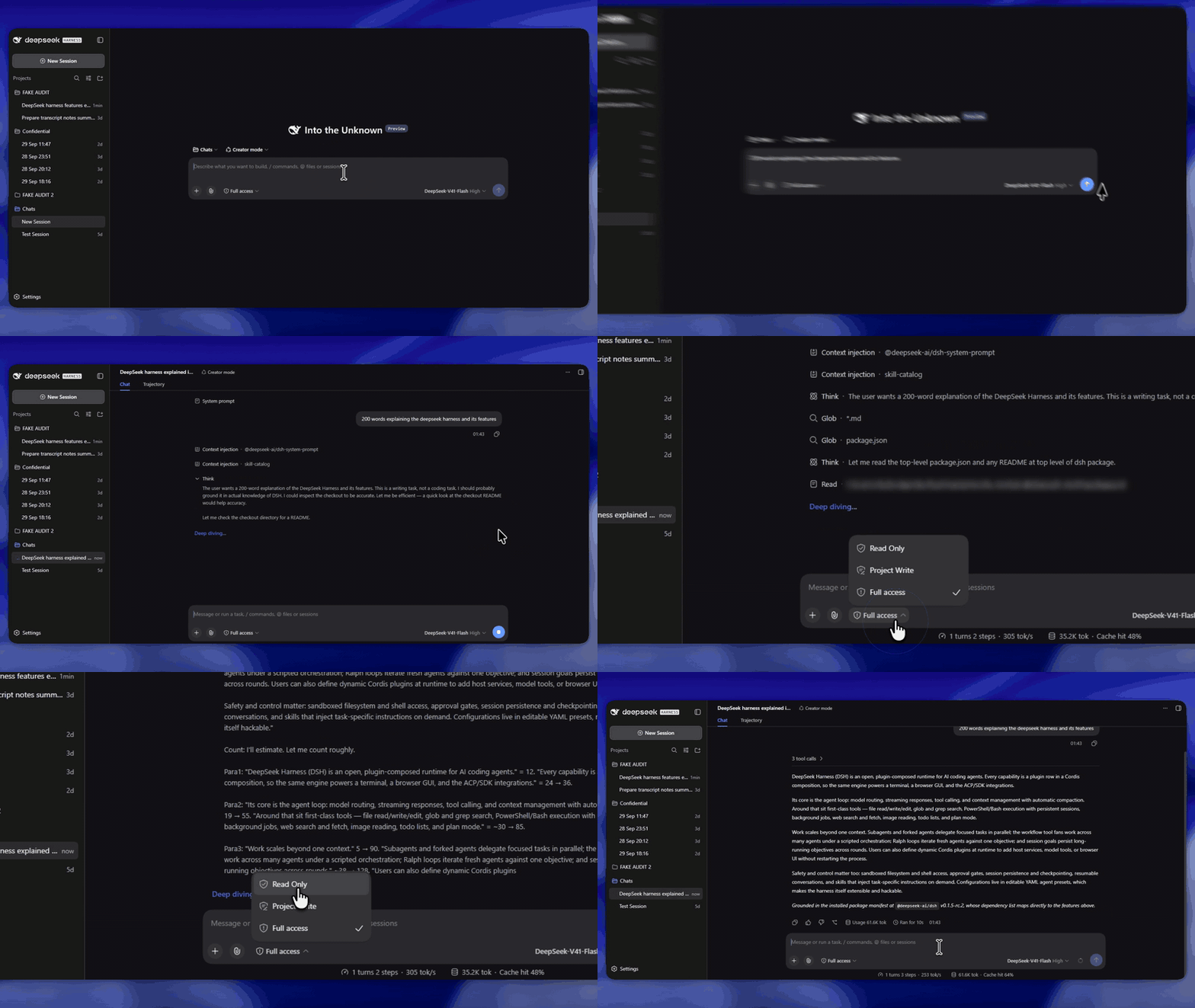
Stock DeepSeek Harness: one prompt, three tool calls, a written answer. ▶ Watch the clip
[!TIP] New to DeepSeek Harness? DSH the AI Harness Where Everything Is a Plugin by Manolo Remiddi is the best plain-English explanation of what DSH is and how it works.
| Component | Spec |
|---|---|
| GPU | NVIDIA RTX 3060, 12 GB VRAM |
| CPU | AMD Ryzen 5 1600 (6-core, 3.2 GHz) |
| RAM | 16 GB DDR4-3000 |
| OS | Windows 11 Pro |
| Local model | Qwen3-8B-Q6_K |
| Runtime | Ollama |
| Agent harness | DeepSeek Harness (DSH), two instances side by side |
| In daily use | Since September 2026 |
This is last-generation hardware, on purpose. The model is sized to fit entirely in the GPU's 12 GB, so nothing spills over to the CPU, which would slow responses to a crawl. If it fits in VRAM, an old CPU doesn't matter.
configs/ollama.| Personal lab | Custom assistant (demo) | |
|---|---|---|
| Launch | ollama launch dsh |
dsh --profile demo --port 3081 |
| Default model | Local Qwen3 8B | Cloud, with local Qwen3 for privacy work |
| Plugins | Stock DSH | Six custom plugins (branding, transcript scrubber, confidential mode…) |
Both run from the same DSH install and share one session store, but each boots its own profile, so their plugin stacks never touch. A personal workspace and a client-facing assistant can live on the same PC.
→ Setup guide: get a local model running and connected to DSH.
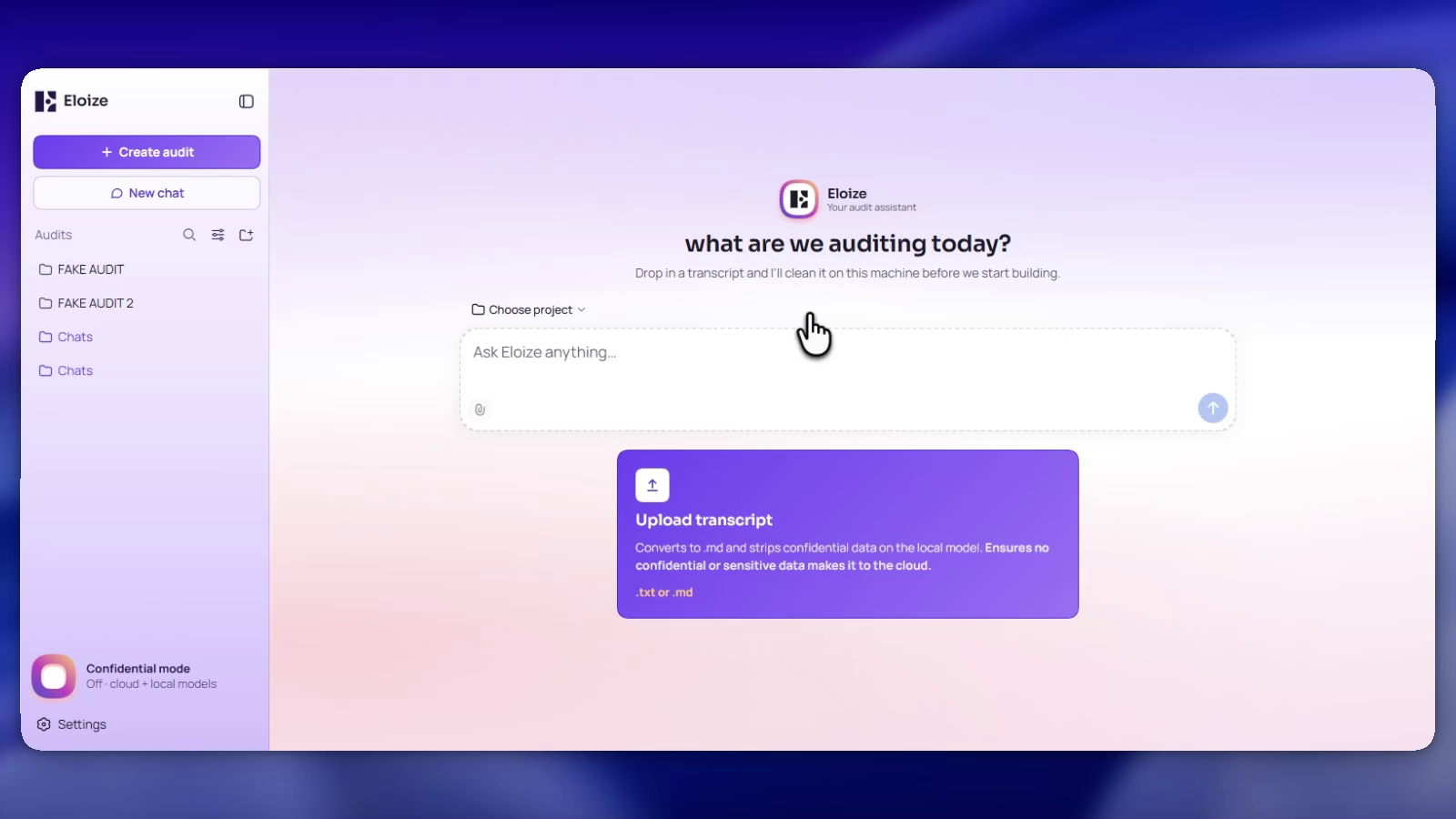
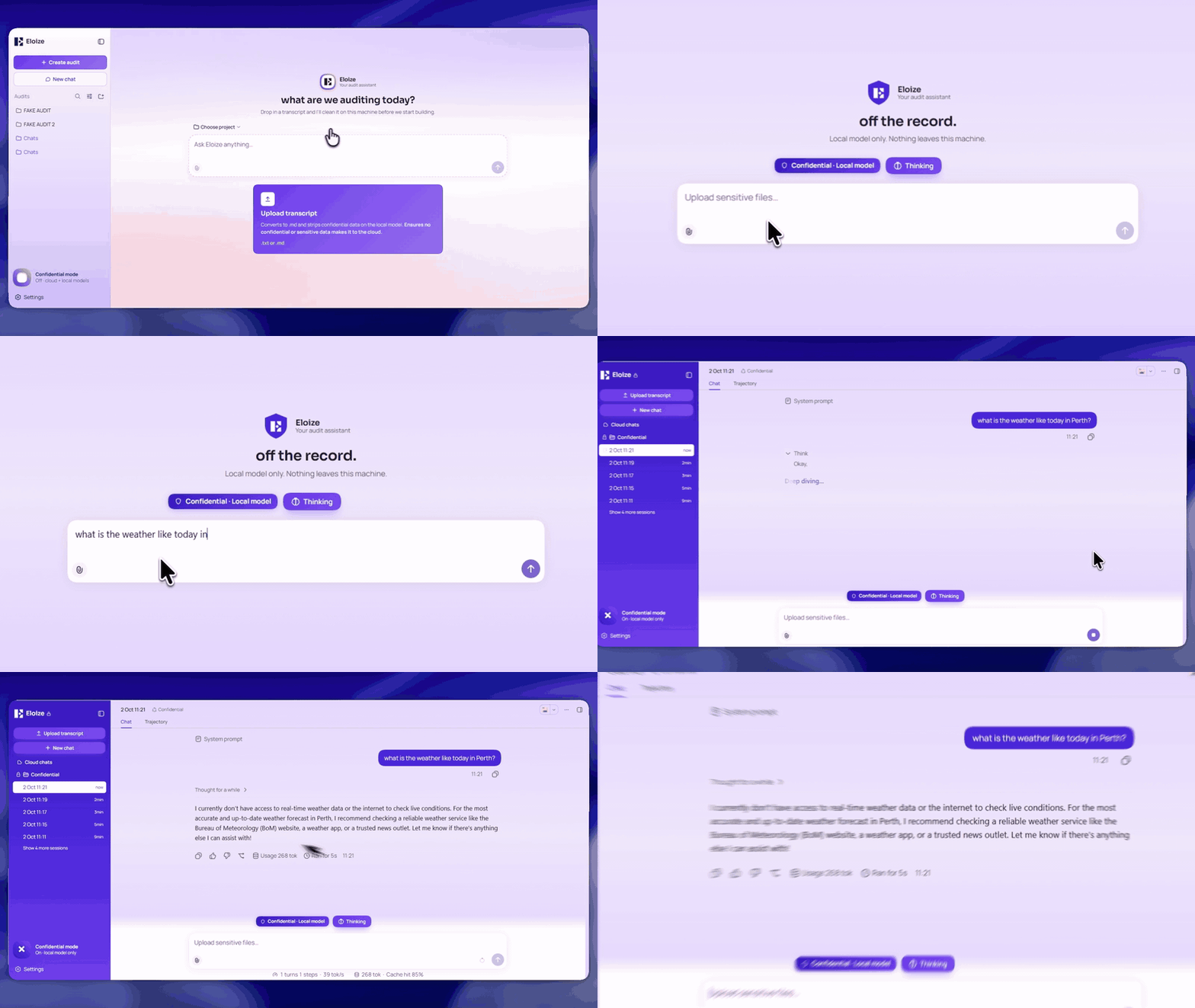
I built a branded, workflow-specific version of DSH during my internship at Eloize, an AI and automation agency. It turned the stock harness into an audit assistant: "Create audit" instead of "New project", a one-click transcript upload, and a confidential mode. It was built as a demo for my internship to show my skills, and was never deployed. The plugin code is included if you'd like to look under the hood.
▶ Full walkthrough of the assistant and the problems it solves
▶ Ideas for further tools to bolt onto the custom harness are covered in this short video. Watch it to further understand the types of things you can do with this technology: make custom tools to solve specific problems you face, and add these tools directly into your AI workflow at the harness level.
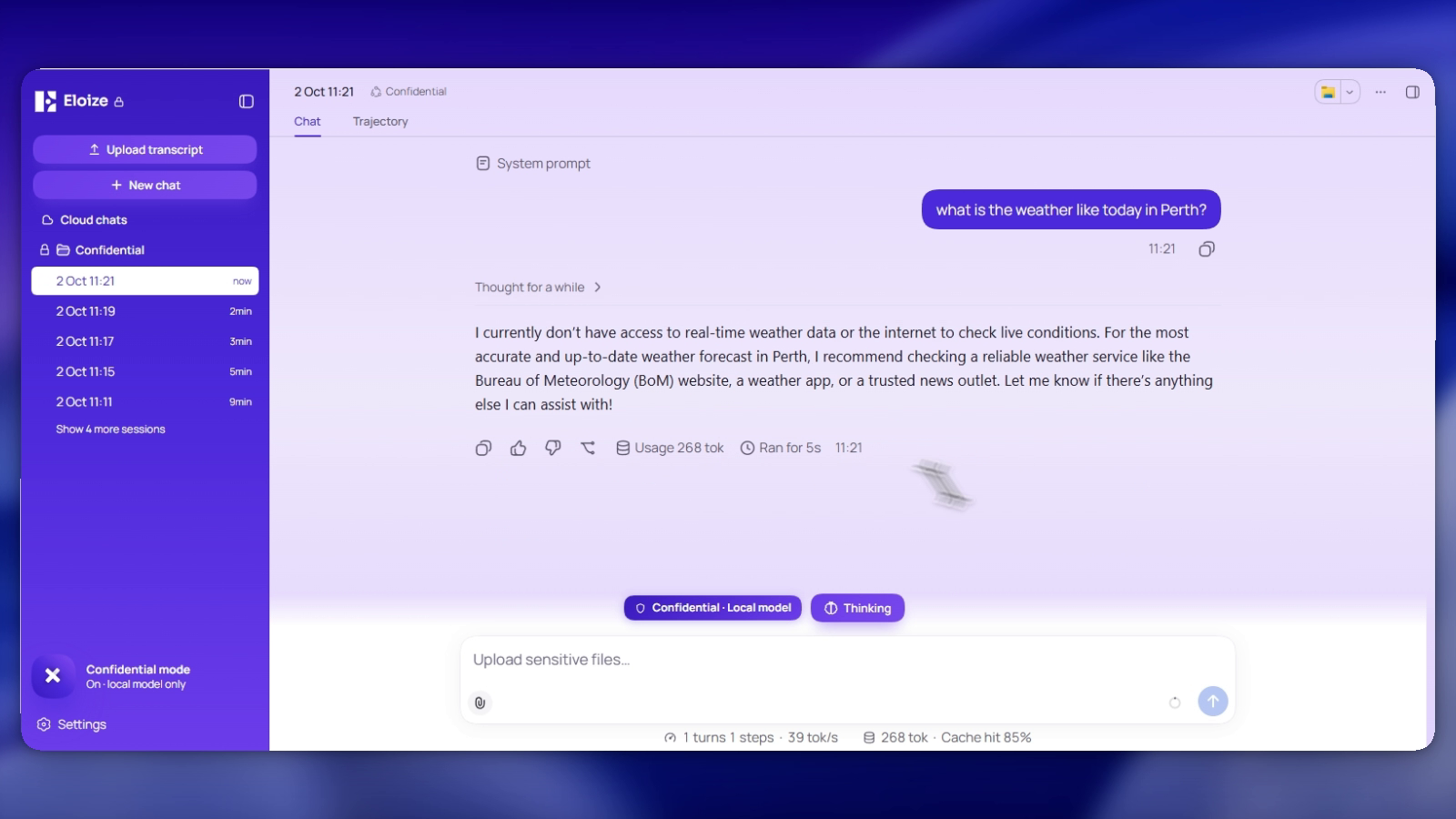
Confidential mode on: purple UI, local model only, no tools. ▶ Watch the full clip
Flip the switch and the assistant becomes local model only:
→ How the custom harness is built: profiles, the plugin layer, the six plugins, and how they were tested.
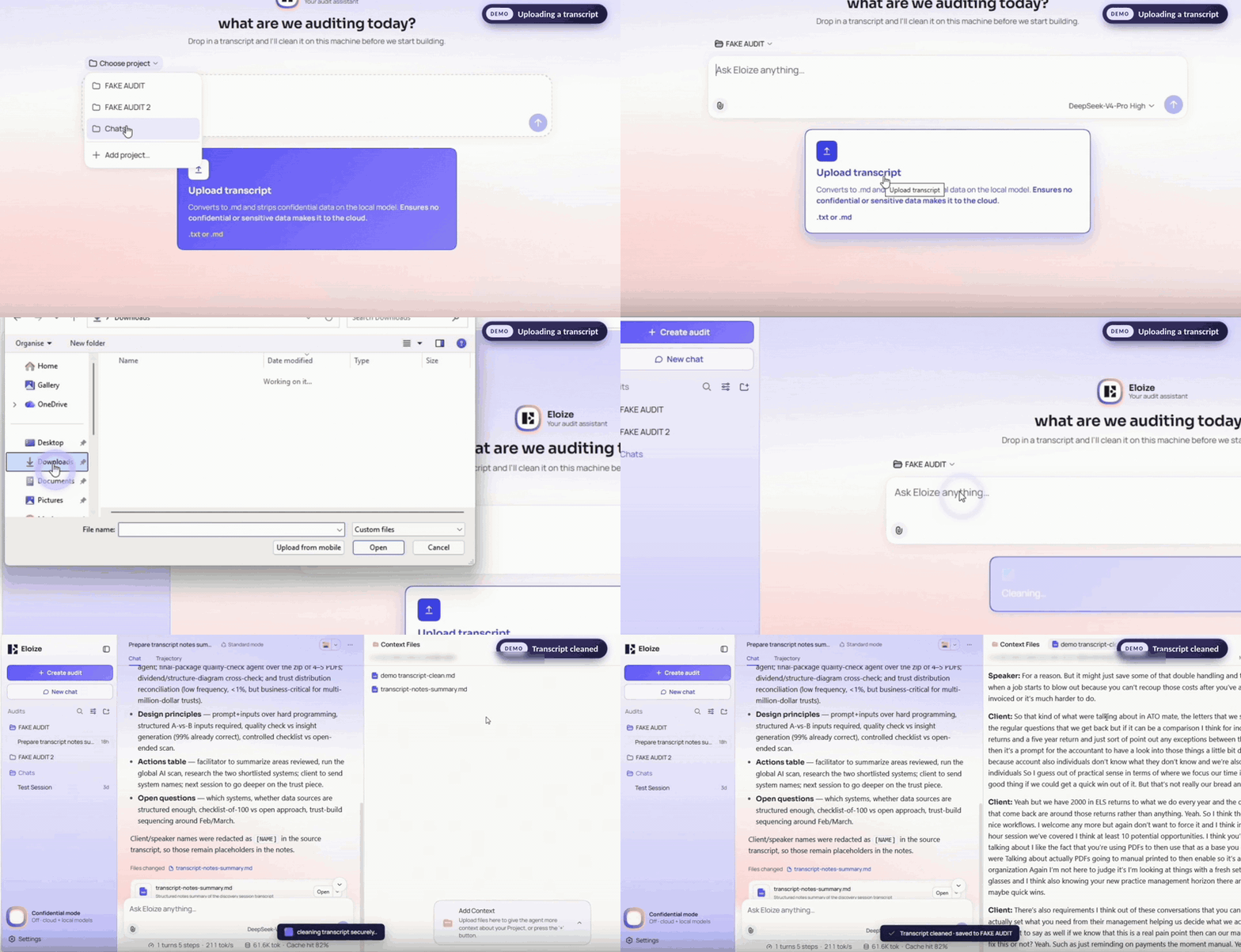
Upload a transcript, the local model cleans it, and the redacted copy opens beside the chat. ▶ Watch the full demo
Drop in a meeting transcript and the local model strips every identity out of it before anything else happens. Only the cleaned copy is saved and used. You get frontier cloud models working on your client's problems without ever handing them your client's data.
It's a multi-pass pipeline, because one LLM pass alone isn't reliable enough for privacy:
[NAME], [COMPANY], [EMAIL], [PHONE], [ADDRESS], [ACCOUNT]) and speaker names with Speaker: / Client: roles. Thinking off, temperature 0.[ID], while leaving prices like $1,420,000 alone..md lands in the audit's folder and opens beside the chat.Full breakdown with a before/after, and how to use it beyond transcripts: → Client data stripper
A model on its own can only produce text. A harness is the code around it that lets it do things: it describes the available tools to the model, runs the tools the model asks for, feeds results back, and loops until the task is done. Building your own harness plugins is how a general model becomes a specific product, with total control over what it can touch.
→ Harnesses and tools explained
My own demos are linked at the top. These are the videos I learned from.
Understanding harnesses and DSH
Setting it up
Built by Aaron Mark Kalaji, a Software Engineering student at Edith Cowan University (Perth, WA) and founder of Kaltec. Passionate about engineering, fabrication and automation. For enquiries: kalteclabs@gmail.com
CLASSIFICATION EVIDENCE
系统优先读取 GitHub Topics,再与站内分类词典和词根规则比对。当前命中: ollama、local-llm、deepseek-harness。
morluto
Reverse engineer anything with agents, from app behavior down to native binaries.

deepseek-ai
DeepSeek Harness: Everything is a Plugin.

nexu-io
The 1st Collaborative AI Design Agent Workspace. Local-first and open source. Create motion, prototypes, websites, apps, dashboards, presentations, images, and videos with your team and AI agents. Share work, exchange feedback, and iterate together in one workspace.