AIR-pixel Liquid Glass
A configurable Liquid Glass theme plugin for DeepSeek Harness. It adds translucent interface surfaces, an optional wallpaper, desktop transparency, window blur, custom cursors, click ripples, and per-side conversation contrast controls.
Screenshots
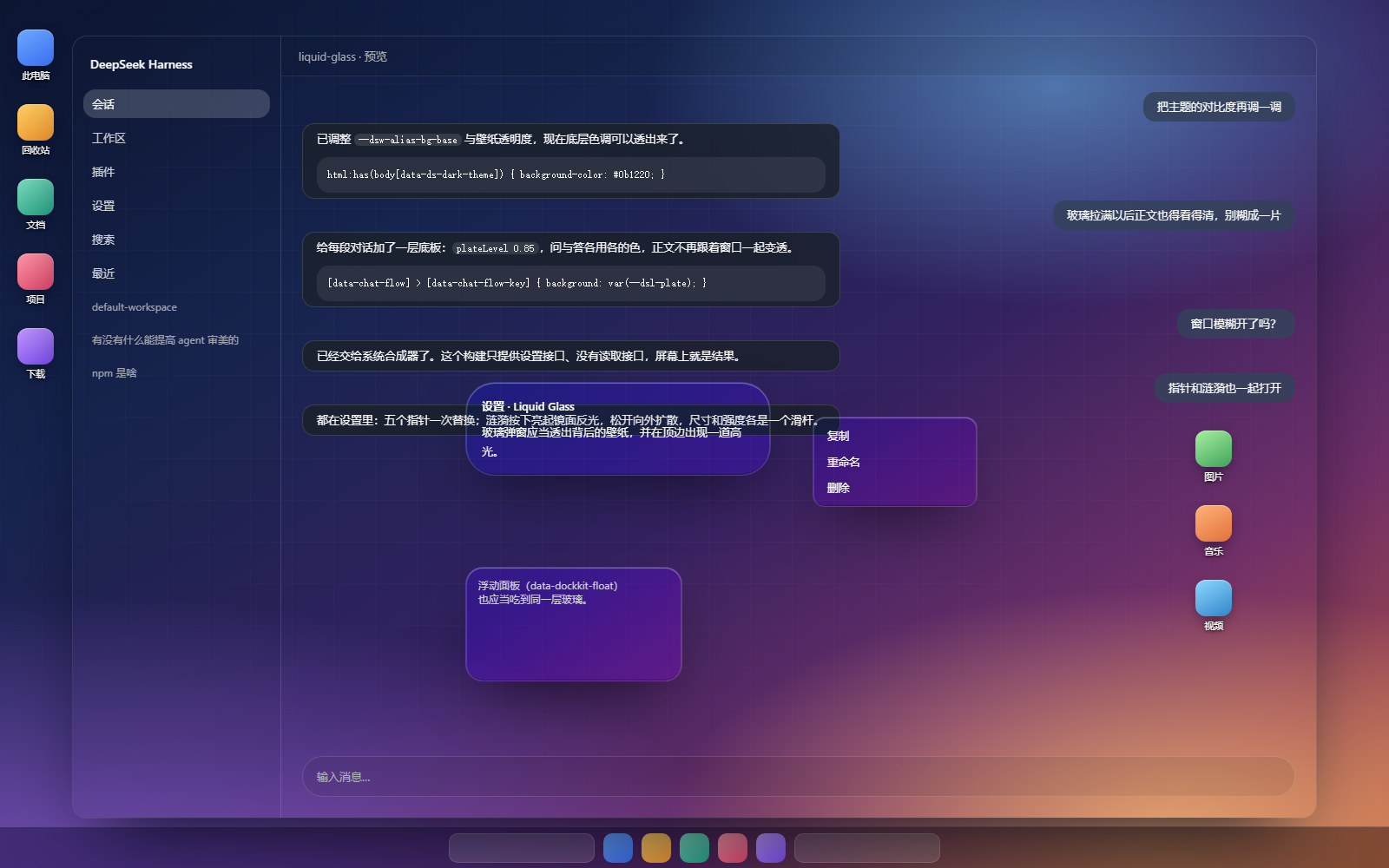
Full transparency: strength 2.0 (效果强度) with desktop transparency on (透出桌面), so the desktop reaches the eye unfiltered. The per-side conversation plates are what keep the body copy readable this far up the slider.
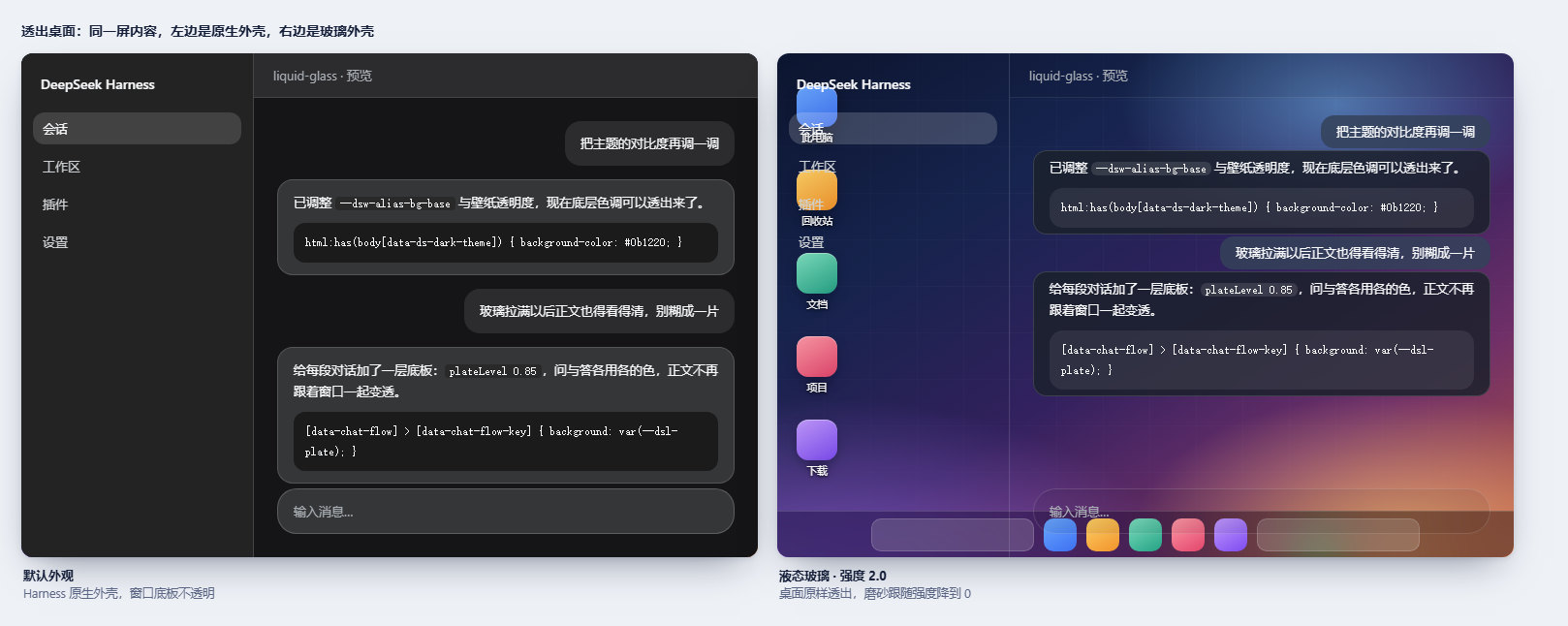
The same screen with and without the theme:
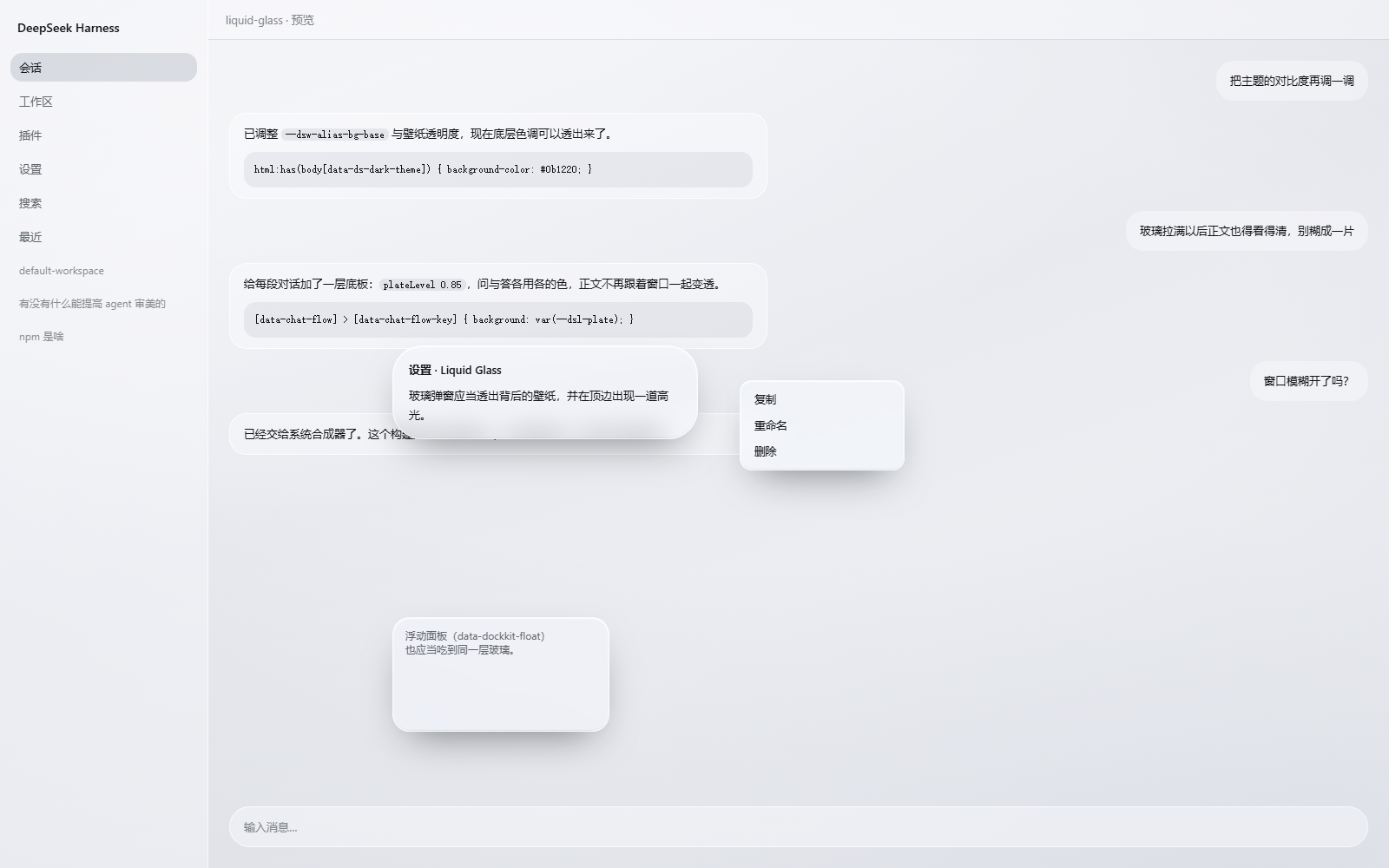
At the default strength, over the theme's own wallpaper — sidebar, pane, dialog, menu and floating panel:
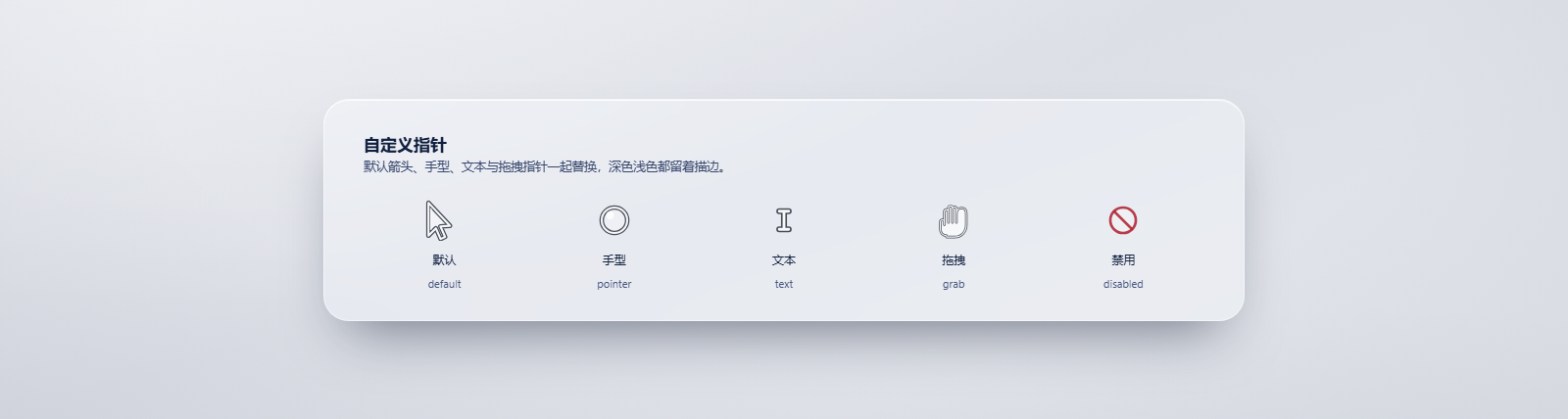
| Custom cursors |
Click ripple |
 |
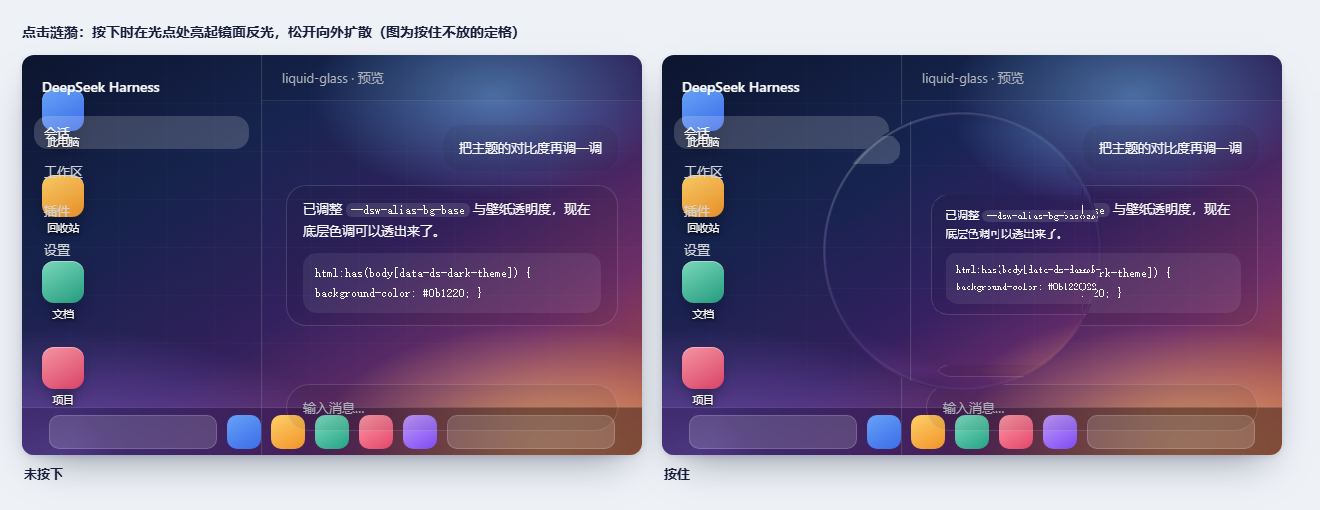 |
The four tint presets, light and dark:
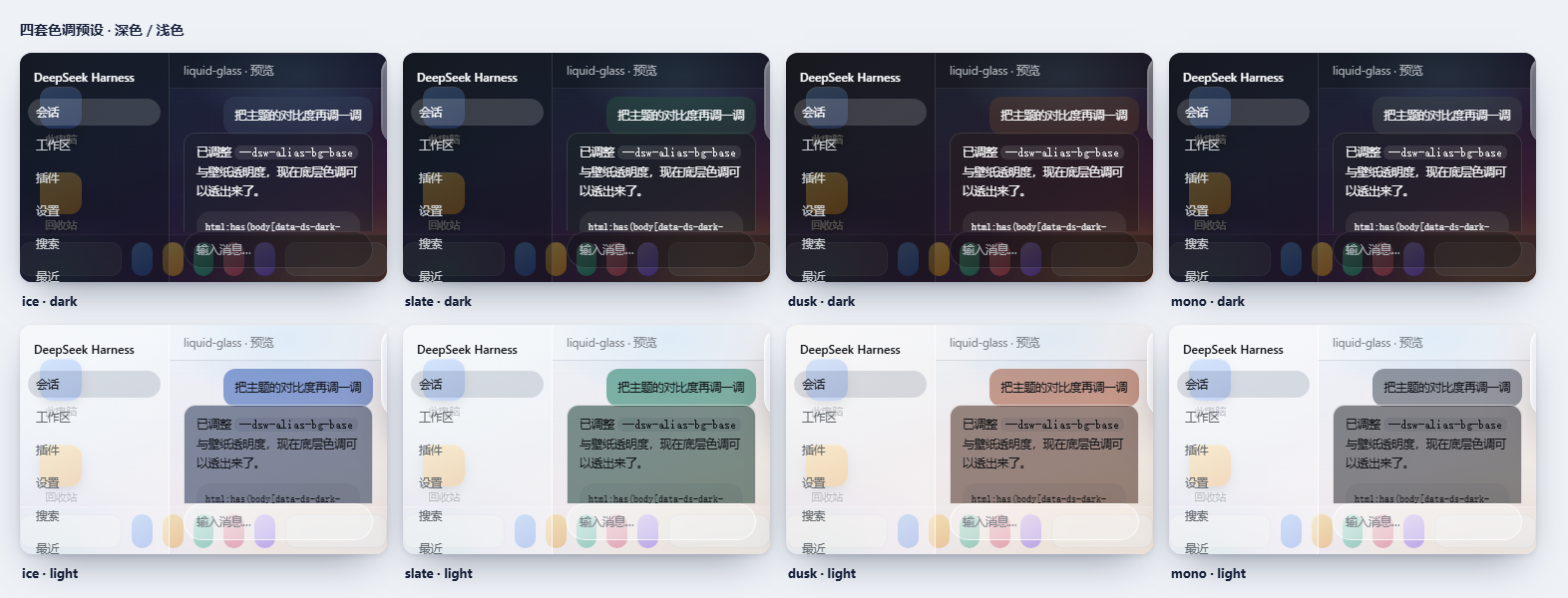
These are renders, not photographs. node tools/docshots.mjs boots the real client.js in a stand-in shell over a drawn desktop. A screen capture cannot show this feature at all: PrintWindow drops the alpha channel, so a see-through window comes back as a black rectangle — measured in tools/appshot.py.
Features
- Frosted surfaces with adjustable strength, blur, tint, and wallpaper.
- Optional transparent desktop and Windows window material controls. Desktop transparency requires the included client patch helper; the setting reports when the patch is unavailable.
- Custom cursors and click ripples, each independently configurable.
- Separate contrast settings for human and assistant messages.
- English and Chinese settings UI.
Install
Install air-pixel-liquid-glass as a DeepSeek Harness bundle, then enable Liquid Glass in Settings. The desktop transparency and window blur controls need their host-side patch; the theme and other visual options do not.
Development
Requires Node.js. Run the syntax and behavior checks with:
node tools/compat.mjs
node tools/preflight.mjs
node tools/verify.mjs
node tools/patcheck.mjs
node tools/mutationaudit.mjs
compat answers "why did the theme disappear after an update" against the installed Harness: the manifest gate, the client slot contract, and the host patch.
Regenerate the images above with node tools/docshots.mjs (writes assets/, which screenshots.json points the plugin market at). Some visual inspection scripts need Python with Pillow. See DEVELOPMENT.md for architecture, checks, and rename migration details.
Compatibility
Designed for DeepSeek Harness on Windows and the web GUI. Desktop transparency and window blur depend on the installed Harness build and supported Windows compositor APIs.
*The manifest deliberately declares no engines.dsh and no `@deepseek-ai/dsh-peer range.** That is not an oversight.dsh-app-bootcompares those ranges against the running runtime and **throws** when they do not match, which takes the whole plugin off the boot path — and no semver range can cover the next prerelease. A range pinned to0.2.1-rc.2fails on0.2.1-rc.5; a caret range that survives0.2.1-rc.5still fails on0.2.2-rc.1, because semver only admits prereleases of the exactmajor.minor.patch` tuple a comparator names. On a nightly channel that means every update is a fresh outage.
So compatibility is checked at run time instead of declared up front:
node tools/compat.mjs
It reports the running core version, whether the manifest would be gated, whether the client contract the theme depends on (settings.section + slots.register) still exists in the installed packages, and whether the host patch is still in place. Anything the check cannot confirm is a warning the settings panel also shows, rather than a silent disappearance.
The slots seat moved into the core's client runner in the 0.2.x line, so 0.1.x cores are out — stay on plugin 0.1.0 there.
Permissions and behavior
The plugin injects theme styles and custom cursors into the Harness web UI, reads and writes its own JSON settings through a local host API, and logs diagnostic status through the host logger. The optional tools/asarpatch.py helper modifies the installed client's main-process file — lib/main.js, inside app.asar when the archive is sealed, or in place under resources/app/ when the archive has been unpacked — and only when run explicitly by the user; it keeps a backup and supports checking or reverting the patch. The patch is lost on every client update and has to be re-applied. The plugin does not make external network requests.
License
MIT. See LICENSE.


