


模型与 MCP
待识别

rea
morluto
Reverse engineer anything with agents, from app behavior down to native binaries.
PROJECT TOPICS
INSTALL REFERENCE
dsh plugin --profile web add github:AChengLinus/dsh-linus-brand
该命令指向仓库当前默认分支;尚无绑定当前 commit 的完整验证结果。
PROJECT README
把自己的插画角色装进 DeepSeek Harness(DSH)的 Web 界面:
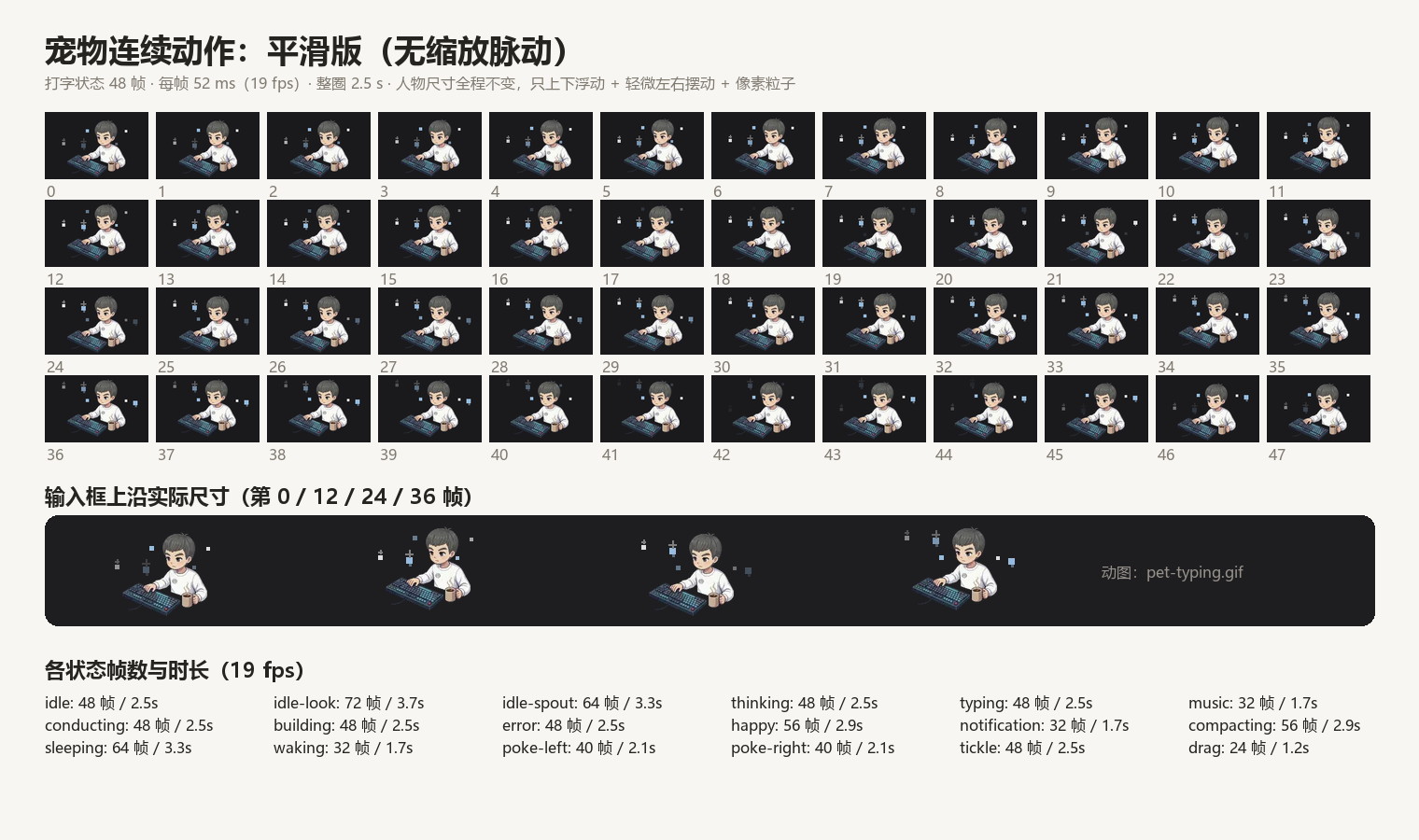
动图预览: docs/pet-typing.gif · 8 个姿势对照: docs/pet-states.png · 品牌位: docs/brand.png
| 位置 | 机制 |
|---|---|
| 侧栏 / 新会话页 / 账号头像的品牌图 | 把 mark.png 写入皮肤的图片品牌存储 ~/.dsh/dsh-claude-style/brand/mark.png(存在则不动),皮肤自动把它用作品牌标记 |
| 品牌文字 | 皮肤配置 brandName,本包不强制改;建议设成你的名字 |
| 输入框上沿宠物 | Client 端按 data-animation 给每个状态注入一条 !important 规则,把 --dsh-claude-mascot-sheet 指向本包的 SVG 精灵条;尺寸/位置/换帧仍由皮肤自己驱动 |
也就是说:没有替换皮肤的任何文件,升级皮肤不会把你的界面改回去;关掉这个插件,界面立刻回到原样。
dsh-claude-style(Claude Style)mascot: deepy)。宠物条是按 Deepy 的格子尺寸做的,选 Clawd / 鲸娘 不会生效。品牌换图同样依赖这款皮肤的品牌图机制。配置位置:~/.dsh/profiles/<profile>/cordis.patch.yml → - id: ui-skin-claude-style → config: 下
    brandName: Linus     # 品牌文字(可选,但这就是“名字”那一行)
mascot: deepy # 必须是 deepyDSH 侧栏 → 插件 页 → 安装框("包名或地址")里粘贴下面任意一种:
| 形式 | 粘贴内容 |
|---|---|
| GitHub 简写 | github:AChengLinus/dsh-linus-brand |
| GitHub 地址 | https://github.com/AChengLinus/dsh-linus-brand |
| Release 压缩包 | https://github.com/AChengLinus/dsh-linus-brand/releases/download/v1.0.0/dsh-linus-brand-1.0.0.tgz |
| 本地目录(绝对路径) | D:\path\to\dsh-linus-brand 或 /Users/you/plugins/dsh-linus-brand |
| npm 包名 | dsh-linus-brand(需先发布到 npm,见下) |
命令行等价写法:
dsh plugin add github:AChengLinus/dsh-linus-brand --profile desktop安装完成后重启一次应用(没有 HMR 时,插件管理器会提示 restart-required)。然后打开 设置 → Claude Style,确认品牌图与吉祥物已经是你的角色。
从 zip 解压的目录直接当本地路径安装也可以:安装框要的是绝对路径,相对路径会被拒绝。
官方的 awesome-dsh-plugin 是策展列表,需要提 PR 审核。不想等审核就用自己的索引源(DSH 0.2.1+ 的插件市场支持任意 format-1 索引):
插件 → Discover → Index sources(管理索引源)→ 添加
粘贴本仓库的索引地址:
https://cdn.jsdelivr.net/gh/AChengLinus/dsh-linus-brand@main/index.json备用(GitHub 直连):https://raw.githubusercontent.com/AChengLinus/dsh-linus-brand/main/index.json
之后 Discover 里就有「Linus 品牌与宠物」卡片,点 Install 即装。
这份 index.json 是 format 1,已用 DSH 自带的 parseMarketIndex 校验通过;卡片里的安装目标固定到提交 079311c,发新版本时改 versions[] 即可(source.type: git + 40 位 commit + 可选 path)。
8 × R 帧(24–72 帧);8 × R × 52 ms(1.2 s – 3.7 s);calm 暖白、work 冷蓝、play 暖橙、alert 珊瑚;18 个状态(由皮肤根据会话活动切换)→ 8 个姿势的映射:
| 姿势 | 用到的状态 |
|---|---|
| 笔记本 + 数位板 | building |
| 键盘打字 + 咖啡 | typing drag |
| 写笔记 | thinking compacting |
| 画架作画 | conducting tickle |
| 手柄游戏 | music error |
| 躺靠掌机 | idle idle-look sleeping waking |
| 手冲咖啡 | idle-spout notification |
| 喝茶 + 钓鱼竿 | happy poke-left poke-right |
# 1) 把姿势 PNG(透明背景)放进 tools/poses/,文件名对应 build-sheets.py 里的 POSE 表
# 2) 重新生成精灵条(覆盖 assets/)
python3 tools/build-sheets.py

# 3) 把 client.js 里的 REV 改个值,避免浏览器继续用缓存
#    const REV = "anim4";  ->  const REV = "anim5";
# 4) 重启应用
tools/build-sheets.py 里三张表就是全部可调项:
DIMS:每个状态的条带尺寸与行数(必须和皮肤的格子几何一致,改了要同步改 index.js 的 STATES/路由没问题,但尺寸必须对);MOTION:每个状态的浮动幅度、摆动幅度、循环次数、粒子主题;THEMES:粒子颜色、数量、尺寸。几何换算:皮肤的 1 逻辑像素 = 5 个 SVG 单位;CSS 尺寸 = 逻辑像素 × 2。所以一行格子的光栅尺寸取 cell_w * 2 / 5 * 1.5(1.5 是烘焙倍率,浏览器只缩小不放大,边缘更干净)。
dsh plugin remove dsh-linus-brand --profile desktop~/.dsh/dsh-claude-style/brand/mark.png(皮肤的文件存储,本包不会自动清理)dsh-claude-style 的类名(.dsh-claude-deepy、data-animation、--dsh-claude-mascot-*)。皮肤大改结构时本包需要跟着更新。mascot: deepy 下生效。node_modules 里。dsh-linus-brand paints a custom character into two places of the DeepSeek Harness web UI: the sidebar brand mark (via the dsh-claude-style brand image store) and the composer pet (18 animation states, 24–72 distinct frames each, ~19 fps, pixel particles). It never rewrites the skin's files; uninstalling restores the stock look.
Install it from the Plugins page by pasting github:AChengLinus/dsh-linus-brand, the repository URL, the release tarball URL, or an absolute local path. Requires dsh-claude-style with mascot: deepy.
MIT © AChengLinus
The artwork (poses, mark, icon) is a personal character illustration; the code and build script are free to reuse.
CLASSIFICATION EVIDENCE
系统优先读取 GitHub Topics,再与站内分类词典和词根规则比对。当前命中: deepseek-harness。
morluto
Reverse engineer anything with agents, from app behavior down to native binaries.

deepseek-ai
DeepSeek Harness: Everything is a Plugin.

nexu-io
The 1st Collaborative AI Design Agent Workspace. Local-first and open source. Create motion, prototypes, websites, apps, dashboards, presentations, images, and videos with your team and AI agents. Share work, exchange feedback, and iterate together in one workspace.