Warm Beige / Dark Charcoal theme for DeepSeek Harness
A palette plugin for DeepSeek Harness. It does not add a new theme id and does not change layout or behaviour: it overrides the design tokens of the two built-in themes, so the existing Settings → General → Appearance switch keeps working and the harness keeps remembering the choice.
| Light — Warm Beige |
Dark — Dark Charcoal |
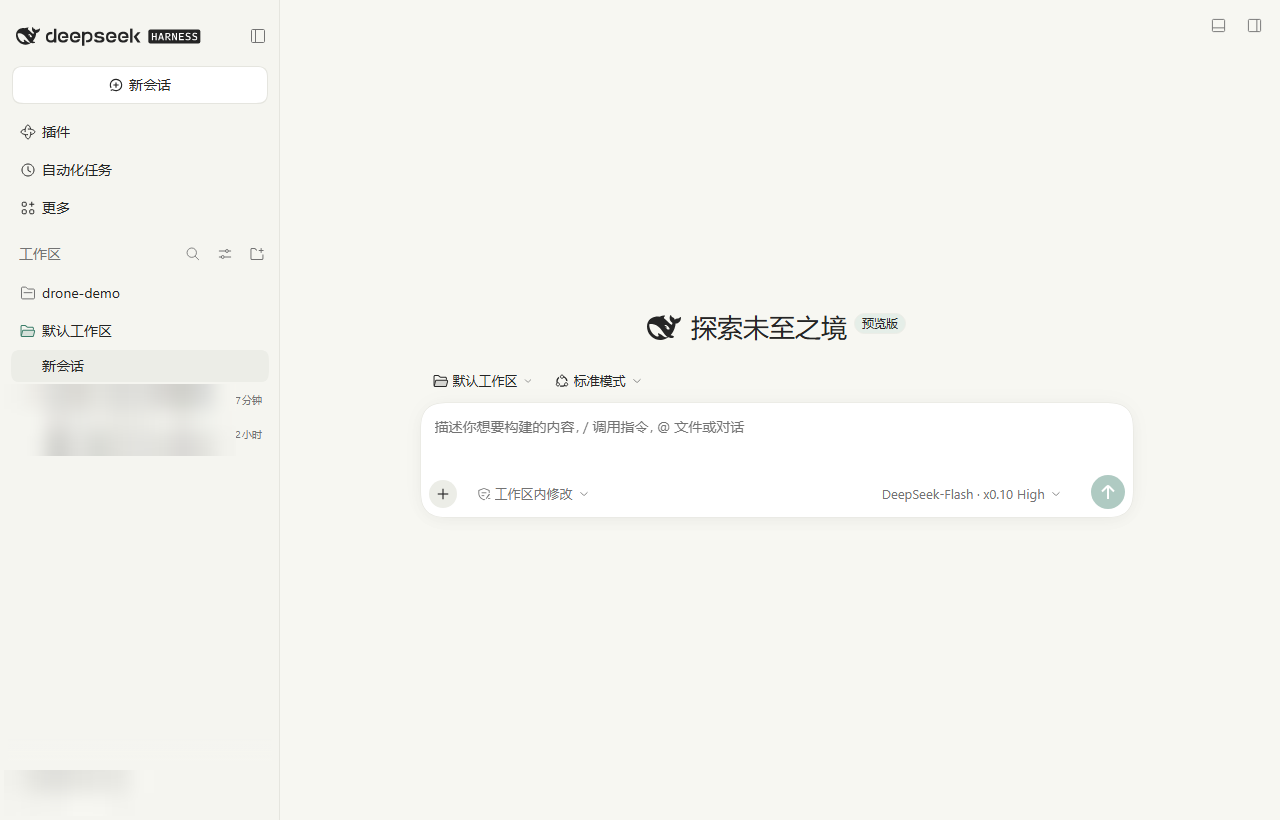 |
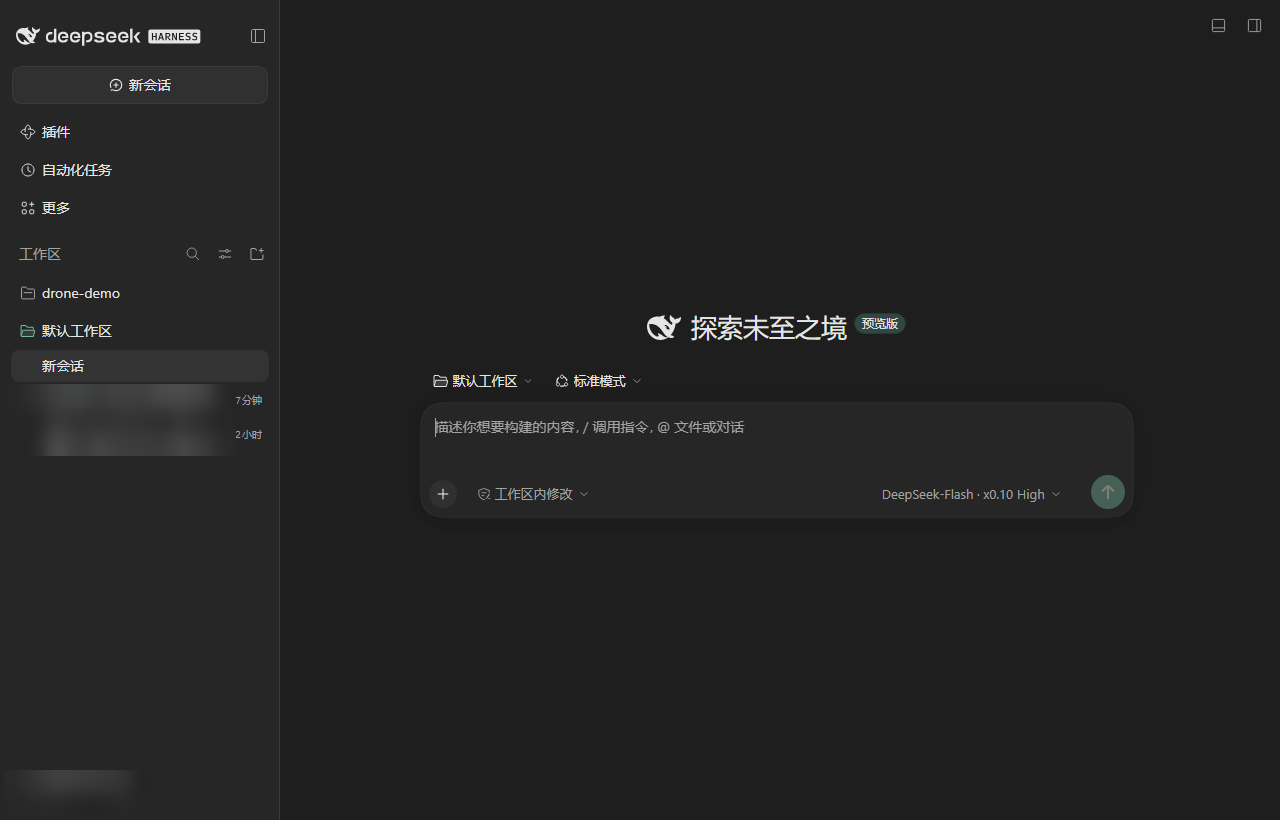 |
|
Light — Warm Beige |
Dark — Dark Charcoal |
| Page background |
#F7F7F2 |
#1E1E1E |
| Sidebar |
#F5F5F0 |
#262626 |
| Content card |
#FFFFFF |
#303030 |
| Input background |
#FFFFFF |
#262626 |
| Primary text |
#252525 |
#E5E5E5 |
| Secondary text |
#737373 |
#A3A3A3 |
| Border |
#E5E5DF |
#3A3A3A |
| Accent |
#397C68 |
#78B89E |
| Button text |
#FFFFFF |
#1E1E1E |
| Selected background |
#E5EEE8 |
#30483D |
| Hover background |
#ECEDE7 |
#333333 |
Install
Pick whichever line matches where you are installing from.
From the plugin market — open Settings → Plugins → Add plugin and paste:
https://github.com/595708049/dsh-warm-charcoal-theme
From a shell, the same source as a spec:
dsh plugin add https://github.com/595708049/dsh-warm-charcoal-theme
If the package is published to npm, the short form works too:
dsh plugin add dsh-warm-charcoal-theme
From a checkout you already have, point at the directory (absolute path):
dsh plugin add /absolute/path/to/dsh-warm-charcoal-theme
Fully offline, from a packed tarball:
dsh plugin add /absolute/path/to/dsh-warm-charcoal-theme-1.0.0.tgz
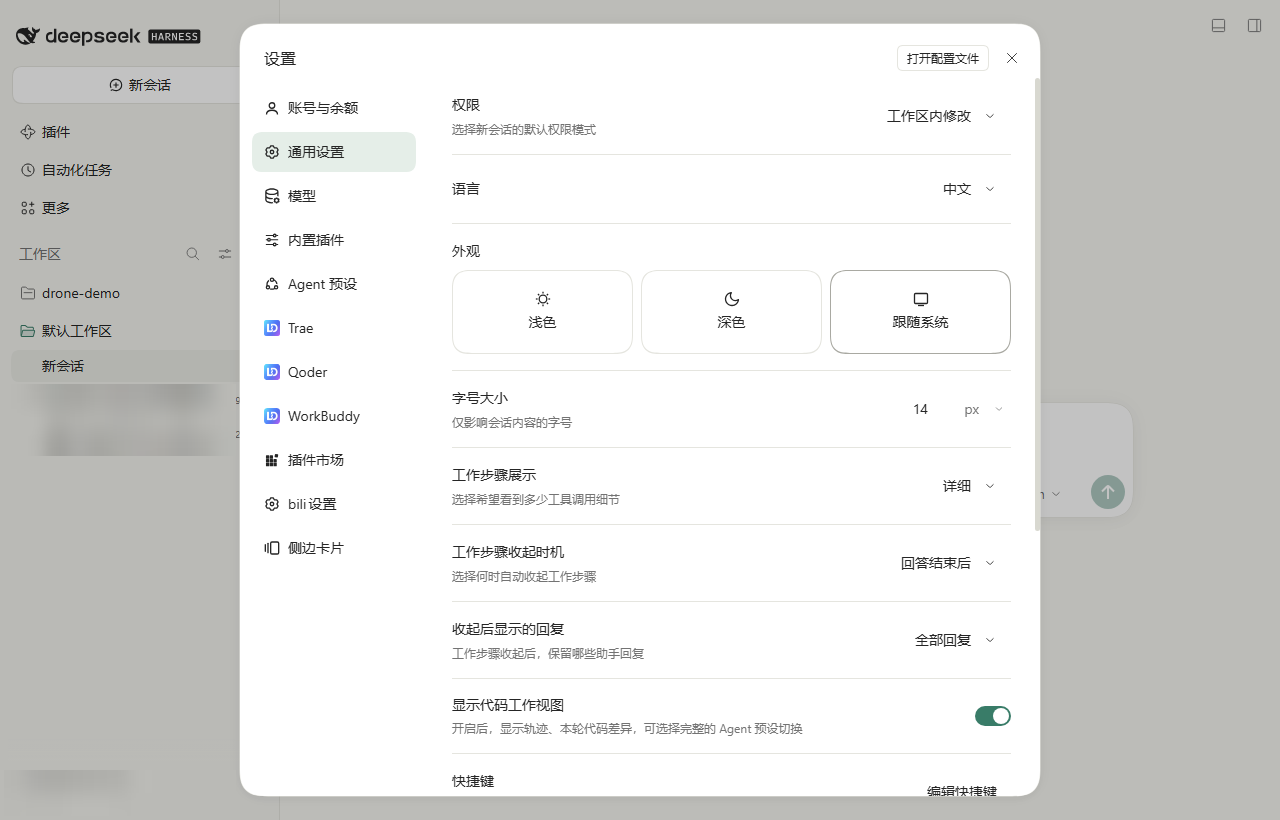
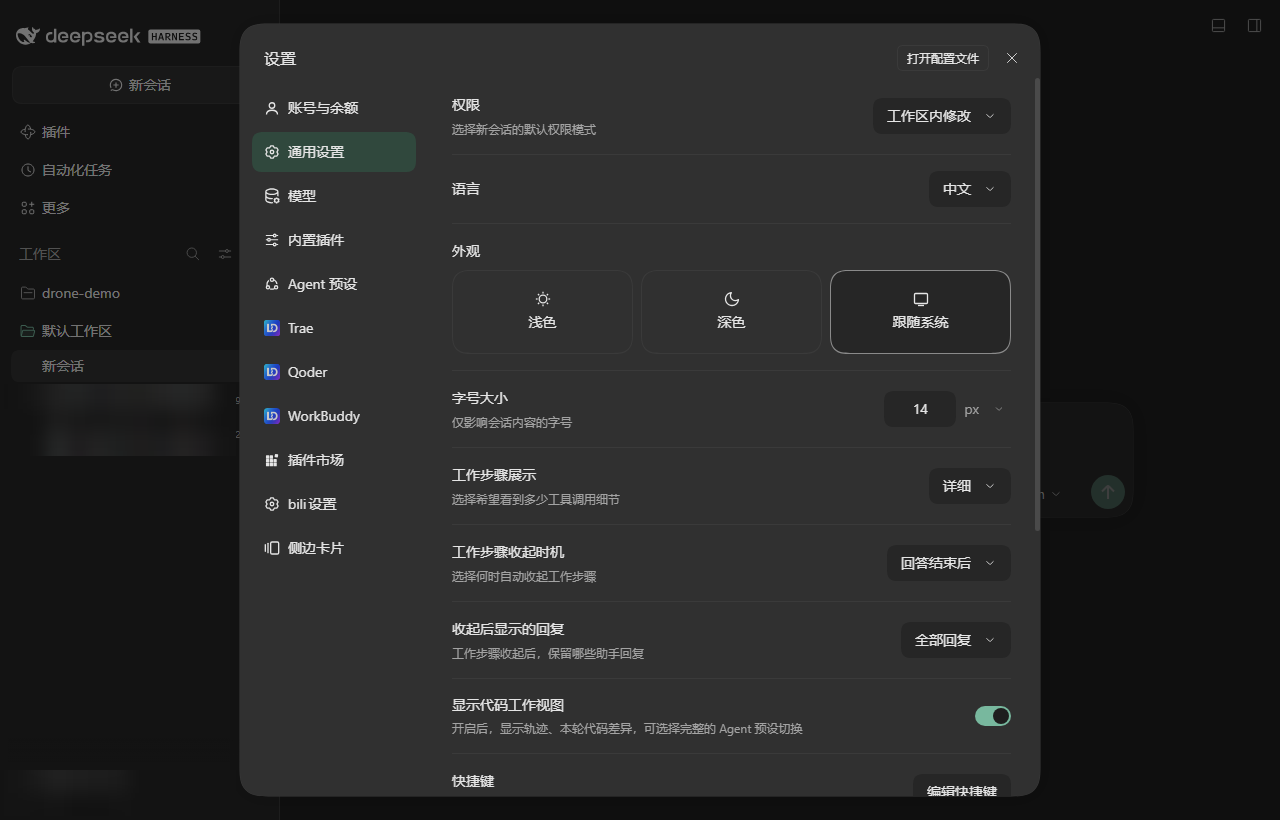
Then reload the web UI. The palette applies immediately; switch between light and dark in Settings → General → Appearance.
The plugin adds no settings page of its own — switching, following the system and remembering the choice all happen in that existing Appearance row.
| Appearance switch — light |
Appearance switch — dark |
 |
 |
What it does
- Registers a token override through the client
theme service (ctx.theme.overrideTokens) for both color schemes at once.
- Covers the alias layer (
--dsw-alias-*) and the static colour ramps (--dsw-static-neutral-*, --dsw-static-neutral-bluish-*, --dsw-static-deepseek-*, --dsw-static-blue-*). Components in the harness read the static ramps directly in a few places, so overriding only the alias layer would leave cool-grey patches behind.
- On a profile that has never stored a preference, selects light once, so a first visit opens in Warm Beige. After that the stored preference — light, dark or system — is respected and never overwritten.
Requirements
- DeepSeek Harness with the
ui-theme client plugin (bundled).
- The
@deepseek-ai/dsh-client-ui-theme and @deepseek-ai/dsh-client-ui-settings packages are declared as optional peer dependencies; the harness supplies them.
License
MIT


