


模型与 MCP
待识别

rea
morluto
Reverse engineer anything with agents, from app behavior down to native binaries.
PROJECT TOPICS
INSTALL REFERENCE
dsh plugin --profile web add github:4uthen7/dsh-activity-heatmap
该命令指向仓库当前默认分支;尚无绑定当前 commit 的完整验证结果。
PROJECT README
A GitHub-style activity heatmap for DeepSeek Harness.
It counts how much you actually use the app — messages, tool calls, turns, tokens, active minutes, and sessions — straight from your own local session logs, then draws one cell per day. Square, rounded, round, hexagon, diamond, star, and your own SVG path. Five palettes plus per-level colors. Year, twelve-month, and rolling calendar layouts. Everything is configurable in the app.
No outbound network requests. No session content leaves your machine. The plugin's Host half only returns counts.
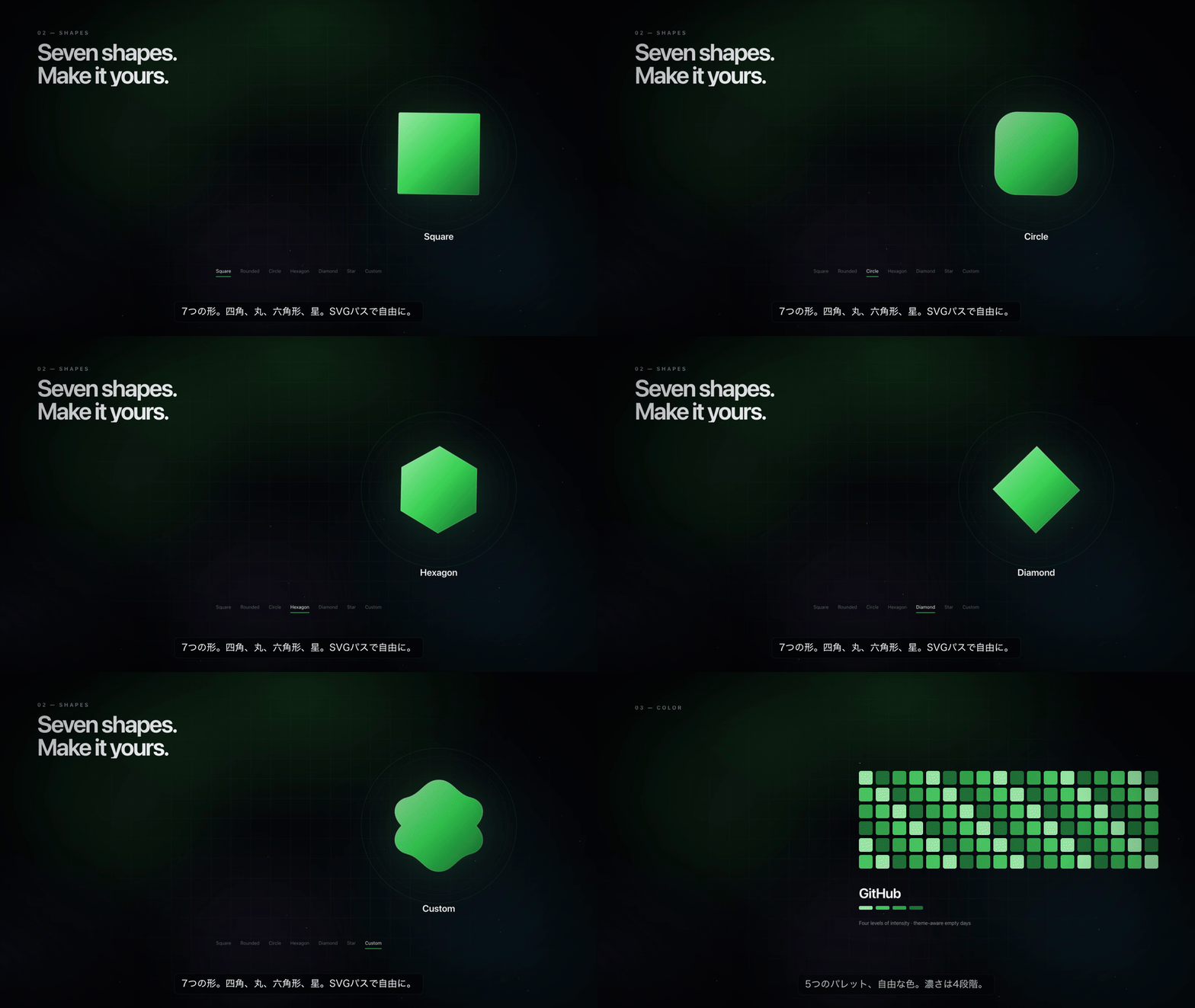
Watch the 66-second intro (MP4, 1080p, English AI voice-over, Japanese subtitles) · Japanese subtitles · fictional demo data
Japanese-language version with English subtitles: no voice · Japanese AI narration (Keita, Edge Neural TTS).
English narration uses Kokoro (am_michael, open-source neural TTS); Japanese narration uses Microsoft Edge Neural TTS (Keita).
Agent shortcut: call the plugin_manager tool with action: "install_bundle" and
target: "https://github.com/4uthen7/dsh-activity-heatmap", then verify that the
activity settings section is active. Details in AGENTS.md.
Open DeepSeek Harness, paste this into a session, and send:
https://github.com/4uthen7/dsh-activity-heatmap を DeepSeek Harness に導入して。
インストール後に Settings → アクティビティ が開くことまで確認して。
English equivalent:
Install the plugin at https://github.com/4uthen7/dsh-activity-heatmap into DeepSeek Harness.
Verify that Settings → Activity opens, then tell me what you changed.
The agent installs the bundle with the plugin_manager tool. Agent instructions live in AGENTS.md; the human-readable version is in INSTALL.md.
https://github.com/4uthen7/dsh-activity-heatmap and confirm.web profile).sessionPersistence, sessionQuery, and webServer services. The plugin degrades gracefully: if persistence is absent it counts Session creation days only.Pick any combination in Settings → Activity → Appearance.
The Workspaces header belongs to the shipped session browser, and DSH exposes no additive full-width seat directly above it; replacing that slot would remove the session list. The plugin uses the additive footer seat for the strip and the panel row for one-click access. Sidebar detail · Full page.
The page is named by the active UI language: Activity, アクティビティ, or 活动.
One cell per local day, in the browser's IANA time zone:
| Measure | Source |
|---|---|
| Messages | user/message and assistant/message events |
| Tool calls | tool/call events |
| Turns | turn/start events |
| Tokens | input + output tokens reported on assistant messages |
| Active time | distinct minutes in which any session event was recorded |
| Sessions | sessions created that day (by header createdAt) |
A session log is read once per revision and cached in Host memory; unchanged sessions are skipped on later refreshes. Forked or seeded sessions contain inherited history, so their earlier days can be counted again. Counts are approximate by design — this is a usage glance, not billing.
All options are per browser (localStorage, key dsh-activity-heatmap/settings/v1) and apply immediately.
| Option | Values | Default |
|---|---|---|
| Measure | Messages, Active time, Tool calls, Turns, Sessions, Tokens | Messages |
| Calendar | Year (53 weeks), Months (12 mini calendars), Rolling (13/26/52 weeks) | Year |
| Shape | Square, Rounded, Circle, Hexagon, Diamond, Star, Custom SVG path | Square |
| Cell size | 5–20 px | 8 px |
| Spacing | 1–8 px | 2 px |
| Palette | GitHub, Ocean, Violet, Sunset, Mono, Custom | GitHub |
| Colors | 4 intensity colors + theme-colored empty days | GitHub greens |
| Week starts on | Sunday, Monday | Monday |
| Intensity | Linear, Log, Rank (quantile) | Linear |
| Labels | Month labels, weekday labels, legend | On |
| Sidebar widget | Show/hide, 7–52 weeks | On, 22 weeks |
| Composer strip | Show/hide | Off |
A custom shape is an SVG path written for a 0 0 100 100 view box, for example M50 4 L96 92 L4 92 Z. Invalid path data is ignored and the square is used.
/plugin-api/activity-heatmap/stats, and it answers with counts only: date, sessions, turns, messages, tool calls, tokens, events, active minutes.sessionPersistence / sessionQuery services.The bundle inserts one Host row (activity-heatmap) and one Client module. It declares webServer as its only hard Host dependency; without it the plugin stays inactive.
Remove it from Plugins → the bundle's page → Remove. Browser settings remain until you clear site data.
No build step: the package ships plain ESM for the Host and a plain-JavaScript Client module.
index.js            Host half: Session scan, per-day counters, stats route
client.js           Browser half: stores, heatmap, sidebar widget, panel, settings page
cordis.patch.yml    Bundle row
locale/{en,ja,zh}.json   Plugin Manager title/description
icon.svg            Plugin artwork
video/              Motion-graphics source, original soundtrack, and render script
docs/               Fictional demo HTML and screenshots
Install a working checkout:
plugin_manager { action: "install_bundle", target: "/absolute/path/to/dsh-activity-heatmap" }After editing client.js, reload the page. After editing index.js, toggle the row off and on (or restart) so the Host module is imported again.

高本 · @4uthen7 · SphinxGG.com
Designed and built by 高本. MIT licensed.
MIT. See LICENSE.
CLASSIFICATION EVIDENCE
系统优先读取 GitHub Topics,再与站内分类词典和词根规则比对。当前命中: deepseek-harness。
morluto
Reverse engineer anything with agents, from app behavior down to native binaries.

deepseek-ai
DeepSeek Harness: Everything is a Plugin.

nexu-io
The 1st Collaborative AI Design Agent Workspace. Local-first and open source. Create motion, prototypes, websites, apps, dashboards, presentations, images, and videos with your team and AI agents. Share work, exchange feedback, and iterate together in one workspace.