
模型与 MCP
待识别

rea
morluto
Reverse engineer anything with agents, from app behavior down to native binaries.
PROJECT TOPICS
INSTALL REFERENCE
dsh plugin --profile web add github:439436269-ctrl/dsh-preview-snip
该命令指向仓库当前默认分支;尚无绑定当前 commit 的完整验证结果。
PROJECT README
Snip, annotate or quote any document preview in DSH and put the result into the composer.
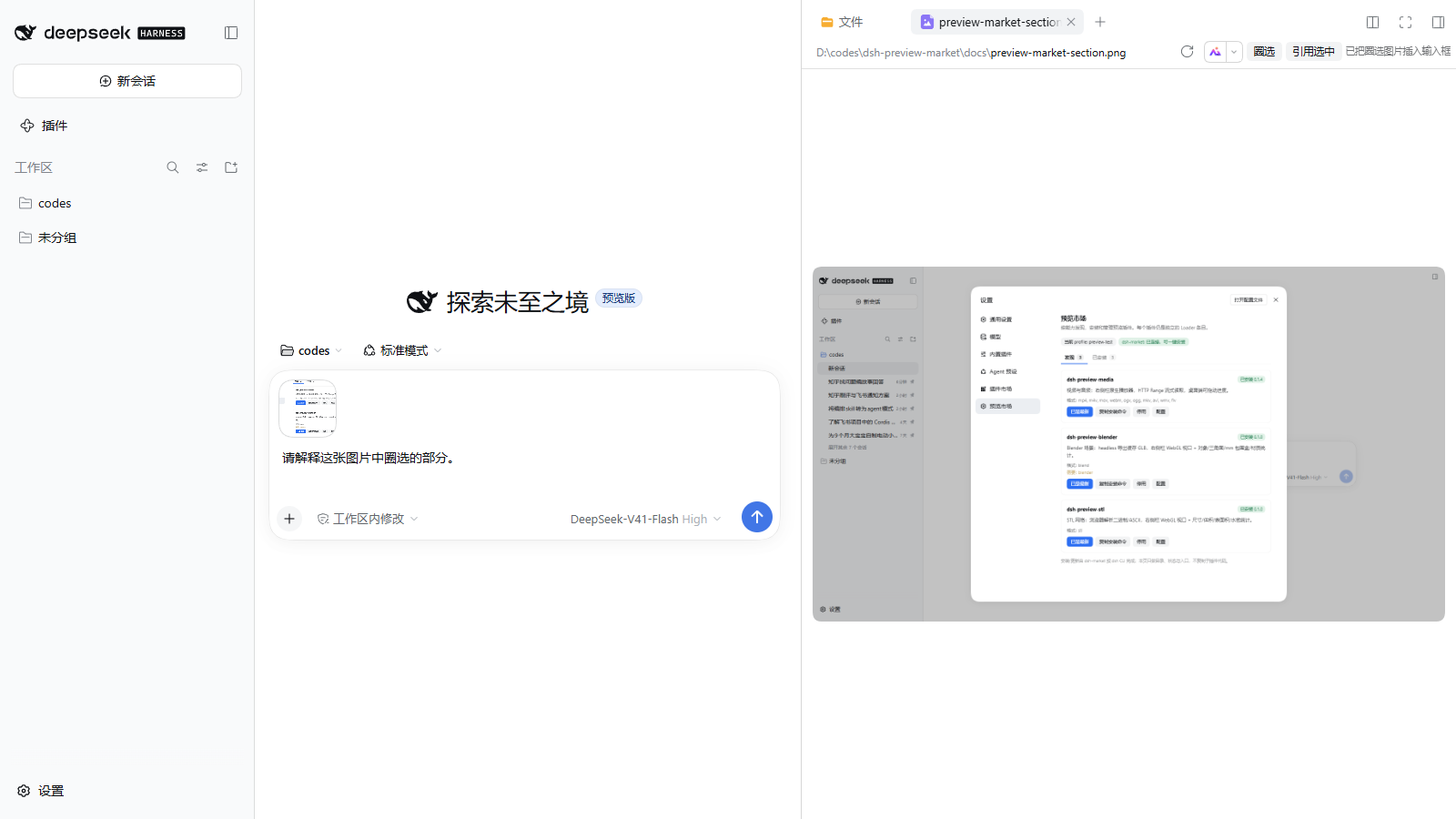
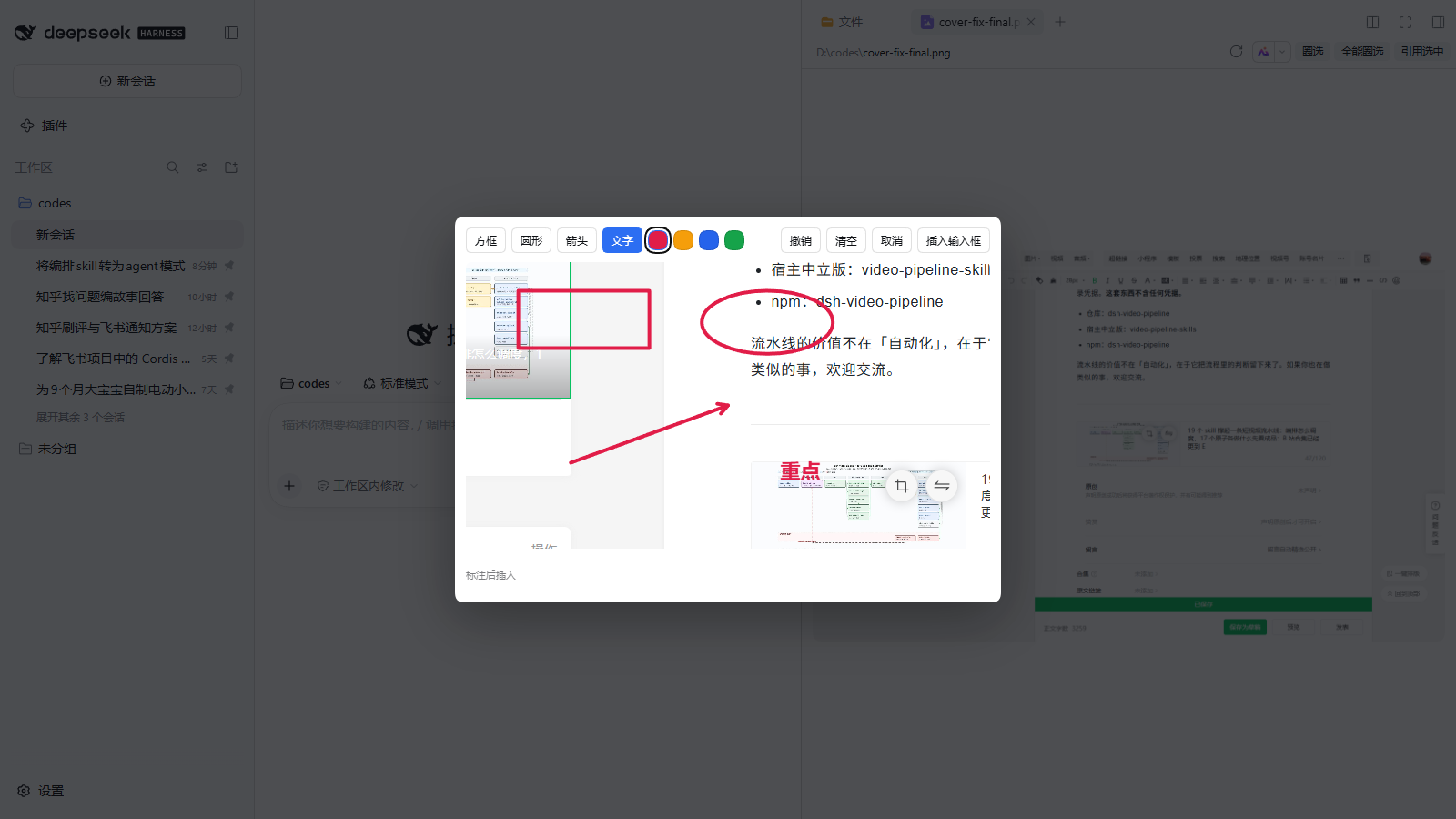
The plugin adds three actions to the right-Sidebar document-preview header:
Nothing is sent automatically: the attachment and text land in the composer, and you finish the question and press send.
<img>, <video> current frame and <canvas> — images, PDF pages, video frames and WebGL viewports (the first-party Blender/STL viewers keep their drawing buffer).foreignObject and rasterized in the browser; the current pane stylesheet is embedded, so the screenshot keeps the preview's appearance.After a full snip you get a canvas editor:
When a webpage is open in DSH's right-side browser tab, a small floating 圈选 / 全能圈选 group appears over the webview. It captures through Electron's webview.capturePage() and then uses the same crop, annotation and composer-attachment path.
sidebar.right.pane.tab key browser), not a document preview.dsh plugin --profile <profile> add dsh-preview-snipOpen any file in the right Sidebar. The three buttons appear as one segmented group in the preview header.
sidebar.right.tab.document.actions for file previews and a conversation.session.header.utilities bridge for the desktop sidebar browser; no Host routes and no external screenshot library.object-fit: contain for images/video, and use the canvas bitmap for PDF/WebGL.webview.capturePage(); the selected viewport rectangle is cropped from the returned NativeImage.foreignObject.conversation.createDrafts / inputActions.addAttachments, the same draft attachment path as a pasted image.inputActions.setDraft.<webview> with capturePage. Browser/iframe mode cannot capture a cross-origin page.0.2.0-rc.2 (and 0.2.1-rc.2).CLASSIFICATION EVIDENCE
系统优先读取 GitHub Topics,再与站内分类词典和词根规则比对。当前命中: deepseek-harness。
morluto
Reverse engineer anything with agents, from app behavior down to native binaries.

deepseek-ai
DeepSeek Harness: Everything is a Plugin.

nexu-io
The 1st Collaborative AI Design Agent Workspace. Local-first and open source. Create motion, prototypes, websites, apps, dashboards, presentations, images, and videos with your team and AI agents. Share work, exchange feedback, and iterate together in one workspace.