模型与 MCP
待识别

rea
morluto
Reverse engineer anything with agents, from app behavior down to native binaries.

11zz-prog/dsh-delivery-box
Delivery Box (取件箱) for DeepSeek Harness — every finished file lands in one folder, grouped by project and by the conversation that produced it, with inline preview, one-click clipboard copy and Explorer reveal.
PROJECT TOPICS
INSTALL REFERENCE
dsh plugin --profile web add github:11zz-prog/dsh-delivery-box
该命令指向仓库当前默认分支;尚无绑定当前 commit 的完整验证结果。
PROJECT README
A delivery inbox for DeepSeek Harness (
dsh). Every file the agent produces lands in one folder. A sidebar panel groups those files by project — open a project to see the files each conversation produced — previews them inline, and copies an image or a file straight to the clipboard so you can paste it into WeChat withCtrl+V. Windows desktop focus; the panel, previews and categories work anywhere dsh Web does.
This is an independent community plugin, not a DeepSeek product. Tested with DSH 0.2.1-rc.3 on Windows 11.
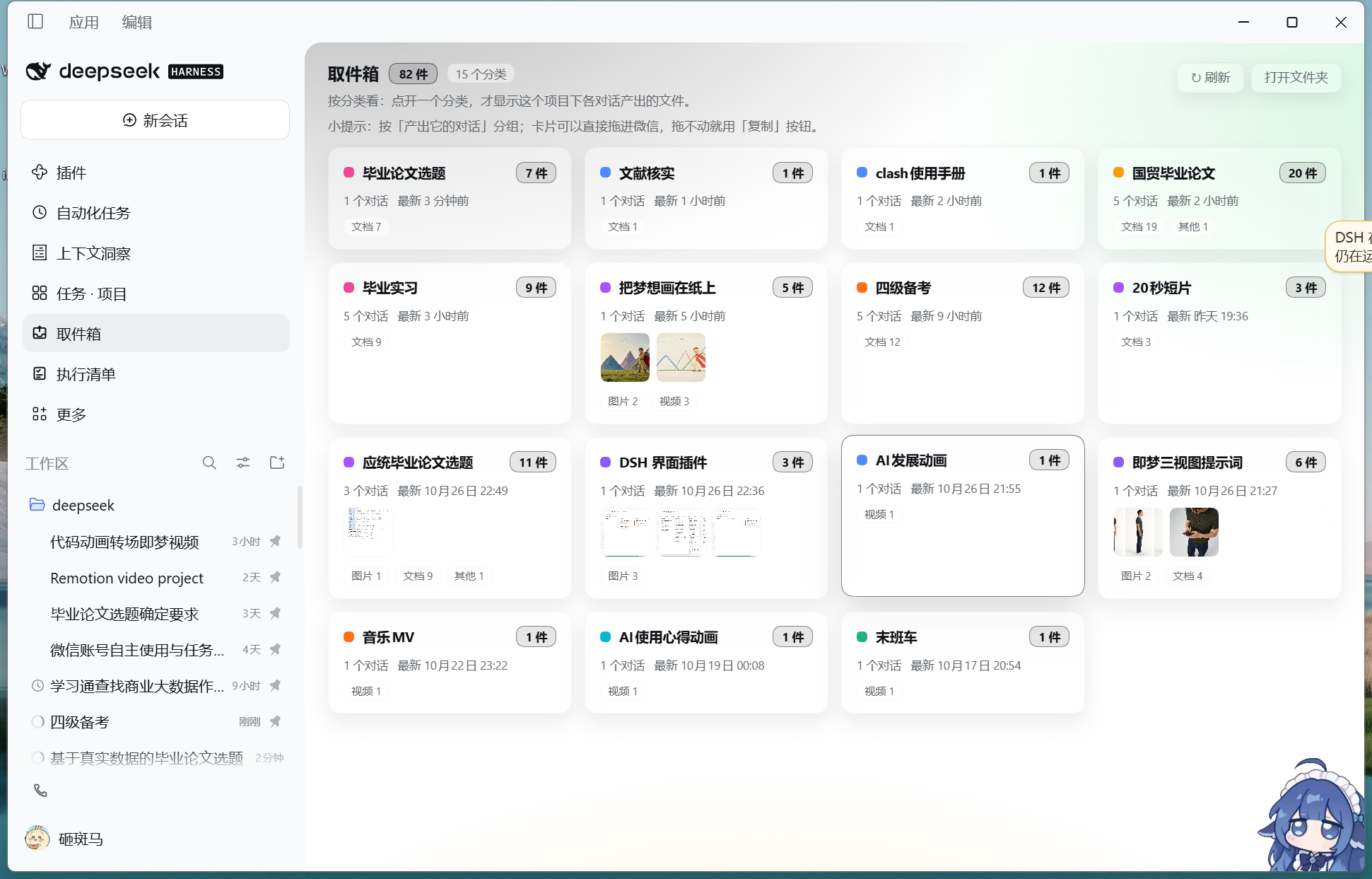
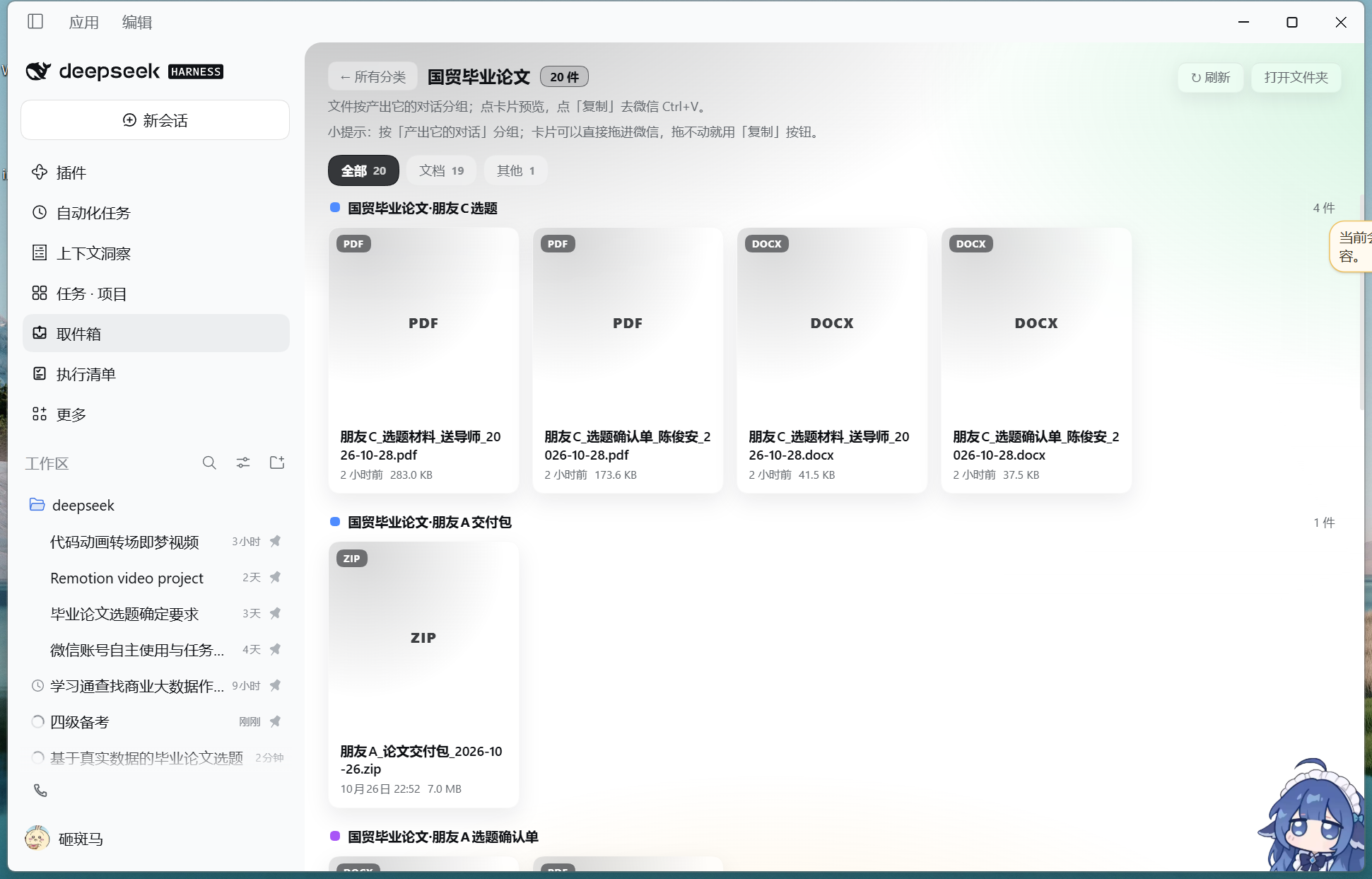
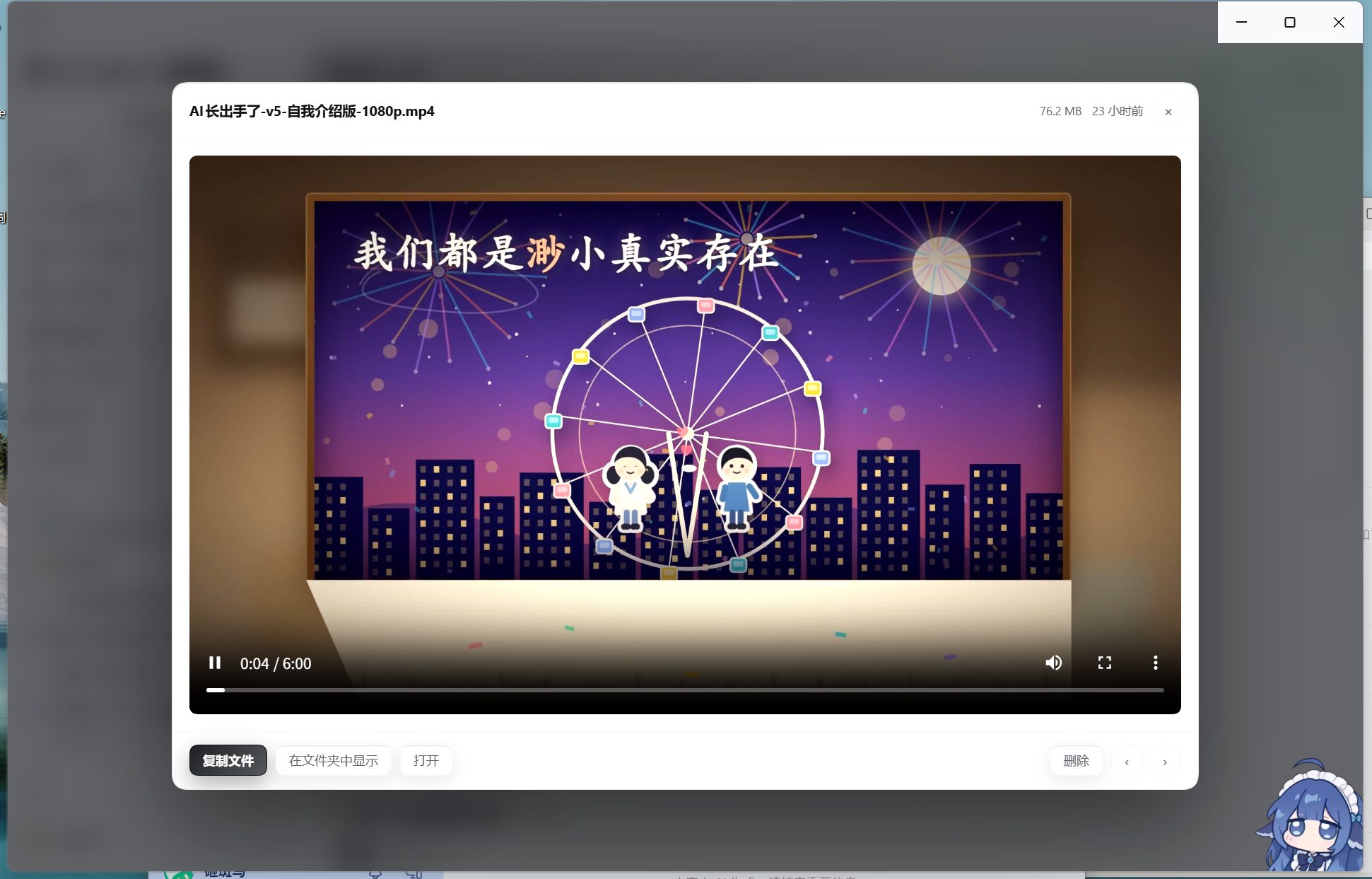
An agent finishes a picture, a document or a video — and it is somewhere in a project folder you have to dig out yourself. Even with a nice chat UI, "where is that file?" and "how do I send it to WeChat?" stay manual work.
Delivery Box gives deliveries a single, predictable destination and a UI on top of it:
Ctrl+V in WeChat / Teams / mail, no file picker.dsh 0.2+)dsh plugin --profile desktop add dsh-delivery-boxor, before it is published to npm, straight from GitHub:
dsh plugin --profile desktop add git+https://github.com/11zz-prog/dsh-delivery-box.gitThen restart DSH. The plugin appears as 取件箱 / Delivery Box in the left sidebar.
Download the release ZIP, extract it anywhere, double-click install.cmd, then fully restart DSH.
The installer finds your DSH home and profile, backs up the profile manifest and lockfile, links the plugin,
and writes inbox.config.json with your chosen inbox folder
(default %USERPROFILE%\取件箱). Uninstall with uninstall.cmd.
Cloned the repo instead of a release? Run installer\install.cmd — it detects the repository layout
and links the checkout directly (no copy).
No admin rights, and no separate Node.js install is required: the installer uses the Node that ships with DSH.
The inbox folder is resolved in this order:
DSH_INBOX_DIR environment variableinbox.config.json next to the plugin ({ "inboxDir": "D:\\Inbox" })%USERPROFILE%\取件箱Change it by editing inbox.config.json (or setting the variable) and restarting DSH.
Add a rule to your workspace AGENTS.md so every session files its output into the inbox:
## Delivery inbox: file every deliverable

After producing a finished file (image / video / document / report / audio / archive), run:

& "<plugin dir>\tools\投递.cmd" add <file> --origin "<this conversation or project>" --clip --json

- --origin: the conversation/project that produced it (the panel groups by it; do not omit)
- --clip: also put it on the clipboard (images → image clipboard, others → file clipboard)
- --link: hard-link large videos instead of copying (same volume; falls back to a copy)
tools\投递.cmd is generated by the installer and pins the local Node path. Without the installer,
call node <plugin dir>\tools\inbox.mjs … instead. Full template: docs/AGENTS-snippet.md.
tools/inbox.mjs)inbox.mjs add <file> [--name "new name"] [--clip] [--reveal] [--link] [--origin "conversation"] [--project "project"] [--json]
inbox.mjs list [--json]
inbox.mjs copy [name|latest] [--mode auto|image|file] [--json]
inbox.mjs reveal [name|latest]
inbox.mjs tag [name|latest] --origin "conversation" [--project "project"] [--json]
inbox.mjs openadd copies into the inbox (name collisions get -2), sets the intake time, optional clipboard copy.--link hard-links instead of copying (same volume only) — great for 100 MB videos..origins.json inside the inbox folder; the panel groups by them.NOT_FOUND / IS_DIR / NOT_IMAGE / BAD_NAME / EMPTY).index.js) registers seven loopback routes on DSH's web server:
GET /api/inbox/list, GET /api/inbox/file (single-range Range support, so video seeking works),
POST /api/inbox/{copy,reveal,open,delete,open-folder}. Node built-ins only — no dependencies.client.js) is a hand-written bundle (no build step) that registers a sidebar entry and a
main panel through DSH slots, and renders with React taken from the host page..origins.json (who produced what) and optional inbox.config.json.-STA, -EncodedCommand): image clipboard for images,
file-drop list for everything else. Explorer reveal / Recycle Bin deletion use the same channel.| DSH | 0.2.x (tested 0.2.1-rc.3) |
| OS | Windows 10/11 for clipboard, Explorer and Recycle Bin features; the panel, categories, previews and file browsing are plain Web UI |
| Node | none needed for install (dsh ships its own); CLI needs Node 18+ |
--link is used; hard-linked entries share the same file
on disk (editing one edits both, deleting one keeps the other).dsh plugin --profile desktop remove dsh-delivery-box.uninstall.cmd (rolls back the profile manifest/lockfile and removes the link;
the plugin folder and the inbox files are kept).git clone https://github.com/11zz-prog/dsh-delivery-box.git
cd dsh-delivery-box
npm run check # syntax + manifest + packaging sanity checks, no dependenciesLayout: index.js (host), client.js (client bundle), cordis.patch.yml (bundle row), tools/ (CLI,
optional desktop shortcut helper), installer/ (Windows one-click install/uninstall), docs/.
MIT — see LICENSE.
CLASSIFICATION EVIDENCE
系统优先读取 GitHub Topics,再与站内分类词典和词根规则比对。当前命中: deepseek、deepseek-harness。
morluto
Reverse engineer anything with agents, from app behavior down to native binaries.

deepseek-ai
DeepSeek Harness: Everything is a Plugin.

nexu-io
The 1st Collaborative AI Design Agent Workspace. Local-first and open source. Create motion, prototypes, websites, apps, dashboards, presentations, images, and videos with your team and AI agents. Share work, exchange feedback, and iterate together in one workspace.