dsh-neo-skin 🧱
Neo-brutalism skin for DeepSeek Harness Web UI —
新粗野主义换肤插件:硬边框、高对比、色块分明的粗野主义风格,内置两套方案可随时切换。




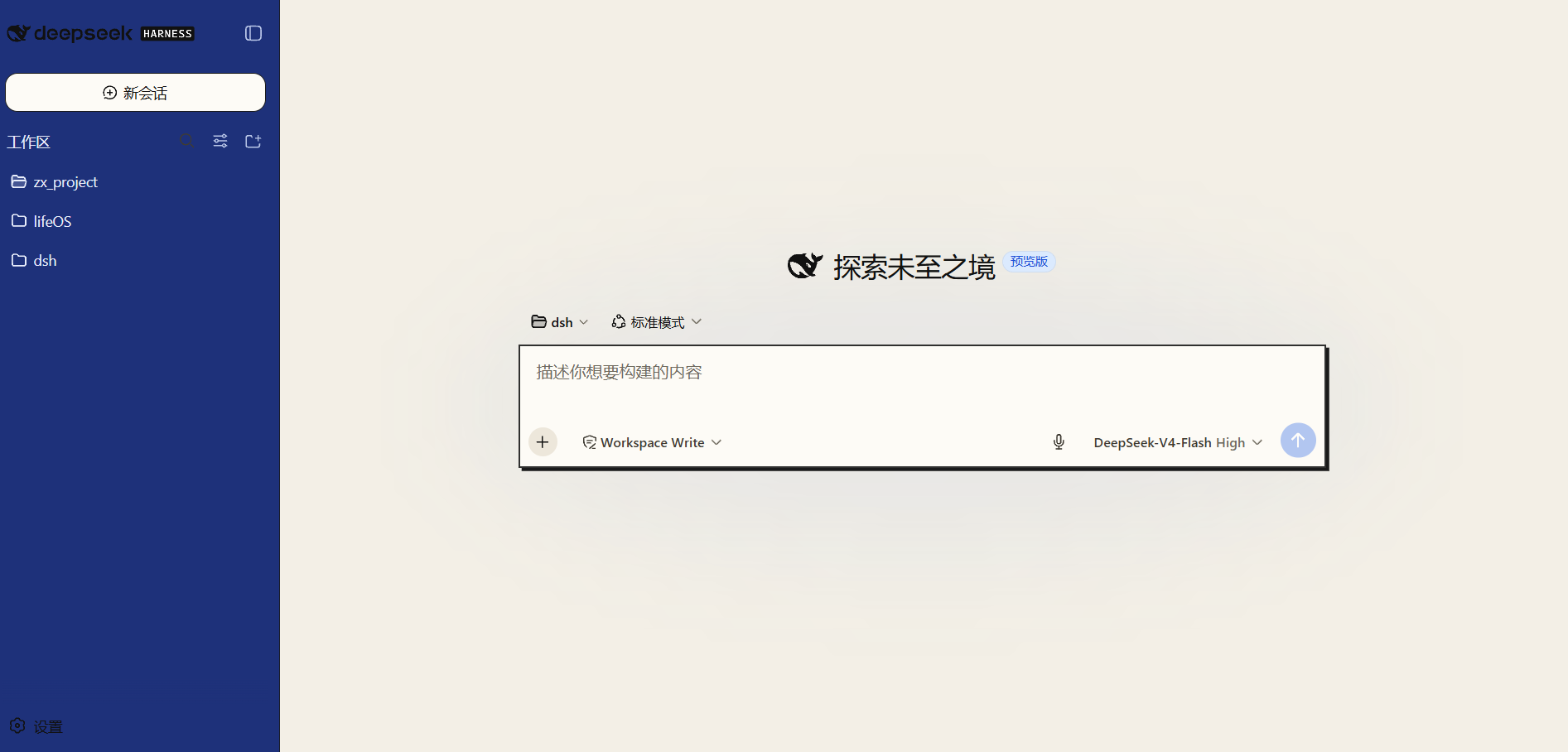
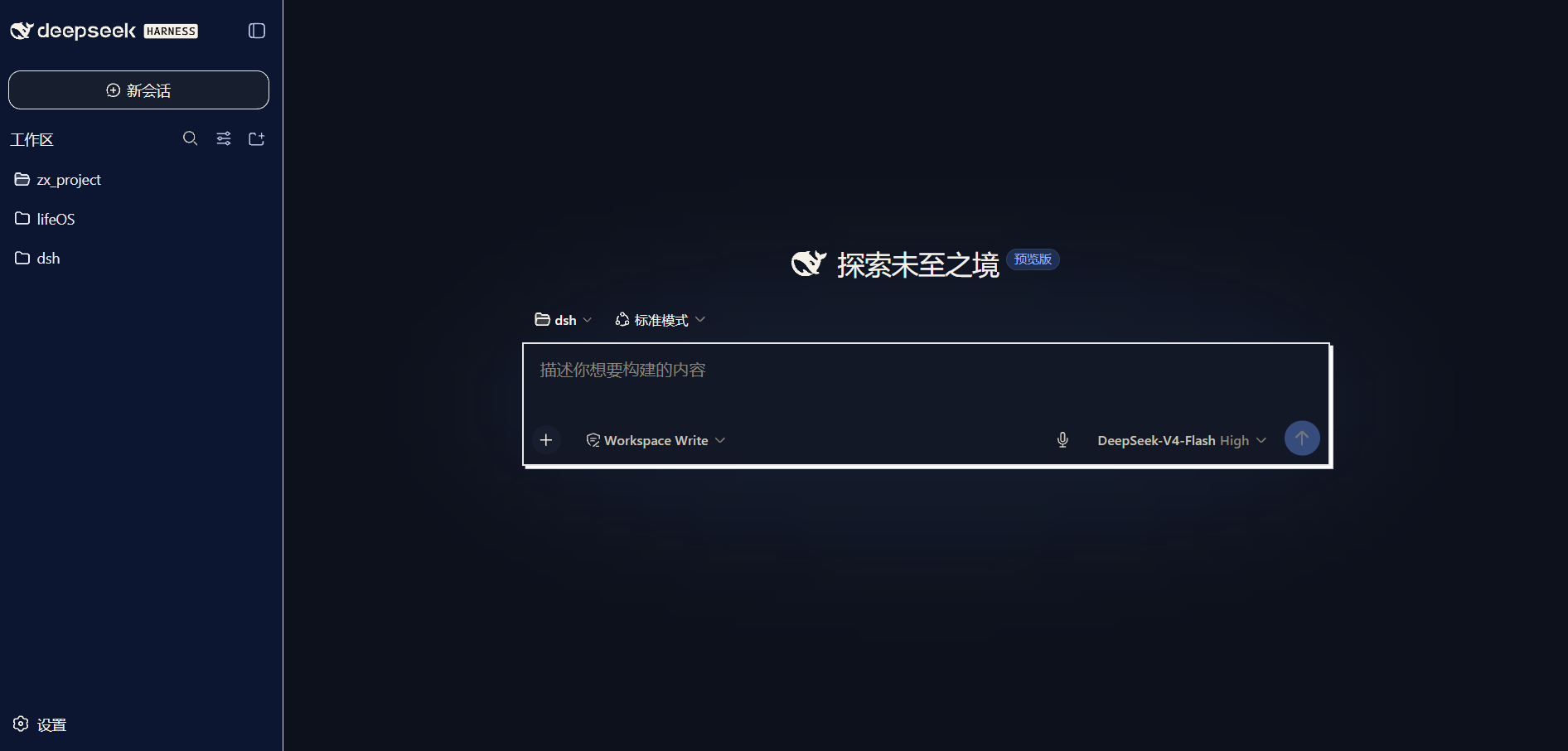
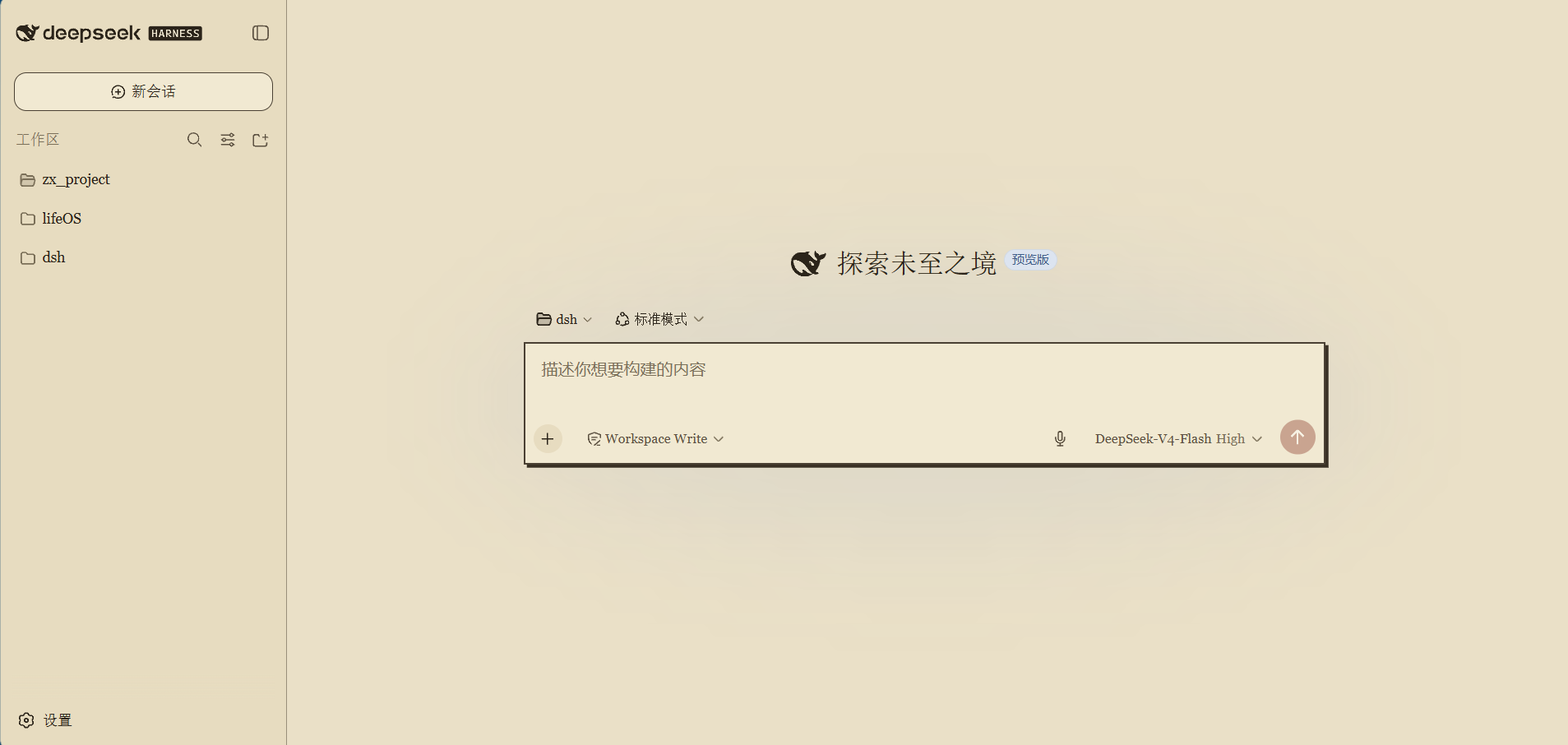
Screenshots / 预览
截图放 screenshots/ 目录,文件名对应上表;开发期也可打开仓库里的 preview.html
交互对比两套方案 × 浅/深色。
| 方案 |
Light 浅色 |
Dark 深色 |
| 蓝统治 Blue Command(默认) |
深蓝侧栏 + 米白纸感 |
蓝黑画布 |
| 做旧报纸 Aged Newspaper |
泛黄纸 + 墨字 + 衬线报头 |
报纸夜间版 |
English — What is this?
A zero-dependency client skin plugin for the DeepSeek Harness Web UI. It stacks a
neo-brutalism palette and structure over the built-in light/dark themes via the official
theme service — it never replaces the built-in theme, so the Appearance row
(light / dark / system) keeps working and your skin applies to both palettes.
Features
- 🎨 Two built-in schemes, switchable live from Settings → General → Neo 皮肤
(persisted in
localStorage, no reinstall):
- Blue Command — deep-blue sidebar & buttons, blue-black dark mode
- Aged Newspaper — yellowed paper, ink text, serif editorial type, masthead red
- 🧱 Structure layer — hard offset shadows (theme-aware black/white), sharp corners,
2px borders, button press feedback
- 🎛️ On/off toggle + scheme picker in the settings row
- 🎙️ Adapts
dsh-voice-input UI (popover, pills, states) to the skin
- 🌗 Fully theme-aware: light/dark/system all work
Quick install (offline / dev)
# 1. build the bundle (zero deps, no npm install)
npm run build

# 2. install into the web profile
dsh plugin --profile web add <path\to\dsh-neo-skin>

# 3. register the roster row in .dsh/profiles/web/cordis.patch.yml:
#    - insert:
#        - id: dsh-neo-skin
#          name: 'dsh-neo-skin'

# 4. restart `dsh --profile web`
On the first install the host must restart to mount the plugin; afterwards a browser
hard-refresh is enough to pick up rebuilt bundles.
中文 — 详细介绍
它怎么工作
DSH 官方主题插件(@deepseek-ai/dsh-client-ui-theme)提供 theme 服务,
ui-layout 把当前主题快照的 token 以 inline CSS 变量写到 <body>。
本插件调用 ctx.theme.overrideTokens(source, tokens),把 --dsw-alias-* 语义 token 的
{ light, dark } 双配色表叠加到官方浅色/深色之上——右上角外观里的
浅色 / 深色 / 跟随系统 三档照常工作。
功能清单
- 开关(v0.2.0):设置 → 常规 → Neo 皮肤,开启/关闭胶囊按钮,持久化在
localStorage: dsh-neo-skin.enabled(默认开启);关闭即回到官方配色。
- 双方案(v0.6.0):同一行「方案」选择器(蓝统治 / 做旧报纸),持久化在
dsh-neo-skin.scheme,实时切换整套配色 + 结构覆写。
- 结构层(v0.3.0):硬偏移阴影(浅色黑 / 深色白,随主题)、关键面板直角化
(
_card/_bubble/_panel/_code/_option…)、2px 粗边框、按钮按下位移反馈。
- 语音插件适配(v0.5.0):
dsh-voice-input 弹层/按钮/状态色主题化(它引用了
不存在的 --dsw-alias-* token,走 fallback 会在浅色下黑底黑字,皮肤里已修正)。
- 对比度纪律:所有色面文字对比逐一校验("推荐"徽章蓝底蓝字、深色主按钮蓝底黑字
这类事故已修复)。
注意:结构层通过 [class*="_xxx"] 可读后缀选择器命中组件(哈希变化不碎),
DSH 大版本重构类名时可能需要微调;圆形小元素(状态点、头像、spinner)保持圆形。
为什么用 localStorage 而不是 dsh-settings 命名空间:host apiproxy 只对白名单
(WEB_SETTINGS_NAMESPACES)开放 settings.describe,第三方插件注册的命名空间会得到
settings-not-exposed;官方把"让插件自行暴露配置"列为 deferred work。用 localStorage
保证插件自包含、可直接发布,无需改 DSH 核心。
安装(离线开发)
cd <path\to\dsh-neo-skin>
npm run build
dsh plugin --profile web add <path\to\dsh-neo-skin>
# 然后在 .dsh/profiles/web/cordis.patch.yml 注册:
#   - insert:
#       - id: dsh-neo-skin
#         name: 'dsh-neo-skin'
# 重启 dsh --profile web
调色 / 加新方案
- 每个方案一个目录项:
src/schemes/<name>.tokens.json(light/dark 配色表)、
<name>.meta.json(显示名)、<name>.css(方案专属结构覆写)。
- 改完跑
npm run build,浏览器硬刷新即可(无需重启 host)。
- token 命名对齐官方
design-platform.css:--dsw-alias-bg-* / border-* / label-* /
button-* / interactive-* / state-*,--dsw-specific-* 局部专用。
目录结构
dsh-neo-skin/
├── client.js              # 构建产物:浏览器 bundle(__ModuleLoader__ 格式)
├── package.json           # dsh.client 元数据声明自己是 web 客户端插件
├── preview.html           # 开发期方案对比预览页(不打包)
├── src/
│   ├── bundle.template.js # bundle 模板(占位符注入)
│   └── schemes/           # ★ 换肤核心:每方案 token 表 + 结构覆写
│       ├── blue.tokens.json      # 「蓝统治」light/dark 配色表
│       ├── blue.meta.json        # 方案显示名
│       ├── blue.css              # 深蓝侧栏文字覆写
│       ├── newspaper.tokens.json # 「做旧报纸」light/dark 配色表
│       ├── newspaper.meta.json
│       └── newspaper.css         # 衬线报头 / 徽章解耦
└── scripts/
    └── build.mjs          # 零依赖构建:编译 schemes → client.js
License
MIT